

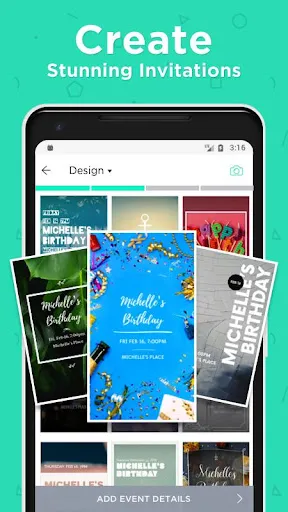

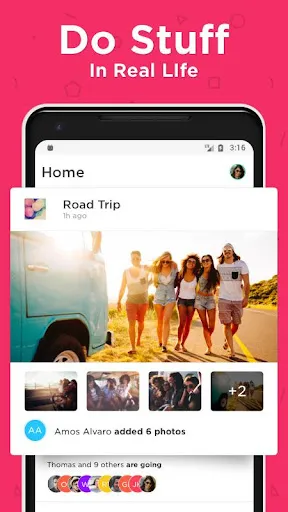
"Hobnob - Invitation Card Maker" is a versatile application designed to simplify the process of creating and sending invitations for various events. One of its standout features is the extensive library of customizable templates, which cater to a wide range of occasions, from weddings to birthday parties. Users can easily personalize these templates by adding their own text, images, and colors, ensuring that each invitation reflects their unique style.
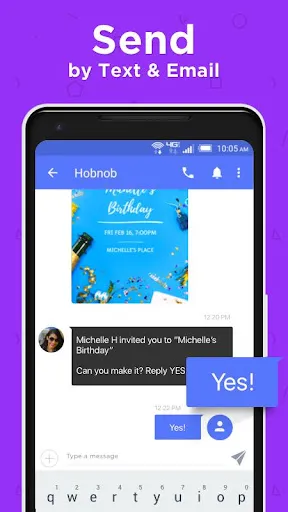
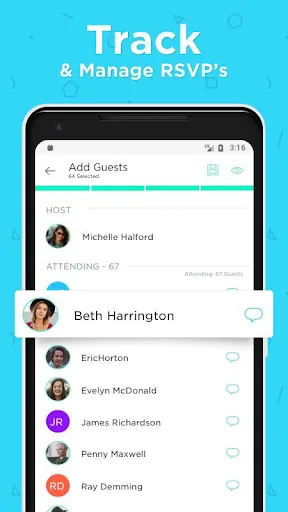
Another notable feature is the ability to manage RSVPs directly through the app. This functionality allows hosts to track guest responses in real-time, making event planning more efficient. Additionally, Hobnob supports digital delivery, enabling users to send invitations via text or email, which is both convenient and eco-friendly. The app also offers a user-friendly interface, making it accessible for individuals of all ages. Furthermore, users can create group invitations, making it easy to invite multiple guests at once, and can even include maps and event details to ensure everyone arrives on time.
Using "Hobnob - Invitation Card Maker" is a straightforward process that anyone can master. First, download the app from your device's app store and create an account. Once logged in, you can start by selecting a template that suits your event. The app provides a variety of categories, so you can easily find the perfect design for your occasion.
After choosing a template, you can customize it by adding your event details, such as the date, time, and location. You can also personalize the invitation with images, colors, and fonts to match your theme. Once you are satisfied with your design, you can preview it to ensure everything looks perfect. Finally, you can send your invitations directly through the app via text or email, or share them on social media. The RSVP feature allows you to keep track of who is attending, making it easier to plan your event.
Like any application, "Hobnob - Invitation Card Maker" has its advantages and disadvantages. One of the primary pros is its user-friendly interface, which makes it easy for anyone to create beautiful invitations without any design experience. The extensive library of templates is another significant advantage, offering a wide variety of styles for different occasions. Additionally, the RSVP tracking feature is incredibly useful for event planning, allowing hosts to manage guest lists efficiently.
On the downside, some users may find that certain features are limited in the free version of the app, requiring a subscription for full access. Additionally, while the app is designed for ease of use, some users may still encounter a learning curve when navigating all the customization options. Lastly, as with any digital invitation, there may be guests who prefer traditional paper invitations, which could limit the app's appeal for certain audiences. Overall, Hobnob is a powerful tool for modern event planning, but it may not suit everyone's preferences.

 Create stunning, customizable invitations in minutes with user-friendly templates. Effortlessly manage RSVP tracking to streamline your event planning. Share invitations easily via text, email, or social media for wider reach. Access a vast library of graphics and fonts to enhance your designs. Enjoy seamless collaboration with friends or family on invitation creation.
 Limited customization options may restrict creative expression User interface can be confusing for beginners App performance may lag on older devices
  Google Play
  App Store
 Yes, users can submit feedback and suggestions through the app's customer support section or via their official website.
Yes, Hobnob may collect personal data to enhance user experience and provide services, but it adheres to privacy policies to protect user information.
Hobnob requires an internet connection to send invitations and access some features, but users can create and edit cards offline.
Users can cancel their subscription through the app settings or their app store account settings, depending on the platform used for purchase.
Subscription costs vary, but typically there are monthly and annual plans that provide access to additional features and templates.
Unfortunately, customer numbers cannot be changed. For any concerns, please reach out to customer service.
You can reach our customer service team via the support section in the app or by emailing support
Log in to your account, go to settings, and update your email address. Don't forget to verify the new email!
After signing up, check your email for an activation link. Click it to activate your account and start creating invitations!
To log in, open the app and enter your email and password. If you have trouble, use the "Forgot Password?" option.