

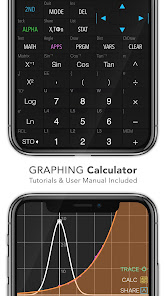
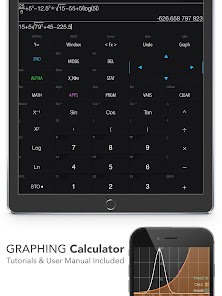
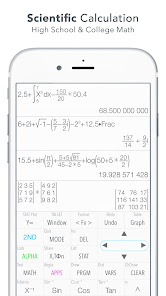
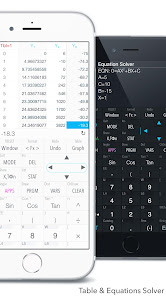
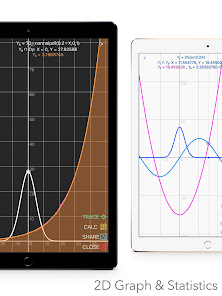
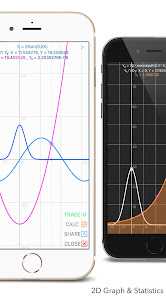
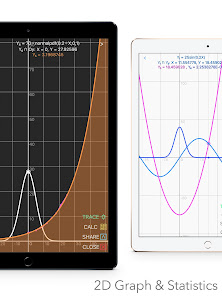
"Graphing Calculator Plus (X84)" is a powerful tool designed for students, educators, and professionals who require advanced mathematical capabilities. One of its standout features is the ability to graph a wide range of functions, including polynomial, trigonometric, and logarithmic equations. The app supports multiple graphing modes, allowing users to visualize complex equations in 2D and 3D formats. Additionally, it offers a user-friendly interface that simplifies navigation and enhances the overall user experience.
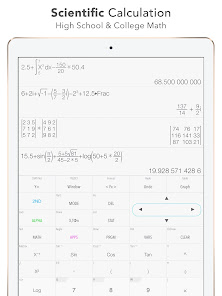
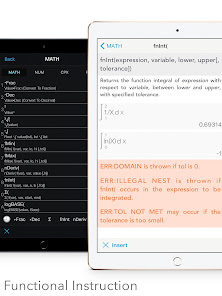
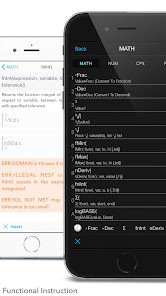
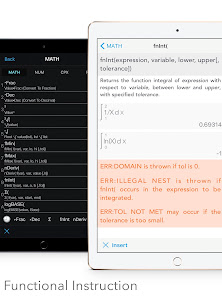
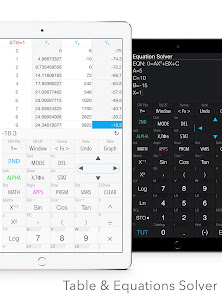
Another notable feature is the built-in scientific calculator, which provides essential functions such as fractions, exponents, and roots. Users can also perform statistical analyses, including regression and probability calculations, making it a versatile tool for various mathematical applications. The app allows for the saving and sharing of graphs, enabling collaboration and easy access to important data. Furthermore, it includes a comprehensive help section, ensuring that users can quickly find solutions to any issues they encounter while using the app.
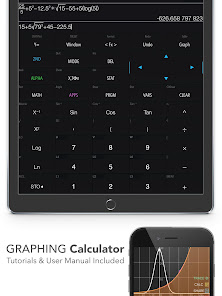
Using "Graphing Calculator Plus (X84)" is straightforward, even for those new to graphing calculators. To begin, download and install the app on your device. Once opened, you will be greeted with a clean interface featuring a graphing area and a toolbar. To graph a function, simply enter the equation in the designated input field. The app supports various mathematical notations, so you can input complex equations with ease.
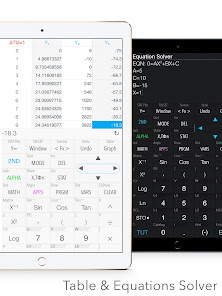
After entering your equation, press the "Graph" button to visualize the function. You can adjust the viewing window to focus on specific areas of the graph, allowing for a more detailed analysis. The app also provides options to trace points on the graph, helping you identify key features such as intercepts and maxima. For statistical functions, navigate to the statistics section, where you can input data sets and perform analyses. Remember to explore the help section for tips and tricks to maximize your use of the app.
"Graphing Calculator Plus (X84)" comes with several advantages that make it a popular choice among users. One of the primary benefits is its intuitive interface, which makes it accessible for beginners while still offering advanced features for experienced users. The ability to graph multiple functions simultaneously is another significant advantage, allowing for comprehensive comparisons and analyses. Additionally, the app's extensive help resources provide valuable support, ensuring users can effectively utilize its features.
However, there are some drawbacks to consider. Some users may find that the app lacks certain advanced functionalities available in more specialized graphing calculators. Additionally, while the app is generally reliable, occasional bugs or performance issues may arise, particularly on older devices. Lastly, while the app is free, some features may require in-app purchases, which could be a limitation for users seeking a completely free solution. Overall, "Graphing Calculator Plus (X84)" is a robust tool, but potential users should weigh these pros and cons before committing.

 Graphing Calculator Plus (X84) offers a range of powerful features to enhance your mathematical experience. Easily plot complex functions! User-friendly interface for all! Supports multiple graph types! Step-by-step solutions provided! Customizable graph settings available!
 Limited graphing options User interface can be cluttered Steep learning curve for new users Occasional bugs and glitches Lacks advanced statistical tools
  Google Play
  App Store
 Yes, users can submit feedback and suggestions through the app's support section or official website.
The app does not collect personal data unless explicitly provided by the user for specific features.
Yes, the app can be used offline, allowing users to perform calculations without an internet connection.
You can cancel your subscription through your app store account settings before the next billing cycle.
The subscription cost varies, typically around $4.99 per month or $19.99 per year, depending on the plan chosen.
You can contact customer service through the app's support section or visit their official website for assistance.
To activate, open the app, go to settings, and enter your license key in the activation section.
Open the app, tap on the login option, and enter your registered email and password to access your account.
Yes, activation is required for full features. You can activate it using the license key provided upon purchase.
The customer number is typically provided in your purchase confirmation email or within the app's settings. Check there for details.