

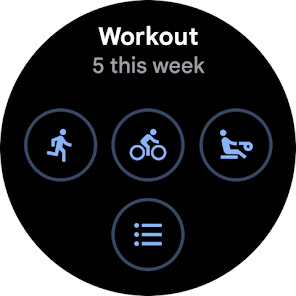
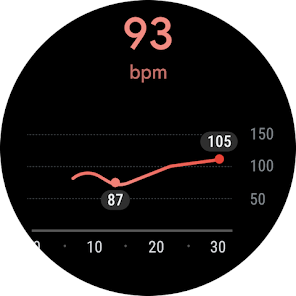
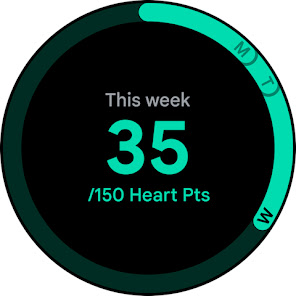
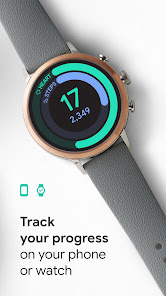
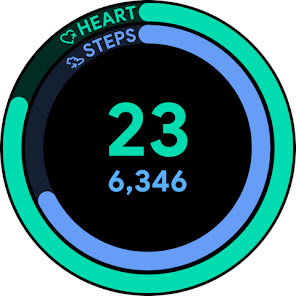
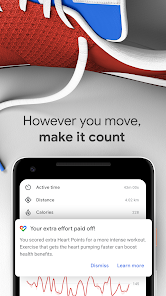
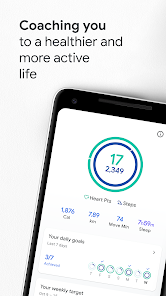
Google Fit: Activity Tracking offers a comprehensive suite of features designed to help users monitor their physical activity and overall health. One of its standout features is the ability to track various types of exercises, including walking, running, cycling, and more. The app utilizes sensors in your device to automatically log activities, making it easy to keep an accurate record of your workouts without manual input.
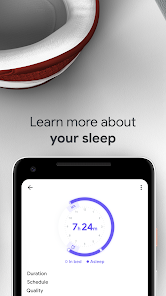
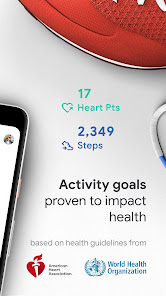
Another key feature is the integration with other health and fitness apps, allowing users to consolidate their health data in one place. Google Fit also provides personalized coaching and insights based on your activity levels, helping you set and achieve fitness goals. The app includes a heart points system, which rewards users for engaging in moderate to vigorous activities, encouraging a more active lifestyle. Additionally, users can monitor their sleep patterns and track their nutrition, making it a holistic health management tool.
With its user-friendly interface and customizable dashboard, Google Fit makes it easy to visualize your progress over time. The app also supports wearables, enabling seamless tracking of your activities even when you're on the go. Overall, Google Fit is a versatile tool for anyone looking to enhance their fitness journey.
Using Google Fit: Activity Tracking is straightforward and user-friendly. To get started, download the app from the Google Play Store or Apple App Store and create an account using your Google credentials. Once installed, you can set up your profile by entering basic information such as age, weight, and height, which helps the app tailor its recommendations to your specific needs.
After setting up your profile, you can begin tracking your activities. The app automatically detects and logs various exercises, but you can also manually add workouts if needed. To view your progress, navigate to the dashboard, where you can see metrics like steps taken, calories burned, and heart points earned. You can set fitness goals, such as daily step counts or workout frequency, and the app will provide reminders and encouragement to help you stay on track.
Additionally, you can connect Google Fit with other fitness apps and devices to enhance your tracking capabilities. Regularly reviewing your activity history will help you identify trends and make informed decisions about your fitness routine. Overall, Google Fit is designed to be an intuitive tool that supports your health and wellness journey.
Google Fit: Activity Tracking comes with several advantages that make it a popular choice among fitness enthusiasts. One of the primary benefits is its seamless integration with various devices and apps, allowing users to centralize their health data. The app's user-friendly interface makes it easy to navigate, and the automatic tracking feature ensures that users can log their activities without hassle. Additionally, the heart points system encourages users to engage in more vigorous activities, promoting a healthier lifestyle.
However, there are some drawbacks to consider. While Google Fit offers a range of features, it may not be as comprehensive as some specialized fitness apps that focus on specific activities or training regimens. Users looking for advanced metrics or detailed workout plans might find Google Fit lacking in those areas. Furthermore, the app's reliance on smartphone sensors can lead to inaccuracies in tracking, especially for users who do not carry their phones during workouts.
In summary, Google Fit: Activity Tracking is a valuable tool for those seeking to monitor their fitness levels and maintain a healthy lifestyle. While it has its limitations, its ease of use and integration capabilities make it a worthwhile option for many users.

 Google Fit offers seamless integration with various devices for comprehensive tracking. Personalized insights help you understand your activity levels and health trends. Easily set fitness goals to stay motivated and on track. Receive reminders to move, ensuring you maintain an active lifestyle. Access a user-friendly interface for quick and easy monitoring of progress.
 Limited accuracy in tracking certain activities can lead to misleading data. Sync issues with some devices may hinder real-time activity tracking. Lack of personalized fitness plans can limit user motivation and engagement.
 Yes, users can submit suggestions and feedback through the app's settings or by visiting the Google Fit support page online.
Google Fit does collect personal data to provide personalized insights and recommendations, but users can manage their privacy settings and data sharing preferences.
Yes, Google Fit can function offline for tracking activities, but some features may require an internet connection to sync data or access additional information.
Since Google Fit is free, there is no subscription to cancel, but you can uninstall the app or revoke permissions from connected apps if needed.
Google Fit itself does not have a subscription fee, but certain features may be available through third-party apps that integrate with Google Fit, which may charge for their services.
You can update your customer number by accessing your Google Account settings and editing your personal information.
No, activity data is tied to your specific Google account. You cannot retrieve data from a different account after logging in.
You can reach Google Fit customer service through the Help Center in the app or by visiting the Google Support website.
After logging in, go to the settings menu to enable or customize features according to your fitness goals.
To activate your Google Fit account, simply log in with your Google account and follow the on-screen instructions to set up your profile.











 Google Play
  App Store