


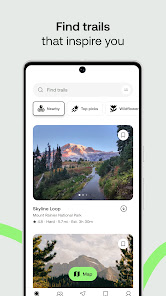
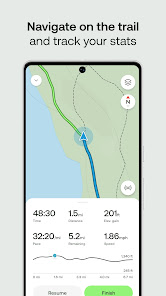
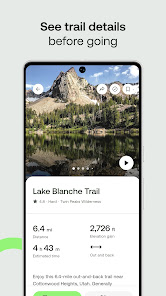


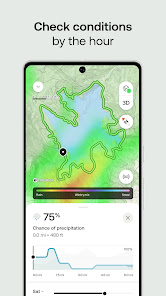
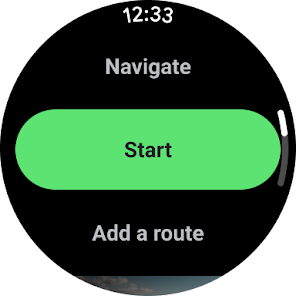
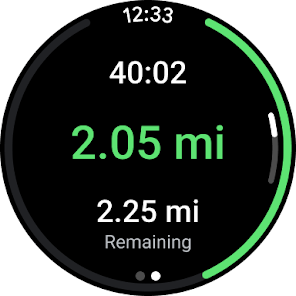
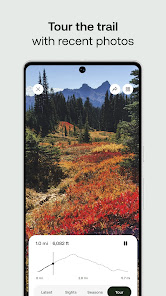
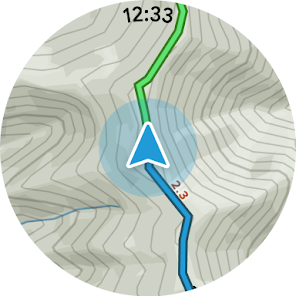
"AllTrails: Hike, Bike & Run" is a comprehensive outdoor activity app designed for enthusiasts of hiking, biking, and running. One of its standout features is the extensive database of over 100,000 trails, which users can explore based on their location, difficulty level, and user ratings. The app provides detailed trail maps, elevation profiles, and photos, allowing users to plan their adventures effectively. Additionally, it offers GPS tracking, enabling users to navigate trails in real-time and monitor their progress.
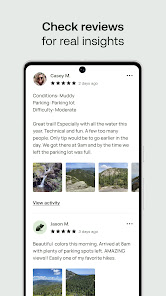
Another notable feature is the ability to create and share custom trail maps, making it easy for users to document their experiences and share them with the community. The app also includes user-generated reviews and tips, which can be invaluable for those looking to discover new trails or prepare for specific conditions. Furthermore, "AllTrails" allows users to filter trails based on activities such as dog walking, mountain biking, or running, ensuring that everyone can find the perfect route for their needs.
Using "AllTrails: Hike, Bike & Run" is straightforward and user-friendly. To get started, download the app from your device's app store and create an account. Once logged in, you can explore trails by entering your location or searching for specific trails. The app's intuitive interface allows you to filter results based on various criteria, such as distance, difficulty, and user ratings, making it easy to find the perfect trail for your next adventure.
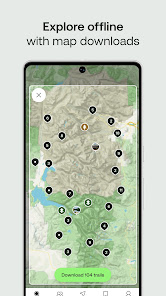
After selecting a trail, you can view detailed information, including maps, elevation profiles, and user reviews. To enhance your experience, consider downloading offline maps, which can be particularly useful in areas with limited cell service. During your hike, use the GPS tracking feature to monitor your route and ensure you stay on track. Finally, after completing your adventure, share your experience by leaving a review or uploading photos, contributing to the community and helping fellow outdoor enthusiasts.
Like any app, "AllTrails: Hike, Bike & Run" has its advantages and disadvantages. One of the primary pros is its extensive database of trails, which caters to a wide range of outdoor activities and skill levels. The app's user-friendly interface and GPS tracking features enhance the overall experience, making it easier for users to navigate and explore new trails. Additionally, the community aspect of the app, with user-generated reviews and photos, provides valuable insights and recommendations for fellow adventurers.
On the downside, some users may find that certain trails lack detailed information or are not updated regularly, leading to potential discrepancies in trail conditions. Additionally, while the app is free to use, some features, such as offline maps and advanced filtering options, require a subscription to the Pro version. This may deter casual users who are not willing to pay for additional features. Overall, "AllTrails" remains a popular choice for outdoor enthusiasts, balancing its strengths and weaknesses effectively.

 Discover thousands of user-generated trail maps for diverse outdoor activities. Access detailed trail information, including difficulty levels and conditions. Join a vibrant community of outdoor enthusiasts for shared experiences. Track your hikes, runs, and bike rides with GPS functionality. Share photos and reviews to inspire and guide fellow adventurers.
 Limited offline access can hinder navigation in remote areas User-generated content may lead to inaccurate trail information Subscription fees may deter casual users from accessing premium features
 Yes, AllTrails: Hike, Bike & Run may collect personal data such as location information and user activity to improve app functionality and user experience, as outlined in their privacy policy.
Yes, AllTrails: Hike, Bike & Run offers a free version with basic features, as well as a premium subscription that provides additional features, including offline maps and advanced filtering options.
While an internet connection is needed to download maps and access features like trail information, users can download maps for offline use, allowing navigation without a cellular signal.
You can contact AllTrails support or send feedback through the app's help section, or by visiting their official website where they provide contact options and support resources.
You can manage or cancel your AllTrails: Hike, Bike & Run subscription through the app settings on your device or by visiting your account settings on the AllTrails website, depending on how you subscribed.
Yes, you can change your email address in your account settings once you are logged in. For further assistance, contact customer service.
You can reach customer service by using the support option in the app or visiting our website for assistance.
You can update your customer number by contacting customer service directly for assistance with your account details.
Simply download the app, select "Log in," and enter your registered email and password to access your account.
Click on the "Forgot password?" link on the login page, enter your email, and follow the instructions sent to your inbox.












 Google Play
  App Store