

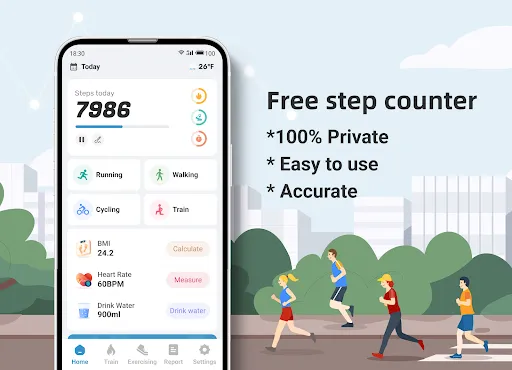
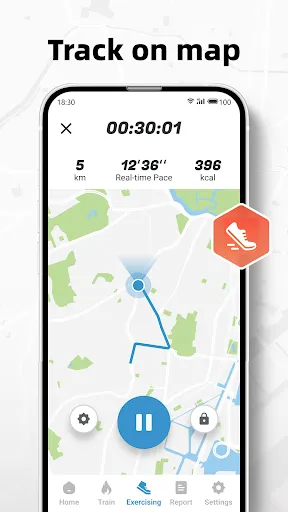
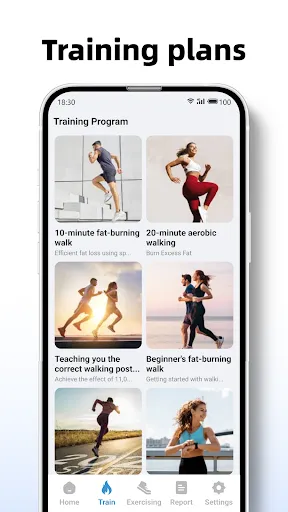
"Step Counter - Pedometer & BMI" is a comprehensive fitness application designed to help users track their physical activity and monitor their health. One of its primary features is the step counter, which accurately records the number of steps taken throughout the day, encouraging users to stay active. The app also includes a distance tracker, allowing users to see how far they have walked or run, which can be motivating for those looking to improve their fitness levels.
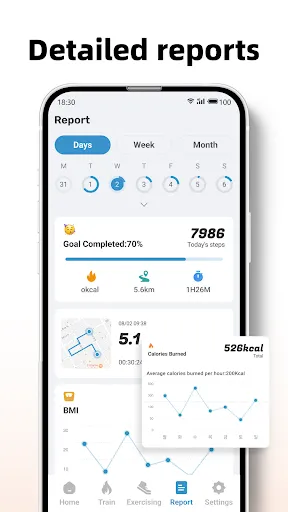
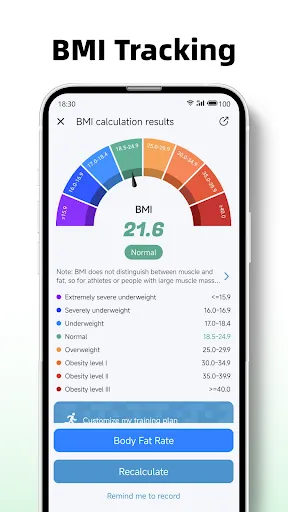
Another significant feature is the Body Mass Index (BMI) calculator, which helps users assess their weight in relation to their height. This tool provides valuable insights into whether users are within a healthy weight range. Additionally, the app offers customizable goals, enabling users to set personal targets for steps, distance, and calories burned. The user-friendly interface makes it easy to navigate through various features, and the app also provides detailed statistics and progress reports, allowing users to monitor their fitness journey over time.
Using "Step Counter - Pedometer & BMI" is straightforward and user-friendly. After downloading the app, users need to create an account or log in to access its features. Once set up, the app will automatically start tracking steps as soon as the user begins walking. Users can view their daily step count on the home screen, which provides a quick overview of their activity level.
To utilize the BMI calculator, users simply input their height and weight, and the app will calculate their BMI, offering insights into their health status. Users can also set personal goals for daily steps, distance, and calories burned, which can be adjusted in the settings menu. The app allows users to view their progress over time through detailed graphs and statistics, making it easy to stay motivated and on track with their fitness objectives.
Like any application, "Step Counter - Pedometer & BMI" has its advantages and disadvantages. One of the main pros is its accuracy in tracking steps and distance, which is essential for users looking to monitor their physical activity effectively. The inclusion of a BMI calculator is another significant benefit, as it provides users with a quick way to assess their health. The app's user-friendly interface and customizable goals make it accessible for users of all fitness levels, enhancing the overall experience.
However, there are some cons to consider. Some users may find that the app drains battery life more quickly than expected, especially if they use it continuously throughout the day. Additionally, while the app offers valuable features, it may lack advanced functionalities found in other fitness applications, such as workout tracking or integration with wearable devices. Overall, while "Step Counter - Pedometer & BMI" is a solid choice for basic fitness tracking, users seeking more comprehensive features may need to explore other options.

 Tracks your daily steps to help you stay active and healthy. Monitors your BMI to give insights into your fitness levels. Encourages goal setting for motivation and improved performance. User-friendly interface makes tracking progress simple and enjoyable. Syncs with other health apps for comprehensive wellness management.
 Limited accuracy in tracking steps can lead to misleading activity data Syncing issues with devices can disrupt user experience Lack of customization options may not meet individual fitness goals
  Google Play
  App Store
 Yes, users can submit suggestions or feedback through the app's support section or by contacting customer service directly.
The app prioritizes user privacy and does not collect personal data unless explicitly provided for specific features or services.
Yes, Step Counter - Pedometer & BMI can function offline, allowing users to track their steps and activity without needing an internet connection.
You can cancel your subscription through your device's app store settings, following the prompts to manage subscriptions.
Subscription costs vary, but typically, users can choose from monthly or yearly plans, with discounts available for longer commitments.
Yes, you can access customer service directly through the app by navigating to the help section and selecting "Contact Us."
Unfortunately, customer numbers cannot be changed. If you need assistance, please contact customer service for further help.
You can reach our customer service by emailing support
You can reset your password by clicking the "Forgot Password" link on the login page and following the instructions sent to your email.
To activate your account, click on the activation link sent to your email after registration. If you didn’t receive it, check your spam folder or request a new link.