





Depop is a unique platform that combines social media with e-commerce, allowing users to buy and sell second-hand clothing and accessories. One of its standout features is the user-friendly interface, which makes it easy to navigate through various listings. Users can create their own profiles, showcasing their personal style and items for sale, which fosters a sense of community among fashion enthusiasts.
Another notable feature is the ability to follow other users, like items, and comment on listings, creating an interactive shopping experience. The app also includes a search function that allows users to filter items by size, brand, and price, making it easier to find specific pieces. Additionally, Depop supports secure payment options, ensuring safe transactions between buyers and sellers. The app also encourages sustainability by promoting the resale of clothing, which helps reduce waste in the fashion industry.
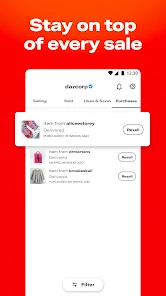
Lastly, Depop offers a rating system that allows users to review their buying and selling experiences, helping to build trust within the community. Overall, Depop is not just a marketplace; it’s a vibrant community where fashion lovers can connect and express their individuality.
Using Depop is straightforward and user-friendly, making it accessible for everyone. To get started, download the app from the App Store or Google Play and create an account. You can sign up using your email or link your social media accounts for a quicker process. Once registered, you can personalize your profile by adding a profile picture and a bio that reflects your style.
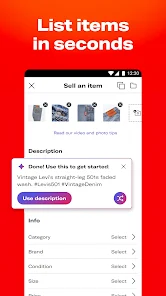
To sell items, simply click on the "Sell" button and upload clear photos of the clothing or accessories you wish to sell. Be sure to write detailed descriptions, including size, brand, and any flaws, to provide potential buyers with all the necessary information. Set a competitive price and choose relevant tags to help your items appear in searches.
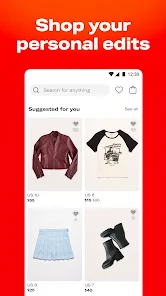
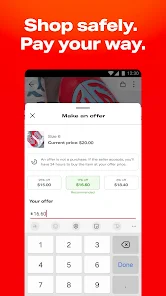
For buying, browse through the app’s feed or use the search function to find specific items. You can like items, follow sellers, and even negotiate prices through direct messaging. Once you find something you want to purchase, simply click the buy button and follow the prompts to complete the transaction. With its intuitive design, Depop makes buying and selling clothes a seamless experience.
Depop offers several advantages that make it a popular choice among users. One of the main pros is its vibrant community, which fosters connections between buyers and sellers who share similar fashion interests. The app's social media-like features, such as following and liking, enhance user engagement and make shopping more enjoyable. Additionally, Depop promotes sustainability by encouraging the resale of clothing, which is beneficial for the environment.
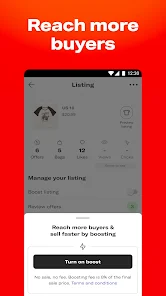
However, there are also some drawbacks to consider. One con is that the app can be competitive, making it challenging for new sellers to gain visibility among numerous listings. Furthermore, while Depop provides a secure payment system, there can be issues with shipping and item quality, as users rely on individual sellers. Lastly, the app charges a fee on sales, which can be a downside for sellers looking to maximize their profits.
In summary, while Depop has its pros and cons, it remains a popular platform for those looking to buy and sell unique fashion items in a community-driven environment.

 Discover unique second-hand fashion pieces at affordable prices Easily list your items for sale with a user-friendly interface Connect with a vibrant community of fashion enthusiasts and sellers Sustainably shop and reduce waste by buying pre-loved clothing Enjoy secure transactions and reliable shipping options for peace of mind
 High selling fees can reduce your profit margins significantly. Limited buyer protection may lead to disputes and unsatisfactory transactions. The app's search features can make finding items difficult and time-consuming.
 Yes, users can submit suggestions or feedback through the app's support section or contact Depop's customer service for assistance.
Yes, Depop collects personal data such as your name, email address, and payment information to facilitate transactions and enhance user experience, as outlined in their privacy policy.
Depop requires an internet connection to access its features, so offline use is not supported for browsing items or completing transactions.
Since Depop does not offer a subscription service, there is no need to cancel a subscription. Users can stop using the app at any time without any cancellation process.
Depop does not require a subscription fee; however, sellers are charged a transaction fee on each sale made through the app.
Unfortunately, customer numbers cannot be changed. They are automatically generated when you create your account.
To deactivate your account, go to your account settings, select the option to deactivate, and follow the prompts. Be aware this is a permanent action.
Your customer number is usually found in your account settings under "Profile." Look for it listed alongside your account details.
After signing up, check your email for an activation link and click it to activate your account. If you don't see it, check your spam folder.
You can reach Customer Service through the help section in the app or website, where you can submit a request or chat live with an agent.












 Google Play
  App Store