
 Home
Home  Apps
Apps  Games
Games  Windows
  Topics
  Terms of Service
  Cookies & Privacy Policy
  Disclaimer
Day Counter. Count Up & Down


Information
- Category: Events
- Price: 0
- Age Rating: Everyone
- Rating: 3.3
- Developer: BITSENS
- Version: 1.35.0
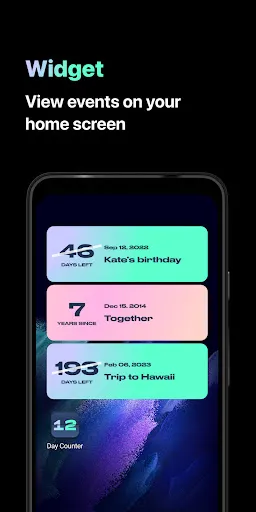
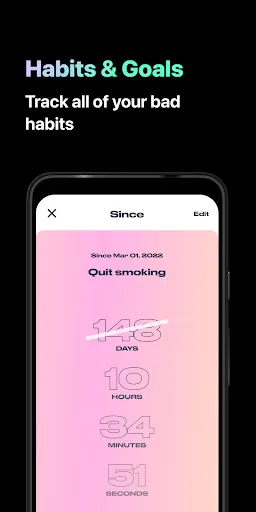
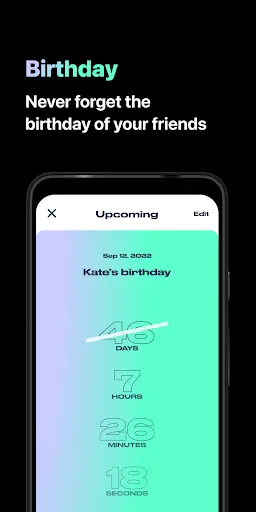
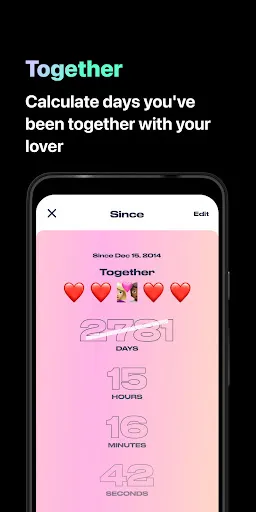
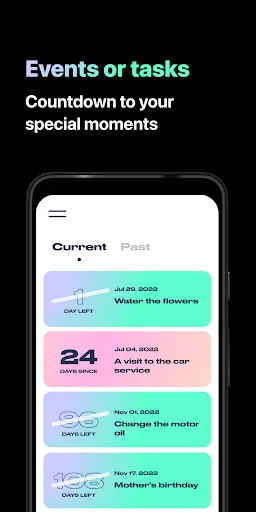
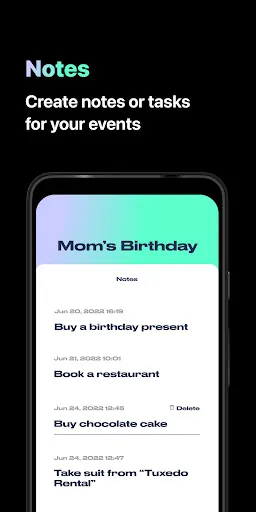
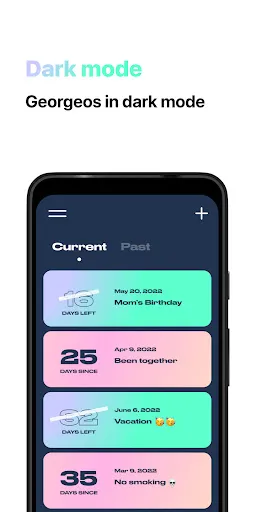
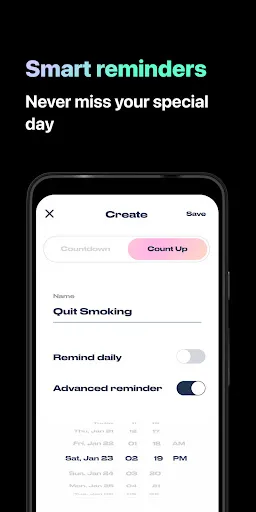
Introducing "Day Counter: Count Up & Down" – your ultimate companion for tracking important events and milestones! Whether you're counting down to a special occasion or keeping track of how long it's been since a memorable day, our intuitive app makes it easy. With customizable reminders, beautiful themes, and a user-friendly interface, you can celebrate every moment and cherish memories like never before. Start counting today and never miss a beat!
Features of "Day Counter. Count Up & Down"
"Day Counter. Count Up & Down" is a versatile application designed to help users track important dates and events. One of its primary features is the ability to count down to significant occasions, such as birthdays, anniversaries, or holidays, providing a visual representation of the time remaining. Users can also count up from a specific date, which is useful for tracking the duration of events or milestones.
The app offers customizable notifications, allowing users to set reminders for upcoming events. Additionally, it supports multiple countdowns, enabling users to manage various events simultaneously. The user interface is intuitive and visually appealing, making it easy to navigate and set up new counters. Users can personalize their counters with different themes and colors, adding a personal touch to their experience. Furthermore, the app allows for sharing countdowns with friends and family, fostering a sense of community around shared events.
How to Use "Day Counter. Count Up & Down"
Using "Day Counter. Count Up & Down" is straightforward and user-friendly. To get started, download the app from your device's app store and open it. Upon launching the app, you will be greeted with an option to create a new countdown or count-up timer. Select the desired option and input the date and time of the event you wish to track.
Once the event is set, you can customize it by adding a title, choosing a theme, and setting notifications to remind you as the date approaches. The app will display a countdown or count-up timer on the main screen, allowing you to monitor the time remaining or elapsed easily. You can also edit or delete counters as needed, ensuring that your list remains organized. For sharing, simply select the event and choose the sharing option to send it to friends or family via social media or messaging apps.
Pros & Cons of the App
The "Day Counter. Count Up & Down" app comes with several advantages. One of its main benefits is its simplicity and ease of use, making it accessible for users of all ages. The ability to customize counters with themes and colors adds a personal touch, enhancing user engagement. Additionally, the app's notification feature ensures that users never miss important events, while the option to share countdowns fosters social interaction. The app's versatility in counting both up and down makes it suitable for various purposes, from planning events to tracking personal milestones.
However, there are some drawbacks to consider. Some users may find the app's features limited compared to more comprehensive event management tools. Additionally, while the app is generally free, certain advanced features may require in-app purchases, which could deter some users. Lastly, the app's reliance on notifications may become overwhelming for those who prefer a more minimalist approach to event tracking. Overall, while "Day Counter. Count Up & Down" is a useful tool, it may not meet the needs of everyone.
Get Installation Details  Google Play
  App Store
Google Play App Store FAQ
Can I create playlists on Spotify?
Yes, users can create, share, and collaborate on playlists with friends.
Can I download music on Spotify?
Yes, premium users can download songs and playlists for offline listening.
Can I listen to Spotify offline?
Yes, premium users can listen to downloaded music offline without an internet connection.
Can I use Spotify on multiple devices?
Yes, you can use Spotify on multiple devices, but only one device can stream at a time.
Does Spotify have podcasts?
Yes, Spotify hosts a wide range of podcasts across various genres.
Similar Apps















You May Like

Ticketmaster-Buy, Sell Tickets
Events
2.2
Gametime - Last Minute Tickets
Events
4.8

Fever: Events & Tickets
Events
4.7

SeatGeek – Tickets to Events
Events
4.4

StubHub - Live Event Tickets
Events
3.2
Vivid Seats | Event Tickets
Events
4.7

TickPick - Live Event Tickets
Events
4.8

TicketSwap - Buy, Sell Tickets
Events
4.2

TodayTix
Events
4.8

EVENTIM DE: Tickets for Events
Events
2.7

Goldstar - Buy Tickets
Events
4.3

Edmtrain Concerts & Raves
Events
4.9