

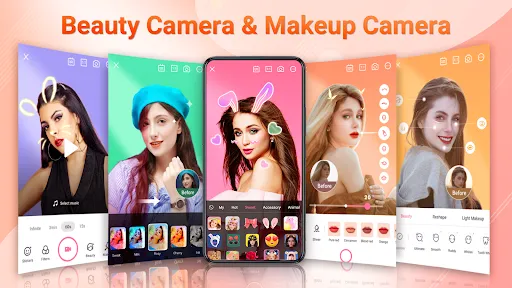
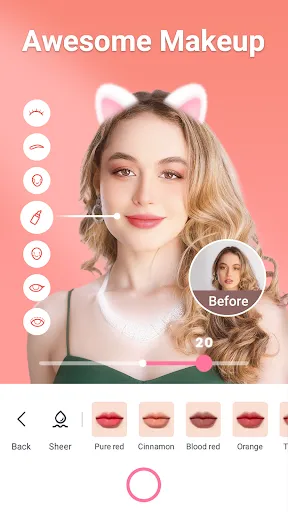

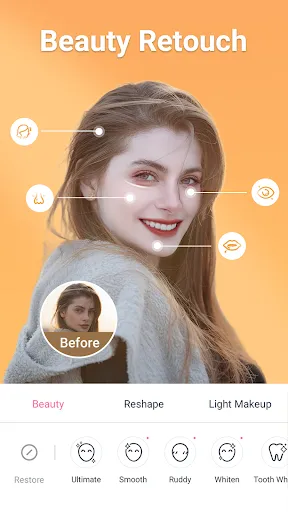
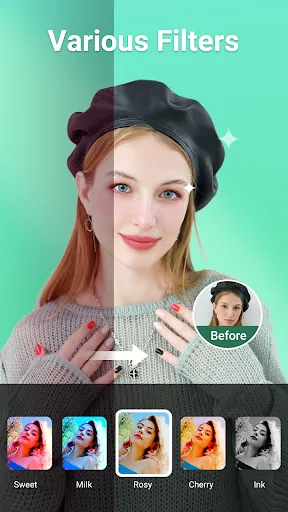
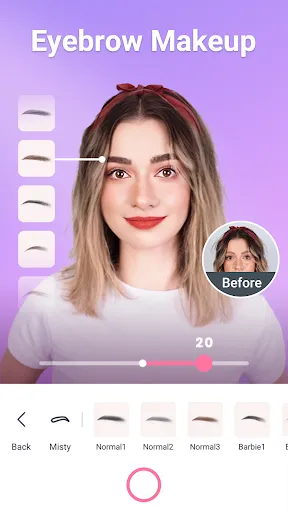


"Beauty Camera - Sweet Camera" is a popular mobile application designed to enhance your photography experience. One of its standout features is the real-time beauty filter, which allows users to apply various effects while taking photos. This feature ensures that you can see the enhancements live, making it easier to capture the perfect shot. Additionally, the app offers a wide range of editing tools, including skin smoothing, blemish removal, and teeth whitening, which help users achieve a flawless look.
Another notable feature is the extensive collection of stickers and frames that can be added to photos, allowing for creative expression and personalization. The app also includes a collage maker, enabling users to combine multiple images into a single frame. Furthermore, "Beauty Camera - Sweet Camera" supports high-resolution image capture, ensuring that your photos maintain quality even after editing. With its user-friendly interface, the app is accessible to both novice and experienced photographers, making it a versatile tool for anyone looking to enhance their selfies and portraits.
Using "Beauty Camera - Sweet Camera" is straightforward and user-friendly. To get started, download the app from your device's app store and install it. Once opened, you will be greeted with the camera interface, where you can choose to take a new photo or select one from your gallery. If you opt to take a new photo, you can explore the various beauty filters available in real-time, allowing you to see how each filter affects your appearance before capturing the image.
After taking or selecting a photo, you can access the editing tools. Here, you can adjust features such as skin tone, brightness, and contrast, as well as apply additional filters and effects. The app also allows you to add stickers, text, and frames to personalize your images further. Once you are satisfied with your edits, simply save the photo to your device or share it directly on social media platforms. The intuitive design of the app makes it easy for users to navigate through its features, ensuring a seamless editing experience.
"Beauty Camera - Sweet Camera" comes with several advantages that make it appealing to users. One of the primary pros is its extensive range of beauty filters and editing tools, which allow for significant customization of photos. The real-time preview feature is another highlight, as it enables users to see the effects of filters before taking a picture. Additionally, the app's user-friendly interface makes it accessible for users of all skill levels, ensuring that everyone can enjoy its features without a steep learning curve.
However, there are some drawbacks to consider. Some users may find that the app's heavy reliance on filters can lead to over-editing, resulting in images that appear unnatural. Additionally, while the app is free to download, certain features may require in-app purchases, which could be a downside for users looking for a completely free experience. Lastly, the app may not perform as well on older devices, leading to slower processing times or crashes. Overall, while "Beauty Camera - Sweet Camera" offers a wealth of features, users should weigh these pros and cons before fully committing to the app.

 Enhance your selfies with professional-grade filters for stunning visuals. Easily smooth skin and brighten eyes for a flawless look. Capture beautiful moments with intuitive editing tools and effects. Share your creations effortlessly on social media platforms. Enjoy user-friendly navigation for a seamless photography experience.
 Limited editing tools restrict creative expression in photos. Overly aggressive filters can distort natural appearances. Frequent ads disrupt user experience and enjoyment.
  Google Play
  App Store
 Yes, users can submit suggestions or feedback through the app's support section or by contacting the developers via their official channels.
Beauty Camera - Sweet Camera may collect certain personal data as per its privacy policy, but users can review and manage their privacy settings within the app.
Yes, Beauty Camera - Sweet Camera allows users to take and edit photos offline, although some features may require an internet connection.
Users can cancel their subscription through their device's app store settings or directly within the app's subscription management section.
Subscription costs for Beauty Camera - Sweet Camera may vary, typically offering monthly and yearly plans that provide access to premium features.
Unfortunately, customer numbers cannot be changed. If you have issues, please contact customer service for further assistance.
You can reach our customer service through the support section in the app or email us directly at support
To activate your account, click the activation link sent to your email after registration. If you didn’t receive it, check your spam folder or contact customer service for assistance.
Simply enter your customer number in the login field along with your password. If you encounter any issues, please contact customer service.
You can recover your login details by using the "Forgot Password" feature on the login page. Follow the instructions sent to your email to reset your password.