


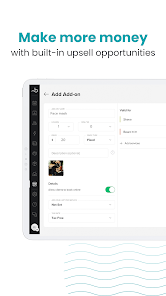
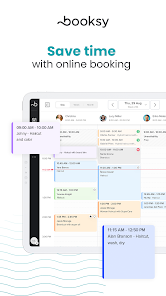
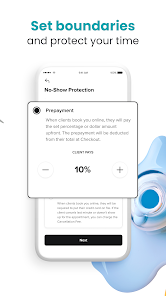
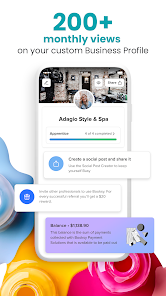


"Booksy Biz: For Businesses" is a comprehensive appointment scheduling and management tool designed specifically for service-based industries. One of its standout features is the intuitive booking system that allows clients to schedule appointments easily, reducing no-shows and optimizing time management. The platform also offers customizable service menus, enabling businesses to tailor their offerings to meet client needs effectively.
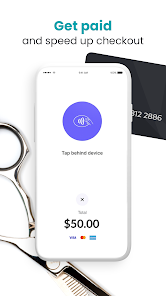
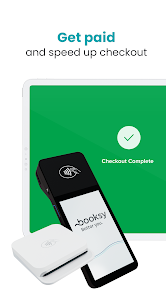
Another key feature is the integrated payment processing system, which allows businesses to accept payments directly through the app, streamlining the transaction process. Additionally, "Booksy Biz" provides robust marketing tools, including automated reminders and promotional campaigns, helping businesses attract and retain clients. The app also includes a client management system that stores customer information and appointment history, allowing for personalized service. Furthermore, the analytics dashboard offers insights into business performance, helping owners make informed decisions to enhance their operations.
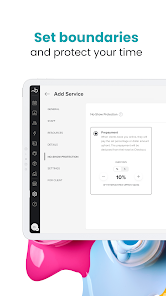
Using "Booksy Biz: For Businesses" is straightforward and user-friendly. To get started, download the app from your device's app store and create an account by providing essential business information. Once registered, you can set up your service offerings, including pricing, duration, and descriptions, allowing clients to understand what you provide. After configuring your services, you can customize your availability by setting working hours and days off, ensuring clients can only book during your operational times.
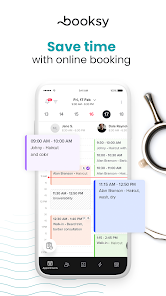
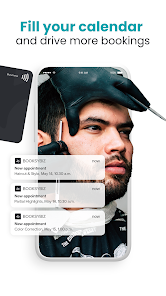
Once your profile is set up, you can promote your business through the app's marketing features, such as sending automated reminders to clients about upcoming appointments. To manage bookings, simply navigate to the calendar view, where you can see all scheduled appointments and make adjustments as needed. The app also allows you to track payments and client interactions, providing a comprehensive overview of your business operations. Regularly reviewing the analytics dashboard will help you identify trends and areas for improvement, ensuring your business continues to grow.
Like any tool, "Booksy Biz: For Businesses" has its advantages and disadvantages. One of the primary pros is its user-friendly interface, which simplifies appointment scheduling for both businesses and clients. The integrated payment processing feature is another significant advantage, as it streamlines transactions and reduces administrative burdens. Additionally, the marketing tools provided can help businesses reach a wider audience and retain existing clients through automated reminders and promotions.
However, there are some cons to consider. Some users have reported that the app can occasionally experience glitches, which may disrupt the booking process. Additionally, while the basic features are robust, some advanced functionalities may require a subscription, which could be a drawback for smaller businesses with limited budgets. Lastly, the reliance on technology means that businesses must ensure they have a reliable internet connection to avoid disruptions in service. Overall, while "Booksy Biz" offers many benefits, potential users should weigh these pros and cons carefully.

 Streamline appointment scheduling to save time and reduce no-shows. Enhance customer engagement with automated reminders and notifications. Access detailed analytics to track performance and improve services. Easily manage payments and invoicing for a seamless transaction experience. Customize your online presence to attract more clients and boost visibility.
 Limited customization options may not fit all business needs Higher transaction fees can impact profits Customer support response times may be slower than expected
  Google Play
  App Store
 Yes, users can submit suggestions or feedback through the app’s support feature or by contacting customer service, as the company values user input for improvements.
Yes, Booksy Biz: For Businesses collects personal data to provide its services, but it is committed to protecting user privacy and complies with applicable data protection regulations.
Yes, Booksy Biz: For Businesses allows some offline functionality, enabling users to manage appointments even without an internet connection, with data syncing once connectivity is restored.
You can cancel your Booksy Biz: For Businesses subscription through your account settings in the app, or by contacting customer support for assistance.
Subscription costs for Booksy Biz: For Businesses vary depending on the chosen plan and features, with options typically ranging from monthly to annual billing.
No, your customer number is unique and cannot be changed. If you have concerns, please contact customer service for help.
To ensure your account is activated, confirm you've clicked the activation link in your email. If you have questions, customer service can help.
Once logged in, go to the settings section of your account to update your business information. Save changes, and they will be reflected immediately.
To activate your account, click the link sent to your email during registration. If you didn't receive it, check your spam folder or contact customer service.
You can reach customer service through the help section in your account or by emailing support