

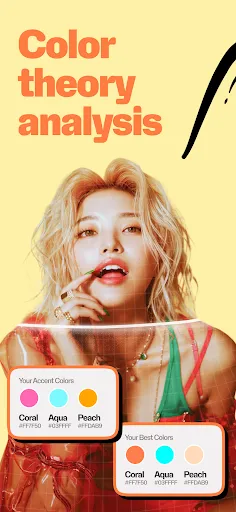
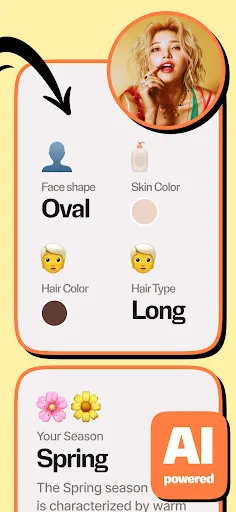
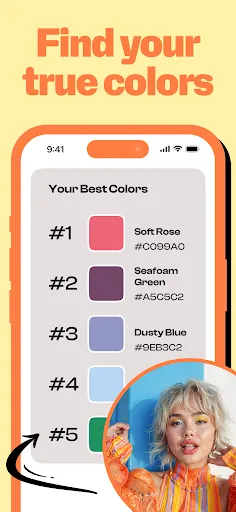

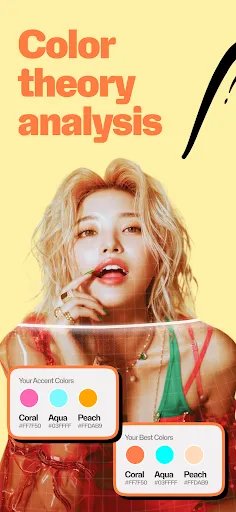
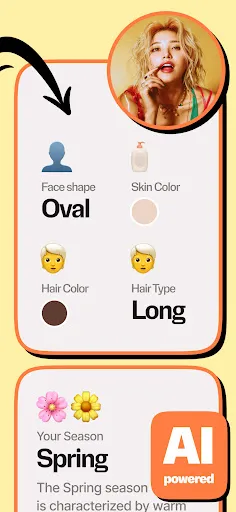
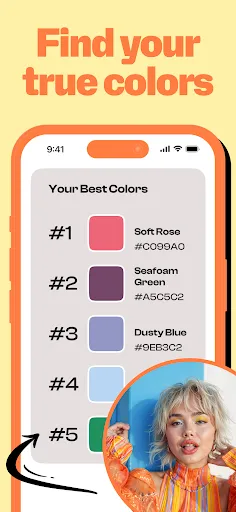

"WhatColors: AI Color Analysis" is a cutting-edge application designed to assist users in understanding and selecting color palettes that best suit their needs. One of its standout features is the AI-driven color analysis, which evaluates user-uploaded images to suggest complementary colors and palettes. This feature is particularly useful for designers, artists, and anyone involved in creative projects.
Another notable aspect is the extensive color library, which includes a wide range of shades and tones, allowing users to explore various combinations. The app also offers a user-friendly interface, making it easy for individuals of all skill levels to navigate and utilize its features. Additionally, "WhatColors" provides real-time previews of color combinations, enabling users to visualize how different colors work together before making a final decision.
Furthermore, the app includes educational resources about color theory, helping users understand the psychological effects of colors and how to apply them effectively in their projects. Overall, "WhatColors: AI Color Analysis" combines advanced technology with practical tools to enhance the creative process.
Using "WhatColors: AI Color Analysis" is a straightforward process that can be broken down into a few simple steps. First, users need to download and install the app on their device. Once installed, they can create an account or log in to access the full range of features. The main interface is intuitive, allowing users to easily navigate through the various options available.
To begin the color analysis, users can upload an image that inspires them or represents the colors they wish to explore. The AI will then analyze the image and generate a selection of color palettes that complement the uploaded image. Users can experiment with different combinations and adjust the shades to find the perfect match for their project.
Additionally, users can save their favorite palettes and share them with others, making collaboration easier. The app also provides tips and insights on color usage, which can be beneficial for those looking to enhance their understanding of color theory. Overall, "WhatColors" is designed to be user-friendly, making color selection an enjoyable and creative experience.
Like any application, "WhatColors: AI Color Analysis" has its advantages and disadvantages. One of the primary pros is its AI-driven technology, which offers personalized color suggestions based on user-uploaded images. This feature can save time and enhance creativity, especially for designers and artists. The extensive color library is another significant advantage, providing users with a wide array of options to choose from.
Moreover, the app's user-friendly interface makes it accessible to individuals with varying levels of expertise in color theory. The educational resources included in the app also help users understand the impact of color choices, which can be beneficial for both personal and professional projects.
On the downside, some users may find that the app's reliance on AI can lead to suggestions that may not always align with their personal taste. Additionally, while the app is generally intuitive, some features may require a learning curve for new users. Lastly, the app may have limitations in terms of offline functionality, which could be a drawback for those who prefer to work without an internet connection. Overall, "WhatColors" offers valuable tools for color analysis, but users should weigh these pros and cons based on their specific needs.

 WhatColors offers personalized color palettes tailored to your unique features Easily discover complementary colors for clothing and accessories Enhance your wardrobe with expert insights on flattering shades Streamline your shopping experience with curated color recommendations Boost your confidence by understanding the colors that suit you best
 Limited customization options may not cater to all personal preferences. Potential inaccuracies in color suggestions can lead to dissatisfaction. User interface may be confusing for those unfamiliar with technology.
  Google Play
  App Store
 Yes, users are encouraged to submit suggestions or feedback through the app's support feature or via the official website, as the developers value user input for improvements.
Yes, WhatColors: AI Color Analysis may collect certain personal data to enhance user experience, but it adheres to privacy regulations and provides transparency regarding data usage.
WhatColors: AI Color Analysis primarily requires an internet connection to access its AI features, but some basic functionalities may be available offline.
You can cancel your subscription to WhatColors: AI Color Analysis through your app store account settings, where you can manage subscriptions for both iOS and Android devices.
The subscription cost for WhatColors: AI Color Analysis varies based on the selected plan, with options for monthly or annual subscriptions, often providing a discount for longer commitments.
Unfortunately, customer numbers cannot be changed. If you have concerns, please contact customer service for further assistance.
You can activate your account by clicking the link in the activation email we sent you after registration.
You can reach our customer service team through the "Contact Us" section on our website or by emailing support
To log in, visit our website and enter your email and password in the login section.
To reset your password, click on the "Forgot Password" link on the login page and follow the instructions sent to your registered email.