


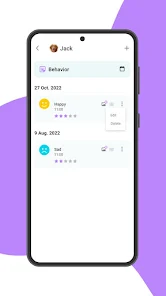
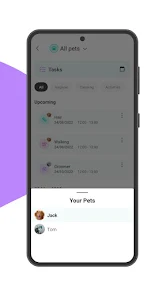
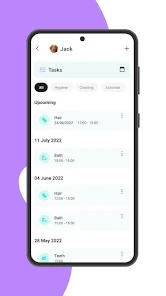
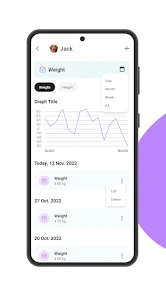
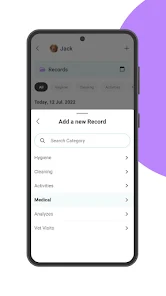
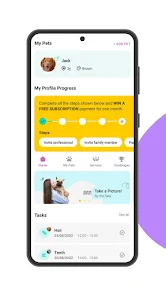
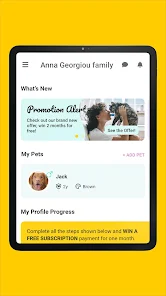
"11pets: Pet care" is a comprehensive application designed to assist pet owners in managing their pets' health and well-being. One of its standout features is the ability to track medical records, including vaccinations, medications, and vet appointments. This ensures that pet owners never miss an important health check or treatment. Additionally, the app allows users to set reminders for feeding, grooming, and exercise, helping to maintain a consistent routine for their pets.
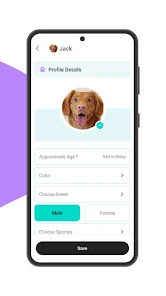
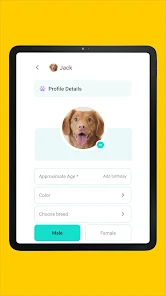
Another notable feature is the customizable pet profiles, where users can input specific details about their pets, such as breed, age, and special needs. The app also includes a photo gallery, enabling users to document their pets' milestones and memorable moments. Furthermore, "11pets: Pet care" offers a community feature, allowing pet owners to connect with others, share experiences, and seek advice. Overall, the app is user-friendly and visually appealing, making it an excellent tool for pet care management.
Using "11pets: Pet care" is straightforward and intuitive, making it accessible for all pet owners. To get started, users need to download the app from their device's app store and create an account. Once registered, they can begin by adding their pets' profiles, entering essential information such as name, breed, age, and any medical history. This initial setup is crucial for tracking health and care needs effectively.
After setting up profiles, users can navigate through the app to access various features. For instance, they can input vaccination dates and set reminders for upcoming vet visits. The app's calendar feature helps keep track of grooming schedules and feeding times. Users can also upload photos and notes to document their pets' activities and health changes. Regularly updating the information ensures that pet owners have a comprehensive overview of their pets' well-being, making it easier to provide the best care possible.
"11pets: Pet care" comes with several advantages that make it a valuable tool for pet owners. One of the primary benefits is its all-in-one approach to pet management, allowing users to track health records, appointments, and daily care routines in one place. The app's user-friendly interface makes it easy to navigate, even for those who may not be tech-savvy. Additionally, the reminder feature helps ensure that important tasks are not overlooked, promoting better health for pets.
However, there are some drawbacks to consider. Some users have reported occasional glitches or bugs within the app, which can disrupt the user experience. Additionally, while the basic features are free, certain advanced functionalities may require a subscription, which could deter some users. Lastly, the app may not be suitable for all types of pets, as it primarily focuses on common household animals. Overall, while "11pets: Pet care" offers numerous benefits, potential users should weigh these pros and cons before committing to the app.

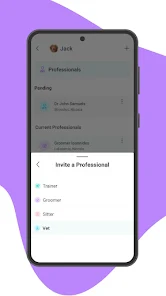
 Effortlessly track your pet's health and medical records. Simplify grooming schedules with easy-to-use reminders. Stay organized with customizable pet care routines. Connect with local pet services for convenient care options. Share important pet information with caregivers seamlessly.
 Limited integration with other pet care services can hinder convenience. User interface may feel overwhelming for new users. Some features require a subscription, adding ongoing costs.
 Yes, users are encouraged to submit suggestions or feedback directly through the app's support feature or via their website.
The app collects minimal personal data necessary for its functionality, but it prioritizes user privacy and data protection.
Yes, 11pets: Pet care offers offline functionality, allowing users to access essential information and features without an internet connection.
Users can cancel their subscription through their account settings within the app or through the app store where they purchased the subscription.
The subscription cost for premium features varies, and users can check the app for the most current pricing options.
Unfortunately, Customer Numbers cannot be changed. If you have concerns, please reach out to Customer Service for further support.
Yes, you can log in using your Facebook or Google account if you opted for that during registration. Just select the corresponding option on the log-in page.
You can reach our Customer Service team via the support section in the app or by emailing support
After signing up, check your email for an activation link. Click on it to activate your account. If you don’t see it, check your spam folder.
Open the app, tap on the log-in option, and enter your email and password. If you’ve forgotten your password, use the “Forgot Password” link.












 Google Play
  App Store