








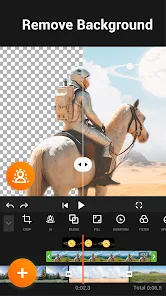
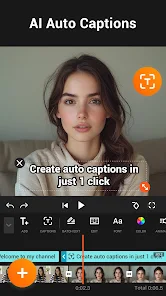





YouCut - Video Editor & Maker is a versatile application designed for both novice and experienced video editors. One of its standout features is the user-friendly interface, which allows for seamless navigation and editing. The app supports various video formats, enabling users to import and edit videos from different sources effortlessly. YouCut also offers a range of editing tools, including trimming, cutting, and merging clips, which are essential for creating polished videos.
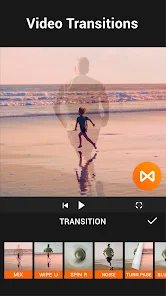
Additionally, the app includes a variety of filters and effects that can enhance the visual appeal of your videos. Users can add music from a built-in library or import their own audio tracks, making it easy to create a personalized soundtrack. The app also supports slow-motion and fast-motion effects, allowing for creative storytelling. Furthermore, YouCut provides options for adjusting video speed, adding text overlays, and incorporating transitions, making it a comprehensive tool for video creation.
Lastly, YouCut allows users to export videos in high quality without watermarks, which is a significant advantage for those looking to share their work on social media platforms. Overall, YouCut combines essential editing features with an intuitive design, making it a popular choice among video creators.
Using YouCut - Video Editor & Maker is straightforward, making it accessible for users of all skill levels. To get started, download and install the app from your device's app store. Once installed, open the app and select the video you wish to edit from your gallery. The app will prompt you to choose the editing tools you want to use, such as trimming, cutting, or merging clips.
After selecting your video, you can explore various editing options. For instance, you can apply filters, add music, or insert text overlays to enhance your video. The timeline feature allows you to see your edits in real-time, making it easier to adjust the length and position of clips. Once you are satisfied with your edits, you can preview the video to ensure everything looks perfect.
Finally, when you are ready to save your project, simply tap the export button. YouCut will allow you to choose the video quality and format before saving it to your device. You can then share your edited video directly to social media platforms or keep it for personal use. With its intuitive design and comprehensive features, YouCut makes video editing a hassle-free experience.
YouCut - Video Editor & Maker comes with several advantages that make it a popular choice among users. One of the primary pros is its user-friendly interface, which simplifies the editing process for beginners. The app offers a wide range of features, including trimming, merging, and adding music, which cater to various editing needs. Additionally, YouCut allows for high-quality exports without watermarks, making it ideal for content creators who want to share their work professionally.
However, there are some drawbacks to consider. While the app provides a robust set of features, some users may find that it lacks advanced editing tools found in more professional software. Additionally, the free version may have limited access to certain features, prompting users to consider a paid upgrade for full functionality. Lastly, occasional bugs or performance issues can arise, which may affect the editing experience. Overall, YouCut is a solid choice for casual users, but those seeking advanced capabilities might need to explore other options.

 User-friendly interface makes video editing simple for everyone. Extensive editing tools enhance creativity and customization. Supports multiple formats for versatile video output options. Fast processing speeds save time on editing projects. Regular updates ensure access to the latest features and improvements.
 Limited features in the free version restrict advanced editing options. Frequent ads can disrupt the editing experience and distract users. Export quality may be lower than expected, affecting professional use.
 Yes, users can submit suggestions or feedback through the app's support section or by contacting the developers directly via their official website or social media channels.
YouCut - Video Editor & Maker may collect certain data to improve user experience, but it typically does not require extensive personal information for basic usage.
Yes, YouCut - Video Editor & Maker can be used offline, allowing users to edit videos without an internet connection.
To cancel your subscription, you can go to the subscription settings in your app store and follow the prompts to unsubscribe.
The subscription cost for YouCut - Video Editor & Maker may vary, but it typically offers different pricing tiers for premium features, which can be checked within the app.
Yes, you can log in to YouCut on multiple devices using the same account credentials. Just ensure you're logged out on other devices if needed.
Yes, you can log in to YouCut using your Google or Facebook account for a quicker sign-in process.
You can reach customer service through the app's help section or by emailing support
To activate your YouCut account, check your email for an activation link and follow the instructions provided.
To change your login email, go to your account settings in the app and follow the prompts to update your email address.












 Google Play
  App Store