

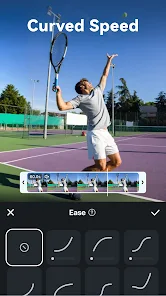

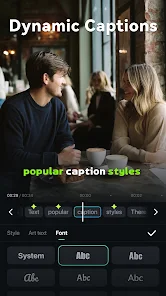

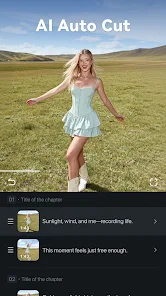

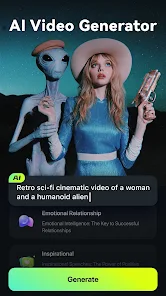
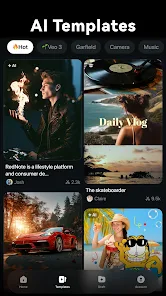
Filmora: AI Video Editor & Maker is a versatile tool designed for both novice and experienced video creators. One of its standout features is the AI-driven editing capabilities, which streamline the editing process by automatically suggesting edits and enhancements based on the content of the video. This feature saves time and allows users to focus on creativity rather than technical details.
Another notable feature is the extensive library of effects, transitions, and filters that users can apply to their videos. This library enables creators to add a professional touch to their projects with ease. Additionally, Filmora supports a wide range of video formats, ensuring compatibility with various devices and platforms.
The user-friendly interface is designed for ease of use, making it accessible for beginners while still offering advanced features for seasoned editors. Furthermore, Filmora includes tools for audio editing, allowing users to enhance sound quality and add background music seamlessly. Overall, Filmora combines powerful editing tools with an intuitive design, making it a popular choice for video editing enthusiasts.
Using Filmora: AI Video Editor & Maker is straightforward, making it accessible for users of all skill levels. To get started, download and install the application on your device. Once installed, launch the program and create a new project by selecting the desired aspect ratio for your video.
Next, import your video clips and media files by dragging them into the media library or using the import button. After importing, you can drag your clips onto the timeline to begin editing. Utilize the AI features to automatically enhance your video or manually adjust settings such as brightness, contrast, and saturation.
Explore the effects library to add transitions, filters, and text overlays to your video. You can also edit audio tracks by adjusting volume levels or adding background music from the built-in library. Once you are satisfied with your edits, preview the video to ensure everything looks perfect. Finally, export your project in your preferred format and share it on social media or other platforms. With these simple steps, you can create stunning videos effortlessly.
Filmora: AI Video Editor & Maker comes with several advantages that make it a popular choice among video editors. One of the primary pros is its user-friendly interface, which allows beginners to navigate the software easily. The AI features significantly reduce editing time by automating tasks, making it efficient for users who want quick results. Additionally, the extensive library of effects, transitions, and audio tracks provides ample creative options for enhancing videos.
However, there are some drawbacks to consider. One con is that while the basic version is free, many advanced features require a paid subscription, which may not be ideal for casual users. Some users have also reported that the software can be resource-intensive, leading to slower performance on older devices. Furthermore, while the AI features are helpful, they may not always produce the desired results, requiring manual adjustments. Overall, Filmora offers a balanced mix of benefits and limitations, making it essential for users to weigh their needs before committing.

 User-friendly interface simplifies video editing for all skill levels. AI-powered features enhance creativity by automating tedious tasks. Vast library of effects and templates sparks inspiration for unique projects. Seamless integration with various formats ensures compatibility across platforms. Affordable pricing plans provide excellent value for high-quality video production.
 Limited advanced editing features compared to professional software options. Performance can lag with larger projects or high-resolution files. Subscription model may become costly for long-term users.
  Google Play
  App Store
 Yes, users can submit suggestions or feedback through the app or the official Filmora website, where they can share their thoughts and ideas for future updates.
Filmora: AI Video Editor, Maker may collect certain personal data as outlined in its privacy policy, primarily for enhancing user experience and improving app functionality.
Yes, Filmora: AI Video Editor, Maker allows users to edit videos offline, enabling them to work without an internet connection.
To cancel your subscription, you can go to your account settings within the app or the app store where you subscribed and follow the cancellation instructions provided.
The subscription cost for Filmora: AI Video Editor, Maker varies based on the plan selected, typically offering monthly, yearly, or lifetime options.
Yes, you can log in on multiple devices, but make sure to check the licensing terms for usage limits.
You can reach customer service through the support section on our website or by using the contact form provided.
If your customer number changes, please contact customer service with your new details to update your account information.
To log in, visit the Filmora website, click on the login button, and enter your registered email and password.
You can reach customer service via the support page on our website or use the live chat feature for immediate help.