


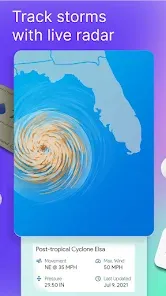

"Weather Home - Live Radar" is a comprehensive weather application designed to provide users with real-time weather updates and forecasts. One of its standout features is the live radar, which allows users to visualize precipitation patterns and storm movements in their area. This feature is particularly useful for tracking severe weather events, such as thunderstorms or hurricanes, giving users the ability to prepare accordingly.
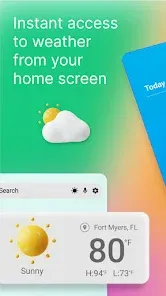
Additionally, the app offers detailed weather forecasts, including hourly and daily predictions, which help users plan their activities effectively. Users can also access severe weather alerts, ensuring they stay informed about any potential hazards in their vicinity. The app's user-friendly interface makes navigation easy, allowing users to quickly find the information they need. Furthermore, "Weather Home" provides customizable widgets that can be placed on the home screen for instant access to weather updates. Overall, the combination of live radar, detailed forecasts, and alerts makes this app a valuable tool for anyone looking to stay informed about weather conditions.
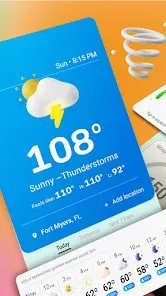
Using "Weather Home - Live Radar" is straightforward and user-friendly. Upon downloading the app, users are prompted to allow location access, which enables the app to provide localized weather information. Once the app is open, the home screen displays the current weather conditions, including temperature, humidity, and wind speed. Users can swipe through different sections to view hourly and daily forecasts, as well as radar imagery.
To access the live radar feature, users simply tap on the radar icon, which brings up a map displaying precipitation and storm systems in real-time. Users can zoom in and out to see weather patterns in their specific area or broader regions. Additionally, users can customize their settings to receive notifications for severe weather alerts, ensuring they are always prepared for changing conditions. Overall, the intuitive design and easy navigation make it simple for users to access the information they need quickly.
"Weather Home - Live Radar" comes with several advantages that make it a popular choice among users. One of the primary pros is its accurate and timely weather updates, which are crucial for planning daily activities. The live radar feature is particularly beneficial for those living in areas prone to severe weather, as it provides real-time tracking of storms. Additionally, the app's user-friendly interface and customizable widgets enhance the overall user experience, making it easy to access important weather information at a glance.
However, there are some cons to consider. Some users have reported that the app can occasionally experience glitches or slow loading times, which can be frustrating during critical weather events. Additionally, while the app is free, it may contain ads that can detract from the user experience. Lastly, some users may find that the app's features are not as comprehensive as those offered by other weather applications. Balancing these pros and cons can help users determine if "Weather Home - Live Radar" is the right choice for their weather tracking needs.

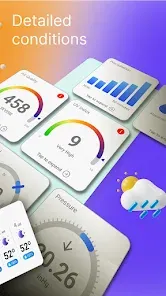
 Real-time radar updates keep you informed about changing weather conditions. User-friendly interface makes navigation simple and intuitive for everyone. Customizable alerts ensure you receive notifications tailored to your preferences. Detailed forecasts help you plan your day effectively and avoid surprises. Interactive maps provide a visual representation of weather patterns and trends.
 Limited data accuracy may lead to unreliable forecasts. User interface can be confusing for new users. Frequent ads can disrupt the user experience.
  Google Play
  App Store
 Yes, users are encouraged to submit suggestions and feedback through the app's support section or directly via the app store review system.
Weather Home - Live Radar may collect some personal data to enhance user experience, but it follows strict privacy policies to protect user information.
Yes, Weather Home - Live Radar allows users to access certain features and saved data even when offline, although real-time updates require an internet connection.
Users can cancel their subscription through their device's app store settings, following the prompts for subscription management.
The cost of a subscription to Weather Home - Live Radar varies depending on the plan chosen, with options typically including monthly and yearly subscription rates.
Yes, if you didn't receive the activation email, check your spam folder. You can also request a new activation email through customer service.
Yes, if you signed up with a social media account, you can log in using that same account.
You can reach our customer service via the support section in the app or through our website's contact page.
After registration, check your email for an activation link. Click on it to activate your account. If you don't see it, contact customer service for help.
To log in, open the app and enter your email and password. If you encounter issues, use the 'Forgot Password' option.



























