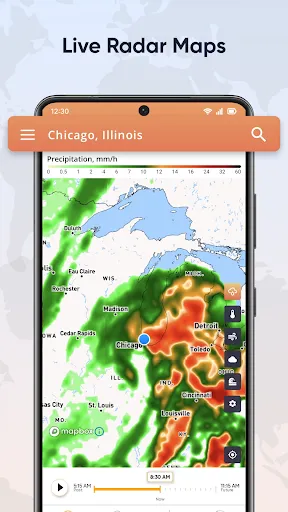
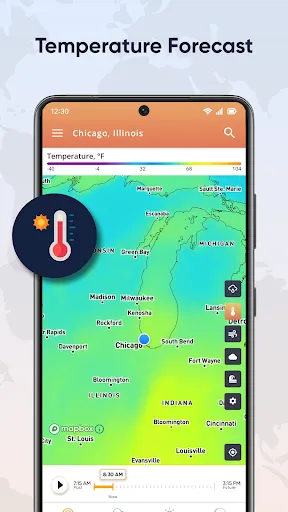
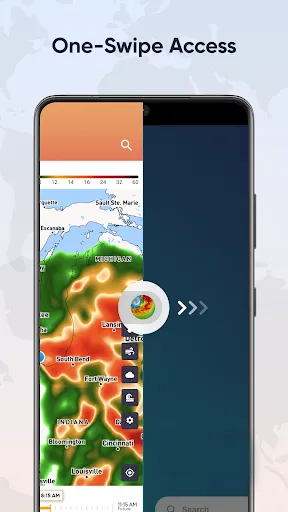
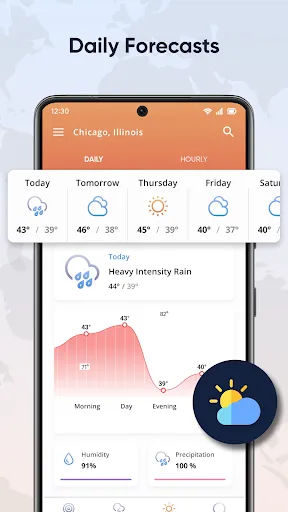
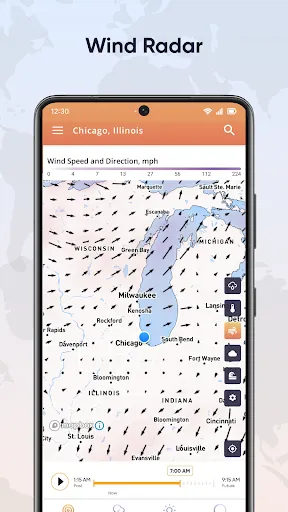
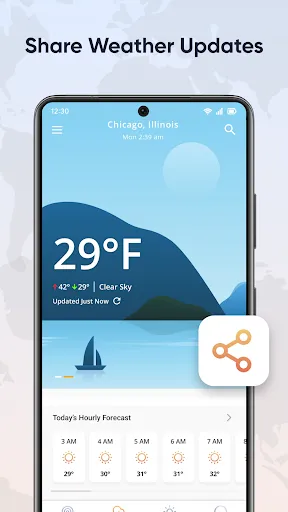
"Live Weather Radar Launcher" is a comprehensive weather application designed to provide users with real-time weather updates and radar imagery. One of its standout features is the interactive radar map, which allows users to visualize precipitation, storm systems, and weather patterns in their area. The app also offers customizable notifications, enabling users to receive alerts for severe weather conditions, such as thunderstorms, tornadoes, or heavy snowfall, tailored to their specific location.
Additionally, the app includes detailed forecasts, providing hourly and daily weather predictions, which help users plan their activities accordingly. The user-friendly interface makes navigation seamless, allowing users to quickly access the information they need. Furthermore, the app supports multiple locations, making it easy for users to check the weather in different areas, whether for travel or family. With its integration of satellite imagery and local weather stations, "Live Weather Radar Launcher" ensures that users receive accurate and timely weather information.
Using "Live Weather Radar Launcher" is straightforward and user-friendly. Upon launching the app, users are greeted with a home screen that displays the current weather conditions for their default location. To customize the app, users can easily add multiple locations by accessing the settings menu and entering the desired cities or regions. This feature is particularly useful for those who travel frequently or have family in different areas.
To view the radar, users simply tap on the radar icon, which brings up an interactive map displaying real-time weather patterns. Users can zoom in and out to focus on specific areas and track storms as they develop. For alerts, users can enable notifications in the settings, ensuring they receive timely updates about severe weather in their chosen locations. Overall, the app's intuitive design makes it easy for anyone to navigate and utilize its features effectively.
Like any application, "Live Weather Radar Launcher" has its advantages and disadvantages. One of the primary pros is its real-time radar feature, which provides users with up-to-date information on weather conditions, helping them stay informed about potential storms or severe weather. The customizable alerts are another significant benefit, allowing users to tailor notifications to their specific needs and locations. Additionally, the app's user-friendly interface makes it accessible for users of all ages, enhancing the overall experience.
On the downside, some users may find that the app requires a stable internet connection for optimal performance, which can be a limitation in areas with poor connectivity. Additionally, while the app is generally accurate, there may be occasional discrepancies in weather forecasts, which can lead to confusion. Lastly, some users have reported that the app can be resource-intensive, potentially draining battery life more quickly than other weather applications. Balancing these pros and cons can help users determine if this app meets their weather tracking needs.

 Experience real-time weather updates for accurate planning and decision-making Track severe weather patterns to ensure safety and preparedness Enjoy user-friendly interface for easy navigation and accessibility Access detailed radar imagery for localized weather insights Receive timely alerts for changing weather conditions to stay informed
 Live Weather Radar Launcher can be expensive to implement and maintain Data accuracy may vary, affecting reliability Limited coverage can lead to missed severe weather events
  Google Play
  App Store
 Yes, users are encouraged to submit suggestions and feedback through the app’s support section or via the official website to help improve future updates.
Yes, Live Weather Radar Launcher may collect certain personal data to enhance user experience, but it adheres to strict privacy policies and guidelines to protect user information.
While Live Weather Radar Launcher primarily requires an internet connection to provide real-time updates, certain features may be accessible offline, depending on prior data caching.
Users can cancel their subscription through their device's app store settings, following the specific cancellation process outlined for either Android or iOS.
The subscription cost for Live Weather Radar Launcher varies depending on the plan selected, with options for monthly or yearly subscriptions available.
Unfortunately, your customer number cannot be changed once it has been assigned. Please contact customer service for further assistance.
Absolutely! If you're having trouble activating your account, please contact our customer service for prompt assistance.
You can reach our customer service team via the support section in the app or by emailing support
To update your information, log in and go to the account settings. Make your changes and save them to update your profile.
After registration, check your email for an activation link. Click on it to complete your account activation.