
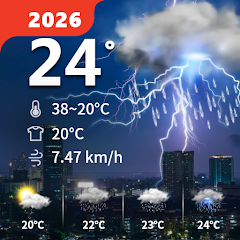


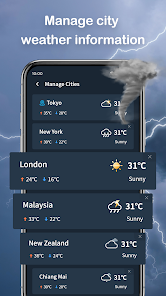
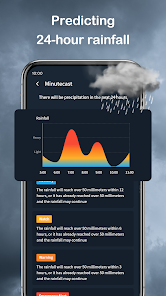
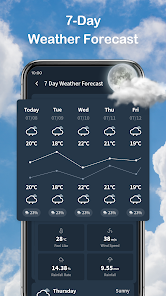
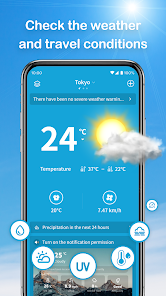
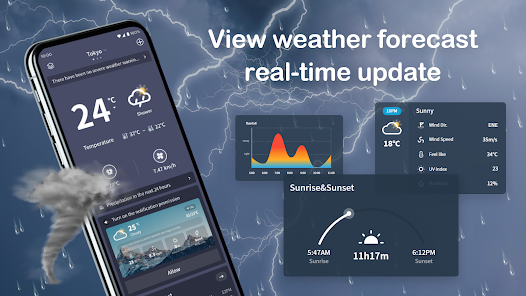
Wander Weather stands out in the crowded market of weather applications, offering a unique blend of essential features and delightful usability. Here are some of its core features that truly enhance the user experience:
Wander Weather has seamlessly integrated into my daily routine. Every morning, I check the app while sipping my coffee, allowing me to gauge how to dress for the day. It’s especially useful for planning outdoor activities. For instance, last weekend, I had a hiking trip scheduled. I opened the app to check the hourly forecast, and it showed a chance of rain later in the day. This prompted me to leave earlier to enjoy the hike before the weather turned.
Additionally, as someone who enjoys gardening, I often rely on Wander Weather to check not just the temperature but also humidity levels and wind speeds, which can affect my plants. The app's detailed insights have helped me make informed decisions about when to water my garden or cover my plants during unexpected frost warnings.
The user interface of Wander Weather is clean and intuitive, making navigation a breeze. The main dashboard presents the weather in an easily digestible format, with icons that are both vibrant and informative. I appreciate how the app organizes information into sections, allowing me to swipe between daily forecasts, maps, and community updates without feeling overwhelmed. The feature workflow is smooth; for instance, accessing the interactive radar map is as simple as tapping a button, and I can easily zoom in to see my local area in detail.
Performance-wise, Wander Weather has been reliable. The loading times are quick, and I’ve rarely encountered any bugs or crashes, which can be frustrating in other apps. Overall, my feelings after using the app are overwhelmingly positive; it feels like a reliable companion that keeps me informed and prepared for whatever Mother Nature has in store.
Wander Weather operates on a freemium model, which means you can access a substantial amount of features without any cost. For those looking for an ad-free experience and additional premium features, there’s a subscription option available. I find the pricing reasonable given the quality of the service, and I appreciate that the basic version is still very functional for everyday use.
The development team behind Wander Weather seems committed to continuous improvement. The app receives regular updates that not only fix bugs but also introduce new features based on user feedback. I once reached out to customer support regarding a minor issue, and I was pleasantly surprised by their prompt and helpful response. This level of support gives me confidence in the app's reliability and future enhancements.
In today’s digital age, security and privacy are paramount concerns for users, and Wander Weather does not disappoint in this area. The app is available on both the App Store and Google Play, which adds a layer of credibility to its security measures. Upon downloading, users are required to create an account, but the registration process is straightforward, requiring only basic information.
One notable aspect is that Wander Weather is upfront about its data collection practices. While it does collect location data to provide hyper-local forecasts, it assures users that this information is anonymized and used solely for improving service. I’ve noticed minimal ads while using the app, which is a refreshing change from many free applications that bombard users with intrusive advertisements. This thoughtful approach to privacy and user experience makes Wander Weather a trustworthy option for anyone looking to stay informed about the weather.

 Experience real-time updates Personalized weather alerts User-friendly interface design Accurate forecasts at your fingertips Interactive radar and maps
 Limited regional coverage Occasional inaccurate forecasts User interface can be cluttered Ads may disrupt user experience
  Google Play
  App Store
 The Wander Weather app requires an internet connection to fetch real-time weather data. However, it may store some previous forecasts that can be viewed offline for a limited time. For the most accurate and up-to-date information, an internet connection is recommended.
Yes, users can customize notifications to alert them about specific weather conditions, such as rain, snow, or severe weather alerts. This feature allows for a tailored experience based on individual preferences.
Yes, the Wander Weather app typically provides options for users to report inaccurate weather data or issues with the app. This feedback helps improve the accuracy and reliability of the app's forecasts.
Yes, the Wander Weather app allows users to add and manage multiple locations, making it easy to check the weather for different areas, whether for travel or for keeping up with family and friends.
The app utilizes data from multiple weather sources, including satellite imagery, radar data, and local weather stations, to provide accurate forecasts. It continuously updates its information to reflect changing weather patterns and conditions.
You can reach customer service through the app's settings or visit our website for support options.
To activate premium features, go to the settings menu and select 'Upgrade' to purchase a subscription.
Open the app, tap on 'Log In', enter your credentials, and follow the prompts.
No activation is necessary; simply download the app and start using it.
The customer support number is available in the app’s help section or on our website.



























