

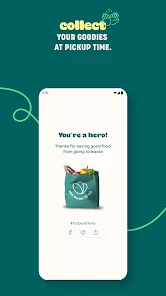
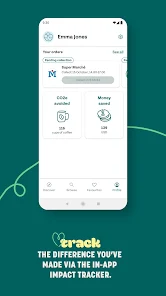
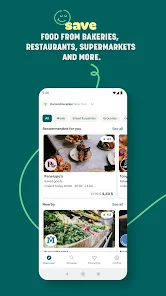
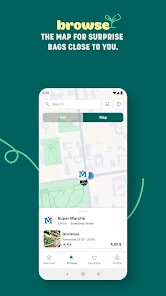
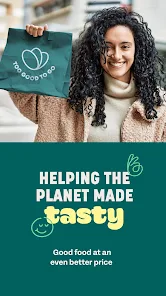
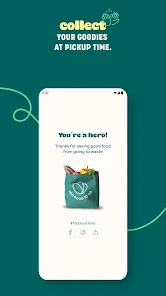
As someone who is always on the lookout for sustainable living options, I found myself using Too Good To Go during my lunch breaks. On one particular afternoon, I had a craving for some fresh sushi but didn’t want to splurge on an expensive meal. Opening the app, I discovered a local restaurant offering a “magic bag” filled with sushi for just $5. I quickly placed my order and was thrilled to find a variety of rolls and extras when I arrived to pick it up. This experience not only satisfied my hunger but also allowed me to contribute to reducing food waste.
Another scenario arose during a weekend outing with friends. While browsing the app, we spotted a nearby café offering leftover sandwiches and drinks at a fraction of the original price. We decided to grab a few bags, which turned out to be a delightful picnic on the park lawn. Everyone was amazed at the quality of the food, and we had a great time discussing our shared commitment to sustainability.
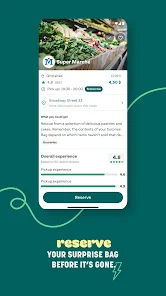
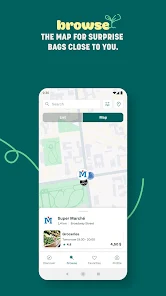
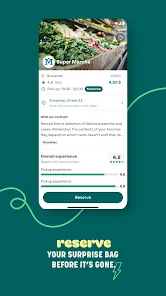
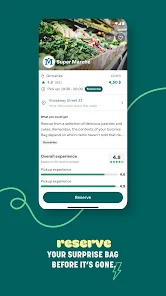
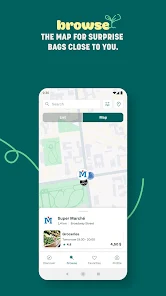
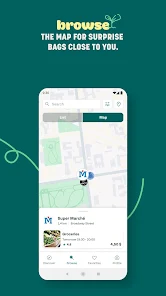
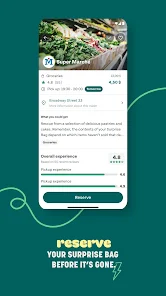
The user interface of Too Good To Go is refreshingly straightforward. Upon launching the app, I was greeted with a clean layout that immediately displayed available food options in my vicinity. The search function is efficient, allowing users to filter by food type or distance. I found the process of reserving a food bag to be seamless; it only took a few taps to complete my order.
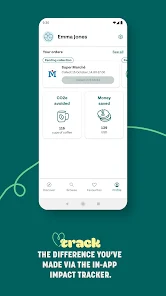
Performance-wise, the app is responsive, with quick loading times that never left me waiting. I especially appreciated the notifications reminding me of my upcoming pickups, ensuring I never forgot to collect my treasures. Overall, my experience has been nothing short of delightful, and each successful rescue feels like a personal achievement.
Too Good To Go operates on a pay-as-you-go model, making it an economical choice for food lovers. The prices for the “magic bags” typically range from $4 to $6, depending on the establishment and the type of food offered. For the amount of food you receive, this pricing is not only a steal but also a fantastic way to enjoy meals without breaking the bank.
The development team behind Too Good To Go is proactive in providing updates and improving the app's functionality. I’ve noticed periodic enhancements that streamline the user experience, such as added filtering options and improved notifications. Additionally, customer support is responsive; I once had a query regarding a missed pickup, and they addressed my concern promptly. This level of support reinforces my confidence in using the app regularly.
As an American user, I am particularly mindful of security and privacy when using mobile applications. Too Good To Go can be downloaded from reputable sources like the App Store and Google Play, ensuring a safe installation process. When registering, the app requires minimal personal data, typically just an email address and a phone number for notifications. This is reassuring, as I appreciate not having to share excessive personal information.
Regarding ads and tracking, I noticed that Too Good To Go does not bombard users with intrusive advertisements. Instead, it focuses on delivering a smooth user experience. The app may collect data to enhance functionality and user engagement, but I felt comfortable knowing that my privacy was respected throughout my usage. This commitment to user security is a significant factor in my continued use of the app.

 Reduces food waste in local communities Saves money on quality meals Supports local businesses and sustainability Promotes awareness about food waste issues Encourages conscious consumer choices
 Limited availability in certain areas User experience can vary significantly Quality of food may be inconsistent App fees can discourage participation
 Yes, Too Good To Go collects certain personal data, such as your name and email address, for account management and transaction purposes, but they have a privacy policy in place to protect your information.
Too Good To Go is free to download and use, allowing users to browse and purchase food without any initial fees; however, the food itself is sold at a discounted price.
Yes, Too Good To Go requires an internet connection to browse available food options, make purchases, and receive updates from local businesses.
You can contact support or send feedback through the app itself, typically found in the settings or help section, or by visiting their official website for additional contact options.
Since there are no subscription plans for Too Good To Go, users do not need to manage or cancel subscriptions; you can simply use the app as needed without ongoing commitments.
Yes, you can delete your account by contacting customer service through the app or website for assistance.
You can reach customer service through the app by navigating to the "Help" section or visiting their website for further assistance.
After signing up, check your email for a confirmation link and click it to activate your account.
Go to "Profile," tap on the settings icon, and select "Edit Profile" to update your information.
Open the app, tap on "Log in," and enter your email and password. If you forgot your password, use the "Forgot Password" option.





 Google Play
  App Store