


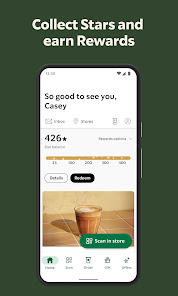
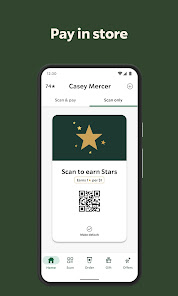
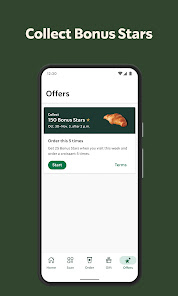
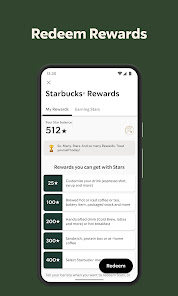
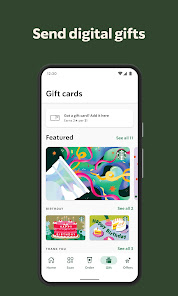
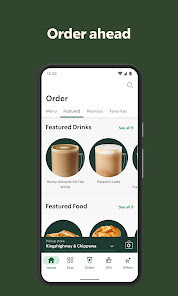
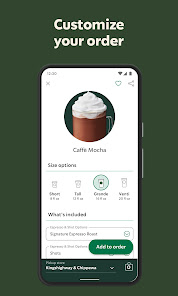
The Starbucks app is much more than just a digital coffee order system; it’s a comprehensive tool that enhances your coffee experience. Below are some of the standout features that make it a must-have for coffee lovers.
As a frequent traveler for work, I often find myself in need of a reliable caffeine fix to keep my energy levels high. The Starbucks app has become an essential tool in my daily routine. I use it in various situations—whether I’m at the airport before a flight, in between meetings, or catching up with friends at a local café. For example, while waiting for my flight, I can quickly order my favorite Caramel Macchiato through the app and have it ready for pickup as soon as I arrive at the terminal Starbucks. This not only saves me time but also ensures I get my coffee just the way I like it.
The user interface of the Starbucks app is clean, intuitive, and user-friendly. Upon opening the app, I’m greeted by a colorful, inviting layout that showcases my rewards balance and current offers prominently. Navigating through the app is seamless; I can easily access the menu, customize my orders, and review my past purchases. The feature workflow is smooth—ordering a drink takes just a few taps, and the payment process is quick, allowing me to focus on my busy day rather than waiting in line. Overall, my experience with the app has been overwhelmingly positive; it feels like a well-crafted extension of the Starbucks experience.
The Starbucks app itself is free to download and use, which makes it accessible to everyone. However, the cost of drinks and food items varies based on location and selection. The rewards program allows users to earn points on every purchase, which can lead to significant savings over time. I’ve noticed that being a loyal customer pays off, as I often receive special offers and discounts through the app, making my coffee habit a little less expensive.
Starbucks frequently updates its app to enhance user experience and introduce new features. The app’s support section is robust, offering a comprehensive FAQ and customer service options for any issues that arise. I’ve found the response time for customer inquiries to be quite satisfactory, demonstrating Starbucks’ commitment to its users. Whether I need help with a technical issue or have a question about my rewards, I feel supported and valued as a customer.
As an American user, security and privacy are essential when using any app, and the Starbucks app addresses these concerns effectively. The app is available on both the App Store and Google Play, ensuring that it undergoes regular security checks. During the registration process, users are required to provide a minimum of personal information, such as an email address and payment details. I appreciate that Starbucks has implemented security measures to protect my data, including encryption and secure payment processing.
Despite its seamless functionality, the app does use targeted advertisements and tracks user behavior to improve its services. However, I have found that the level of tracking is consistent with industry standards and does not feel intrusive. Overall, I feel confident using the Starbucks app, knowing that my data is handled with care and that my privacy is a priority for the company.

 High-quality coffee sourced from premium beans Inviting atmosphere perfect for relaxation or work Diverse menu catering to various tastes and preferences Loyalty program rewards frequent customers generously Global presence makes it accessible everywhere
 High prices for standard coffee drinks Long wait times during peak hours Limited seating in popular locations Environmental concerns over disposable cups
 Yes, Starbucks collects personal data such as your name, email address, and purchase history to enhance your experience and provide personalized offers.
The Starbucks app is free to download and use, but certain features, such as premium rewards and subscriptions, may require purchasing items or enrolling in a rewards program.
Yes, an internet connection is required to use the Starbucks app for placing orders, checking rewards, and accessing other online features.
You can contact Starbucks support through the app by accessing the help section or by visiting the Starbucks website, where you can find customer service options and submit feedback.
You can manage or cancel your Starbucks subscription through the app by navigating to your account settings and selecting the subscription option you wish to modify or cancel.
Yes, you can view your order history by tapping on "Orders" in the app's main menu.
Yes, if you created an account online, you may need to verify your email to activate it. Check your email for a confirmation link.
You can reach Starbucks customer service through the app's "Contact Us" section, or by calling their customer service number available on the Starbucks website.
Tap "Forgot Password?" on the login screen, enter your email, and follow the instructions in the email you receive.
Go to your phone's settings, find the Starbucks app, and enable notifications to receive updates and offers.











 Google Play
  App Store