

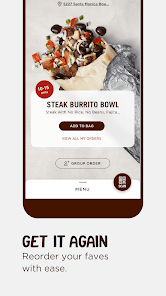
Chipotle is a popular fast-casual restaurant chain known for its customizable Mexican-inspired menu. One of its standout features is the ability for customers to build their own meals, choosing from a variety of fresh ingredients such as burritos, bowls, tacos, and salads. This customization allows patrons to tailor their meals to their specific tastes and dietary preferences, including options for vegetarian, vegan, and gluten-free diets.
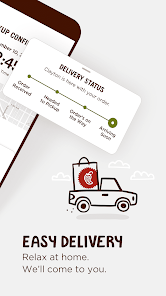
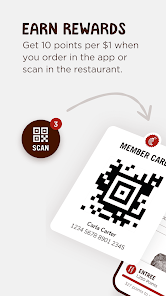
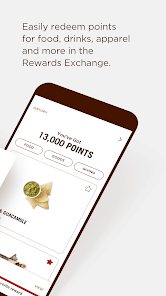
Another notable feature is Chipotle's commitment to using high-quality, responsibly sourced ingredients. The chain emphasizes the use of organic produce and meats raised without antibiotics or hormones, appealing to health-conscious consumers. Additionally, Chipotle has embraced technology with its mobile app and online ordering system, making it convenient for customers to place orders ahead of time and skip the line. The restaurant also offers a rewards program, allowing frequent diners to earn points for free food and exclusive offers.
Using Chipotle is a straightforward process, whether you choose to dine in, order online, or use the mobile app. To start, you can visit a Chipotle location or access their website or app. If you’re dining in, simply approach the counter where staff will guide you through the assembly line, allowing you to select your base, protein, toppings, and sauces.
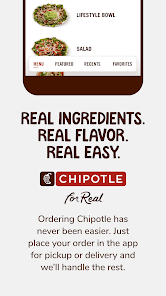
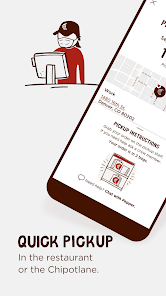
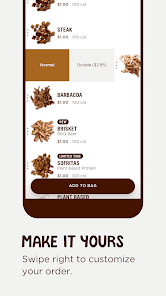
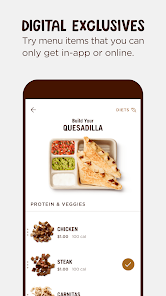
For online or app orders, begin by selecting your desired meal type, such as a burrito or bowl. Next, customize your order by choosing your ingredients, including rice, beans, proteins, and salsas. Once you’ve finalized your selections, proceed to checkout, where you can pay and choose a pickup time. If you’re using the app, you can also take advantage of the rewards program to earn points with each purchase. After placing your order, simply pick it up at the designated time, and enjoy your meal!
The Chipotle app offers several advantages that enhance the customer experience. One of the primary benefits is convenience; users can easily place orders from anywhere, avoiding long lines at the restaurant. The app also features a user-friendly interface, making it simple to customize meals and view nutritional information. Additionally, the rewards program incentivizes frequent visits, allowing customers to earn points for free food and exclusive promotions.
However, there are some drawbacks to consider. Some users have reported occasional technical issues, such as glitches during the ordering process or problems with payment methods. Additionally, while the app is designed for convenience, it may not always reflect real-time inventory, leading to potential unavailability of certain items. Lastly, some customers may prefer the in-person experience of interacting with staff and seeing their food being prepared. Overall, while the Chipotle app has its pros and cons, it remains a valuable tool for many fans of the brand.
```
 Fresh, high-quality ingredients enhance flavor and nutrition. Customizable menu allows for personal preferences. Fast service ensures a quick and satisfying meal. Commitment to sustainability supports ethical sourcing practices. Vibrant atmosphere creates an enjoyable dining experience.
 Long wait times during peak hours can deter customers. High prices may not suit everyone’s budget. Limited menu options can restrict meal variety.
  Google Play
  App Store
 Yes, users can submit suggestions or feedback through the app or by contacting customer support via the Chipotle website.
Yes, Chipotle collects personal data such as your name, email address, payment information, and order history to enhance user experience and provide personalized services.
Yes, the Chipotle app allows users to browse the menu and customize orders offline, but certain features like placing an order may require an internet connection.
Since there is no subscription model for the Chipotle app, there is no need to cancel a subscription; users simply pay for their orders as they choose.
Chipotle does not require a subscription; the app is free, and users only pay for the food they order.
Yes, you can log in to your account and update your information in the account settings section.
Yes, once you log in, go to your account settings to update your email address.
You can reach Chipotle customer service by calling their customer number, which is available on their website.
To activate your account, check your email for a confirmation link after signing up and click on it to complete the process.
If your account is locked, contact customer service using the customer number for assistance in regaining access.