



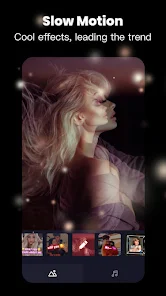
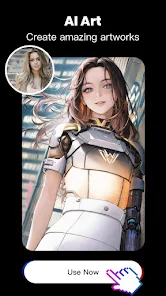

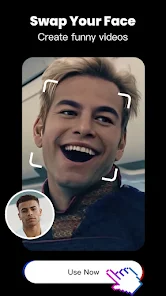

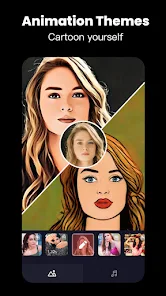


"Tempo - Music Video Maker" is a versatile application designed for creating stunning music videos with ease. One of its standout features is the extensive library of templates that cater to various themes and styles, allowing users to quickly find a suitable format for their videos. Additionally, the app offers a wide range of music tracks, enabling users to select the perfect soundtrack to complement their visuals. The intuitive interface makes it user-friendly, even for those who may not have prior video editing experience.
Another notable feature is the ability to add text and stickers, which enhances the personalization of videos. Users can also apply various filters and effects to elevate the overall aesthetic of their creations. The app supports high-resolution exports, ensuring that the final product maintains quality when shared on social media platforms. Furthermore, "Tempo" allows for easy sharing, making it convenient for users to showcase their work on platforms like Instagram, TikTok, and Facebook.
Using "Tempo - Music Video Maker" is a straightforward process that anyone can master. First, download and install the app from your device's app store. Once installed, open the app and select a template that resonates with your vision for the video. After choosing a template, you can upload your photos or video clips that you want to include in your project.
Next, browse through the music library to find a track that fits the mood of your video. You can also adjust the timing of your clips to sync perfectly with the music. After arranging your media, you can personalize your video by adding text, stickers, and applying filters. Once you are satisfied with your creation, simply export the video in high resolution and share it directly to your favorite social media platforms or save it to your device for later use.
"Tempo - Music Video Maker" comes with several advantages that make it appealing to users. One of the primary pros is its user-friendly interface, which allows even beginners to create professional-looking videos without extensive editing knowledge. The vast library of templates and music tracks provides ample creative options, making it easy to produce unique content. Additionally, the app's high-resolution export feature ensures that videos maintain quality when shared online.
However, there are some drawbacks to consider. Some users may find that certain features are locked behind a paywall, limiting access to premium templates and music tracks. Additionally, while the app is generally stable, occasional bugs or crashes can disrupt the editing process. Lastly, the app may require a stable internet connection for certain features, which could be inconvenient for users in areas with limited connectivity. Overall, while "Tempo" offers a robust set of features, potential users should weigh these pros and cons before diving in.

 Create stunning music videos easily with intuitive drag-and-drop features. Access a vast library of licensed music tracks for seamless integration. Customize videos with filters, effects, and text for a unique touch. Share your creations directly on social media platforms with one click. Collaborate with friends and artists to enhance your video projects.
 Limited customization options may restrict creative expression in videos. Performance can lag on lower-end devices, affecting user experience. Watermarked outputs in the free version can diminish professional appeal.
 Yes, users can submit suggestions or feedback through the app's feedback feature or by contacting customer support, as the developers value user input for future improvements.
Tempo - Music Video Maker may collect certain personal data as outlined in its privacy policy, typically for app functionality and user support purposes. Users are encouraged to review the privacy policy for detailed information.
Yes, Tempo - Music Video Maker allows users to edit and create music videos offline, though some features may require an internet connection for music downloads or updates.
To cancel your Tempo - Music Video Maker subscription, you can go to the app store settings on your device, navigate to subscriptions, and follow the prompts to cancel your subscription.
The subscription cost for Tempo - Music Video Maker varies based on the selected plan, typically offering monthly and yearly options that provide users with access to additional features and content.
You can view your customer number in the "Account" section of the app under "Profile Information."
You can reach customer service by emailing support
After signing up, check your email for an activation link. Click it to activate your account and start using Tempo.
For billing inquiries, contact customer service via email or the in-app support feature. They'll assist you promptly.
You can find your customer number in your account settings under "Profile" or contact customer service for assistance.












 Google Play
  App Store