
 Home
Home  Apps
Apps  Games
Games  Windows
  Topics
  Terms of Service
  Cookies & Privacy Policy
  Disclaimer
Skin Bliss: Skincare Routines


Information
- Category: Beauty
- Price: 0
- Age Rating: Everyone
- Rating: 4.2
- Developer: skinbliss
- Version: 4.8.3
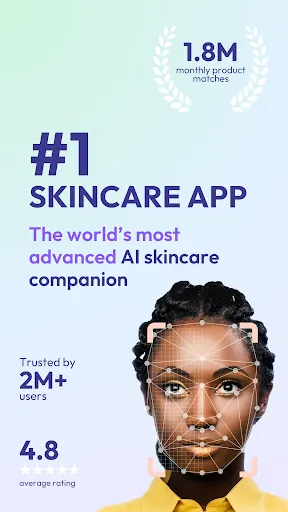
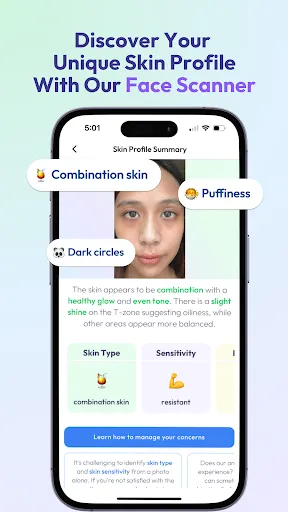
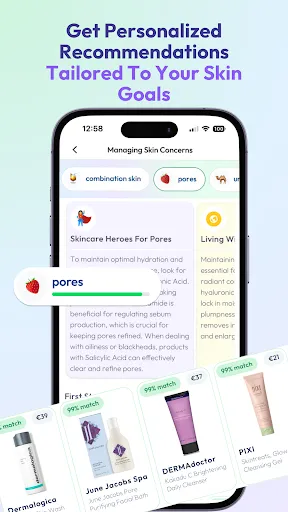
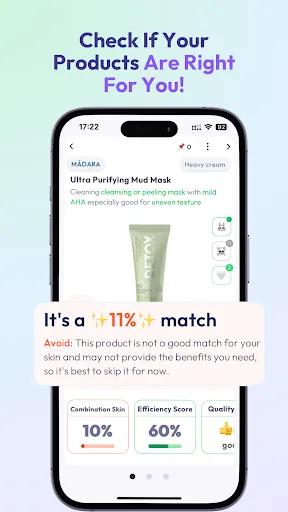
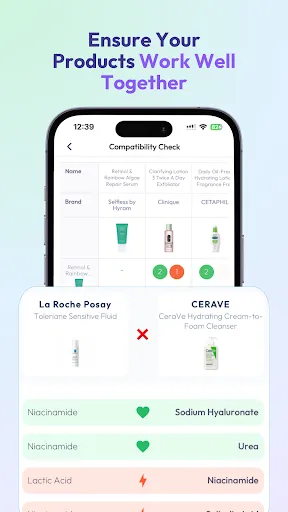
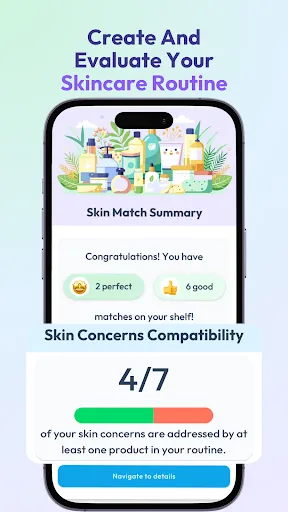
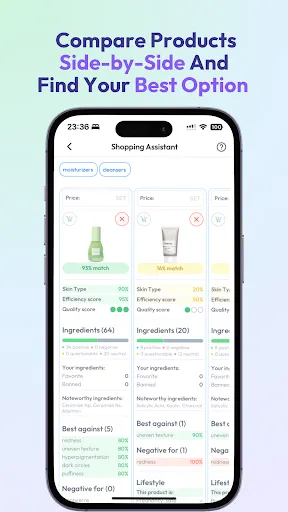

Welcome to "Skin Bliss: Skincare Routines," your ultimate companion for achieving radiant skin! Discover personalized skincare routines tailored to your unique skin type and concerns. With expert tips, product recommendations, and easy-to-follow guides, we empower you to embrace your natural beauty. Whether you're a skincare novice or a seasoned enthusiast, "Skin Bliss" simplifies your journey to healthy, glowing skin. Unlock the secrets to your best complexion today!
Features of "Skin Bliss: Skincare Routines"
"Skin Bliss: Skincare Routines" is a comprehensive app designed to enhance your skincare journey. One of its standout features is the personalized skincare routine generator, which tailors recommendations based on your skin type, concerns, and goals. Users can input their specific skin issues, such as acne, dryness, or sensitivity, and receive a customized regimen that includes product suggestions and application techniques.
Another notable feature is the extensive product database, which includes detailed information on various skincare products, ingredients, and user reviews. This allows users to make informed decisions about what to incorporate into their routines. The app also offers educational resources, including articles and videos on skincare best practices, ingredient benefits, and seasonal skincare tips. Additionally, users can track their progress over time, documenting changes in their skin condition and adjusting their routines as needed. Overall, "Skin Bliss" aims to empower users with knowledge and tools to achieve healthier skin.
How to Use "Skin Bliss: Skincare Routines"
Using "Skin Bliss: Skincare Routines" is straightforward and user-friendly. Upon downloading the app, users are prompted to create a profile where they can input essential information about their skin type, concerns, and any specific goals they wish to achieve. This initial setup is crucial as it allows the app to generate a tailored skincare routine that suits individual needs.
Once the profile is complete, users can explore the app's features, starting with the personalized routine recommendations. The app will suggest a step-by-step regimen, including cleansing, toning, moisturizing, and any treatments needed. Users can also browse the product database to find suitable items for their routine, complete with ingredient breakdowns and user reviews. Regularly updating their skin condition and routine preferences will help the app refine its suggestions over time, ensuring that users receive the most effective skincare advice tailored to their evolving needs.
Pros & Cons of the App
"Skin Bliss: Skincare Routines" comes with several advantages that make it a valuable tool for skincare enthusiasts. One of the primary pros is its personalized approach, which allows users to receive tailored recommendations based on their unique skin concerns. The extensive product database is another significant benefit, providing users with a wealth of information to make informed choices. Additionally, the educational resources available within the app help users understand skincare better, promoting informed decision-making.
However, there are some drawbacks to consider. Some users may find the app's recommendations overwhelming, especially if they are new to skincare. Additionally, while the app strives to provide accurate information, the effectiveness of suggested products can vary from person to person, leading to potential dissatisfaction. Lastly, the app may require regular updates and maintenance to ensure that the product database remains current and relevant. Overall, while "Skin Bliss" offers valuable features, users should approach it with realistic expectations and a willingness to experiment with their skincare routines.
Get Installation Details  Google Play
  App Store
Google Play App Store FAQ
Can I create playlists on Spotify?
Yes, users can create, share, and collaborate on playlists with friends.
Can I download music on Spotify?
Yes, premium users can download songs and playlists for offline listening.
Can I listen to Spotify offline?
Yes, premium users can listen to downloaded music offline without an internet connection.
Can I use Spotify on multiple devices?
Yes, you can use Spotify on multiple devices, but only one device can stream at a time.
Does Spotify have podcasts?
Yes, Spotify hosts a wide range of podcasts across various genres.
Similar Apps













You May Like

Ulta Beauty: Makeup & Skincare
Beauty
4.6

Booksy for Customers
Beauty
4.9

Sephora: Buy Makeup & Skincare
Beauty
4.2

IPSY: Personalized Beauty
Beauty
4.7

StyleSeat: Book Hair & Beauty
Beauty
4.8

SALLY BEAUTY
Beauty
4.6

Scentbird Monthly Perfume Box
Beauty
4.9
Artistry Virtual Beauty
Beauty
4.3
Beatrix: AI Beauty Camera
Beauty
4.3

e.l.f. Cosmetics and Skincare
Beauty
4.7
PERFUMIST Perfumes Advisor
Beauty
3.4

Perfect365 Makeup Photo Editor
Beauty
3.6