
 Home
Home  Apps
Apps  Games
Games  Windows
  Topics
  Terms of Service
  Cookies & Privacy Policy
  Disclaimer
Perfect365 Makeup Photo Editor


Information
- Category: Beauty
- Price: free
- Age Rating: Everyone
- Rating: 3.6
- Developer: Perfect365, Inc.
- Version: 10.15.17
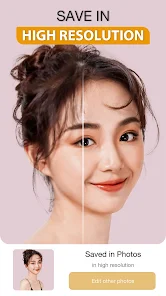
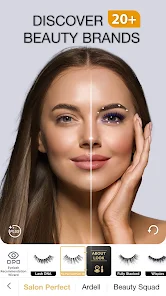
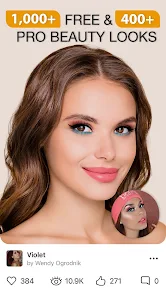
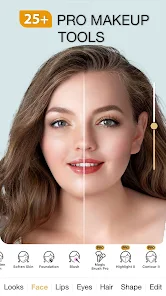
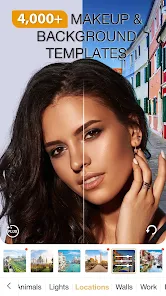
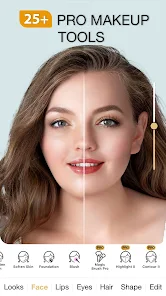
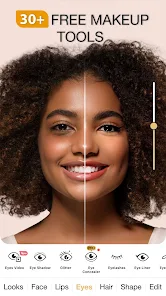
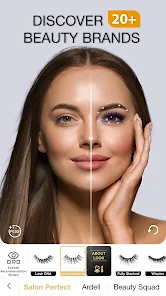
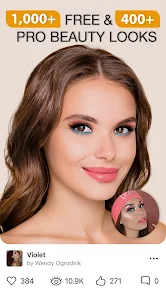
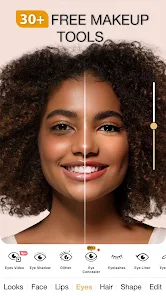
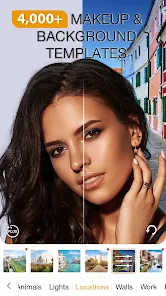
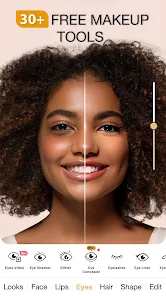
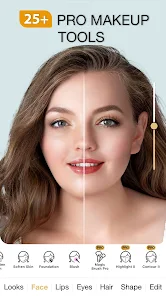
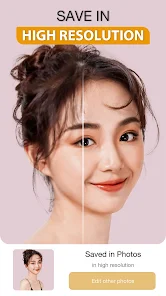
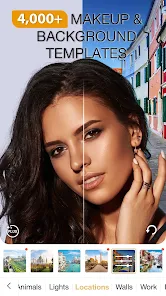
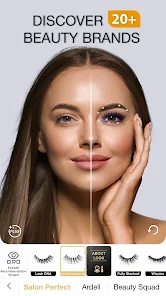
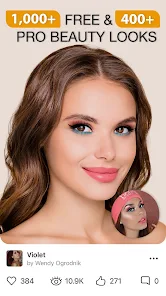
Perfect365 Makeup Photo Editor is your ultimate beauty companion, transforming your selfies with just a tap. This intuitive app offers a wide range of makeup tools, filters, and effects, allowing you to experiment with different looks and styles. Whether you want to enhance your natural beauty or try bold new trends, Perfect365 makes it easy to create stunning photos. Share your flawless images with friends or on social media and step into the spotlight with confidence!
Features of "Perfect365 Makeup Photo Editor"
"Perfect365 Makeup Photo Editor" is a versatile application designed to enhance your photos with a variety of makeup and beauty tools. One of its standout features is the extensive library of makeup looks, which includes everything from natural to glamorous styles, allowing users to experiment with different appearances. The app also offers customizable makeup options, enabling users to adjust colors, intensity, and placement to achieve their desired look.
Another notable feature is the virtual makeover tool, which allows users to try on different hairstyles and accessories in real-time. The app includes skin smoothing and blemish removal tools, ensuring that your photos look polished and professional. Additionally, users can apply filters and effects to enhance their images further. The user-friendly interface makes it easy to navigate through the various features, making it accessible for both beginners and experienced users alike.
Lastly, the app allows for easy sharing on social media platforms, enabling users to showcase their transformed photos with friends and followers. Overall, "Perfect365" combines creativity and functionality, making it a popular choice for those looking to enhance their selfies and portraits.
How to Use "Perfect365 Makeup Photo Editor"
Using "Perfect365 Makeup Photo Editor" is a straightforward process that allows users to create stunning makeup looks effortlessly. First, download and install the app from your device's app store. Once installed, open the app and either take a new photo or select an existing one from your gallery. The app will automatically analyze your face and suggest makeup styles that suit your features.
After selecting a style, you can customize it by adjusting the makeup elements such as lipstick, eyeshadow, and blush. The app provides sliders for fine-tuning the intensity and color of each makeup item, allowing for a personalized touch. You can also explore different hairstyles and accessories to complete your look. Once you are satisfied with your makeover, save the edited photo to your device or share it directly on social media platforms.
Additionally, the app offers tutorials and tips for users who want to learn more about makeup application techniques. This feature is particularly helpful for beginners looking to improve their skills. Overall, "Perfect365" makes the process of experimenting with makeup fun and accessible for everyone.
Pros & Cons of the App
Like any application, "Perfect365 Makeup Photo Editor" has its advantages and disadvantages. One of the primary pros is its user-friendly interface, which makes it easy for users of all skill levels to navigate and utilize the various features. The extensive library of makeup styles and customization options allows for creativity and personalization, making it a favorite among makeup enthusiasts. Additionally, the real-time makeover feature is a fun way to experiment with different looks without any commitment.
However, there are some cons to consider. Some users may find that the app's advanced features require a subscription or in-app purchases, which can be a drawback for those looking for a completely free experience. Additionally, while the app does a great job of enhancing photos, it may not always produce realistic results, leading to overly edited images that may not reflect true appearances. Lastly, the app's performance can vary depending on the device, with some users experiencing lag or crashes.
In summary, while "Perfect365" offers a range of exciting features for makeup lovers, potential users should weigh the pros and cons to determine if it meets their needs.
 Google Play
  App Store
 FAQ
Can I create playlists on Spotify?
Yes, users can create, share, and collaborate on playlists with friends.
Can I download music on Spotify?
Yes, premium users can download songs and playlists for offline listening.
Can I listen to Spotify offline?
Yes, premium users can listen to downloaded music offline without an internet connection.
Can I use Spotify on multiple devices?
Yes, you can use Spotify on multiple devices, but only one device can stream at a time.
Does Spotify have podcasts?
Yes, Spotify hosts a wide range of podcasts across various genres.
Similar Apps













You May Like
Ulta Beauty: Makeup & Skincare
Beauty
4.6

Booksy for Customers
Beauty
4.9
Sephora: Buy Makeup & Skincare
Beauty
4.2
IPSY: Personalized Beauty
Beauty
4.7

StyleSeat: Book Hair & Beauty
Beauty
4.8

SALLY BEAUTY
Beauty
4.6

Scentbird Monthly Perfume Box
Beauty
4.9
Artistry Virtual Beauty
Beauty
4.3
Beatrix: AI Beauty Camera
Beauty
4.3

e.l.f. Cosmetics and Skincare
Beauty
4.7
PERFUMIST Perfumes Advisor
Beauty
3.4

Skin Bliss: Skincare Routines
Beauty
4.2