
 Home
Home  Apps
Apps  Games
Games  Windows
  Topics
  Terms of Service
  Cookies & Privacy Policy
  Disclaimer
Samsung Wallet (Samsung Pay)


Information
- Category: Lifestyle
- Price: free
- Age Rating: Everyone
- Rating: 4.2
- Developer: Samsung Electronics Co., Ltd.
- Version: 2.5.76

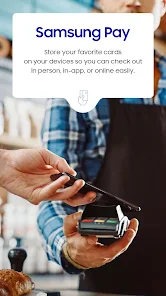

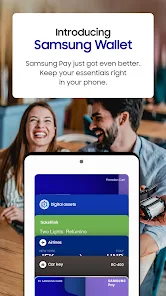

Samsung Wallet, formerly known as Samsung Pay, is a versatile mobile application that allows users to store and manage their payment cards, loyalty cards, and digital assets securely. With advanced security features and seamless integration with Samsung devices, it enables quick and convenient transactions both online and in-store. Users can also access rewards and offers, making it a comprehensive solution for managing finances and enhancing the shopping experience.
Features & Highlights
Samsung Wallet, previously known as Samsung Pay, offers an array of features that make it an indispensable tool for anyone looking to simplify their payment processes. With a user-friendly interface and robust security measures, it stands out among mobile payment solutions. Here are some of its core features:
- Tap & Pay: Samsung Wallet allows users to make contactless payments at millions of locations worldwide. Imagine walking into your favorite coffee shop, pulling out your phone, and with a simple tap, your morning latte is paid for without fumbling for cash or cards.
- Rewards Integration: The app seamlessly integrates with various loyalty programs. Picture yourself shopping at a retail store, and as you check out, you can effortlessly earn loyalty points just by using the app, maximizing your shopping experience.
- Secure Transactions: With Samsung Knox security and biometric authentication options, Samsung Wallet ensures your transaction security. For instance, when making a high-value purchase, you can use your fingerprint or facial recognition, adding peace of mind to your financial dealings.
- Digital IDs and Tickets: Beyond payments, Samsung Wallet allows users to store boarding passes, tickets, and even ID cards. Think of the convenience when traveling—just pull out your phone at the airport, and your boarding pass is ready to scan without any paper hassle.
- Multiple Card Support: The app supports various payment methods, including credit and debit cards, allowing for easy management of your finances. It’s incredibly convenient to switch between cards based on rewards or spending limits without needing a physical wallet.
Real Experience Using Samsung Wallet (Samsung Pay)
Application Scenarios
Using Samsung Wallet has become a part of my daily routine, and I find myself relying on it more than I initially anticipated. One of the most common scenarios is during my morning commute. As I hop onto the subway, I simply open the app, and with a quick tap, I’m through the turnstile without needing to dig for cash or a card. It’s this seamless experience that sets the tone for my day.
Another scenario is grocery shopping. With a long list of items in hand and a busy schedule, I appreciate the efficiency of Samsung Wallet. At the checkout, I can quickly pull up my digital coupons and rewards, ensuring I’m getting the best deals without the hassle of paper clutter. It’s a time-saver that allows me to focus on my shopping rather than on my payment methods.
User Experience
From the moment I downloaded Samsung Wallet, I was impressed by its user interface. The design is sleek and intuitive, making navigation a breeze even for those not tech-savvy. Setting up the app was straightforward, requiring minimal personal information, which I appreciated given today’s privacy concerns. Once set up, accessing my cards and payment options is as simple as swiping my finger across the screen.
The feature workflow is seamless; I can add cards with just a few taps, and the app categorizes them nicely for easy access. Performance-wise, I’ve encountered very few glitches, and the loading times are impressively fast. Overall, my experience has been positive, and I feel confident using Samsung Wallet for any transaction, big or small.
Pricing
Samsung Wallet is free to download and use, which is one of its significant advantages. There are no hidden fees associated with transactions, making it an attractive option for budget-conscious users. The app also offers various deals and discounts through its rewards feature, providing additional savings that enhance its value even further.
Updates & Support
The app is regularly updated to improve functionality and user experience, which is reassuring for someone who relies on it daily. Samsung provides robust support, including a dedicated help center and community forums where users can share tips and get assistance. I feel confident that should I encounter any issues, help is readily available, ensuring a smooth experience.
Security & Privacy Review
As an American user, security and privacy are paramount when it comes to digital wallets. Samsung Wallet stands out in this regard, primarily because it is available through trusted app sources like the Google Play Store and the Samsung Galaxy Store. This ensures that the app is regularly vetted for security and performance.
During the registration process, I was required to provide some personal data; however, the app is transparent about how this information is used, and I felt comfortable sharing it given Samsung’s reputation for protecting user data. Additionally, the biometric security features, such as fingerprint and facial recognition, provide an extra layer of protection that offers peace of mind during transactions.
Importantly, Samsung Wallet does not bombard users with ads or invasive tracking behaviors, which can often be a concern with other apps. The user experience feels clean and focused solely on facilitating payments and managing finances, allowing me to use the app without distractions or privacy worries.
Pros 
-
 Samsung Wallet simplifies payments
 - Experience secure transactions
- Store loyalty cards easily
- Access travel passes on-the-go
- Enjoy seamless online purchases
- Use with compatible devices
Cons 
-
 Limited merchant acceptance
 - Compatibility issues with devices
- Frequent app glitches reported
- Limited rewards programs available
Get Installation Details  Google Play
  App Store
Google Play App Store FAQ
Can I submit suggestions or feedback to Samsung Wallet?
Yes, users can submit feedback or suggestions through the app settings or Samsung's official support channels.
Does Samsung Wallet collect my personal data?
Samsung Wallet may collect personal data for transaction processing and security purposes, but it adheres to privacy regulations.
Does Samsung Wallet support offline use?
Yes, Samsung Wallet can function offline for previously stored cards and passes, allowing transactions without an internet connection.
How do I cancel my Samsung Wallet subscription?
Since Samsung Wallet is free, there is no subscription to cancel. Users can uninstall the app if desired.
How much does a subscription to Samsung Wallet cost?
Samsung Wallet does not require a subscription fee; it is free to use for all its features.
How to use Samsung Wallet (Samsung Pay)
How can I contact customer service for Samsung Wallet?
You can reach Samsung Wallet customer service by calling 1-800-SAMSUNG or visiting the Samsung support website for assistance.
How do I activate Samsung Wallet?
To activate Samsung Wallet, download the app from the Galaxy Store or Google Play, open it, and follow the on-screen instructions to set it up and link your payment methods.
How do I log in to my Samsung Wallet?
Open the Samsung Wallet app and enter your Samsung account credentials to log in. If you haven't set up an account, follow the prompts to create one.
What is the customer number for Samsung Wallet inquiries?
The customer service number for Samsung Wallet inquiries is 1-800-SAMSUNG (1-800-726-7864).
Similar Apps















You May Like

Ring - Always Home
Lifestyle
4.6

Amazon Alexa
Lifestyle
4.1

Great Clips
Lifestyle
4.2

Nextdoor: Neighborhood Network
Lifestyle
4.6

Design Space: DIY with Cricut
Lifestyle
3.9

Tile: Making Things Findable
Lifestyle
4.8

Tubi - Movies & TV Shows
Lifestyle
4.7

Wyze - Make Your Home Smarter
Lifestyle
4.4

Falling Fruit
Lifestyle
3.2

Google Home
Lifestyle
4.1

Life360: Stay Connected & Safe
Lifestyle
4.4

My Face Shape Meter and frames
Lifestyle
3.9