


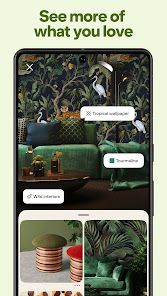
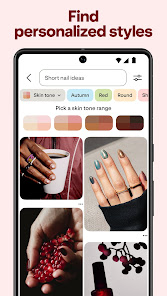

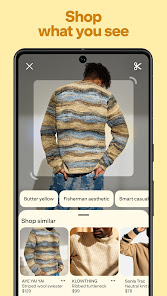
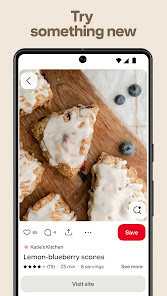
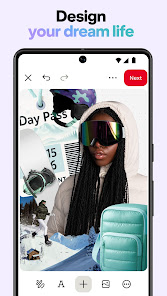
Pinterest is more than just a visual discovery engine; it’s a treasure trove of inspiration waiting to be explored. The following features make Pinterest a standout app for anyone looking to organize their ideas and discover new trends.
In my daily life, Pinterest has become an essential tool for a variety of tasks. Whether I’m planning a birthday party, redecorating my living space, or searching for new recipes to try, Pinterest is my go-to source. Just the other day, I decided to host a dinner party and needed some inspiration. I quickly opened the app, searched for “dinner party themes,” and was flooded with creative ideas, from elegant table settings to unique menu suggestions. Each pin I saved helped me create a cohesive theme that left my guests impressed.
Using Pinterest is a delight. The user interface is clean, highly visual, and intuitive, which makes navigation a breeze. I love how easy it is to scroll through my feed, and the infinite scroll feature keeps the inspiration coming. The search function is powerful; it not only provides relevant results but also suggests related content that I might find interesting. I appreciate the seamless workflow—from searching for an idea to pinning it onto a board. The app performs smoothly, with quick loading times and no frustrating lags, which is especially important when I’m in the middle of planning something.
One of the best things about Pinterest is that it’s completely free to use. There are no hidden fees or premium subscriptions needed to unlock features. However, users can choose to engage with promoted pins, which are essentially advertisements. These ads are relevant to my interests and don’t feel intrusive, allowing me to discover new brands and products without feeling bombarded.
Pinterest is consistently updating its app to enhance user experience and introduce new features. Recently, I noticed improvements in the shopping section, making it easier to find and purchase items directly through the app. The support system is also commendable; they provide comprehensive help articles and a responsive customer support team. I once had a minor issue with a pin that wouldn’t save, and I received a prompt and helpful response that resolved my problem.
As a Pinterest user, I take my security and privacy seriously, and it’s reassuring to know that the app has measures in place to protect users. Pinterest is available on both the App Store and Google Play, where it has a solid reputation for security. When registering, I was required to provide minimal personal data—just my email and a password, which is standard practice for most apps. Pinterest does collect data for targeted advertising, but I appreciate that they are transparent about this in their privacy policy. I can manage my ad preferences and limit tracking, which gives me a sense of control over my online presence. Overall, I feel safe using Pinterest to explore and share my interests without compromising my personal information.

 Discover endless creative inspiration for projects Easily organize ideas into themed boards Connect with like-minded users and communities Drive traffic to your website or blog Save and share favorite content effortlessly
 Limited organic reach for content creators Overwhelming amount of content can confuse users Difficult to track engagement and analytics Heavy reliance on visuals may alienate text-focused users
 Yes, Pinterest collects personal data such as your email address, behavior on the platform, and other information you provide to enhance your experience and for advertising purposes.
Pinterest is a free platform that allows users to access most features without a subscription; there is no trial version as the basic service is free.
Yes, Pinterest requires an internet connection to access content, browse pins, and interact with other users on the platform.
You can contact Pinterest support through their Help Center on the website or app, where you can find articles, submit a request, or provide feedback about your experience.
You can manage or cancel your subscription by going to your account settings, selecting the subscription section, and following the prompts to make changes or cancel your plan.
You can contact Pinterest customer service through the Help Center on their website or by using the app's support feature.
To activate your account, click the verification link sent to your email after signing up.
Open the Pinterest app, tap on "Log in," enter your email and password, then tap "Log in" again.
Pinterest does not have a public customer service phone number. Use their Help Center for assistance.











 Google Play
  App Store