





"Rewarded Play: Earn Gift Cards" is a mobile application designed to provide users with an engaging gaming experience while allowing them to earn rewards. One of its standout features is a diverse selection of games, ranging from casual puzzles to more complex strategy games, ensuring that there is something for everyone. Users can accumulate points by playing these games, which can later be redeemed for gift cards from popular retailers.
Another notable feature is the user-friendly interface, which makes navigation seamless and enjoyable. The app also includes daily challenges and special events that encourage users to log in regularly and participate actively. Additionally, the app offers a referral program, allowing users to earn extra points by inviting friends to join. Regular updates ensure that new games and features are consistently added, keeping the experience fresh and exciting. Overall, "Rewarded Play" combines entertainment with the opportunity to earn rewards, making it a popular choice among users looking to monetize their gaming time.
Using "Rewarded Play: Earn Gift Cards" is straightforward and user-friendly. First, download the app from the Google Play Store and create an account. Once registered, users can browse through the extensive library of games available on the platform. After selecting a game, simply start playing to begin earning points. The more you play, the more points you accumulate, which can later be redeemed for gift cards.
To maximize your earnings, it’s beneficial to participate in daily challenges and events, as these often provide bonus points. Additionally, inviting friends through the referral program can significantly boost your point total. Keep an eye on the app for notifications about new games and special promotions, as these can offer extra opportunities to earn rewards. Overall, the app is designed to be intuitive, making it easy for users to enjoy gaming while earning gift cards effortlessly.
Like any application, "Rewarded Play: Earn Gift Cards" has its advantages and disadvantages. One of the primary pros is the ability to earn gift cards simply by playing games, which can be a fun way to monetize leisure time. The variety of games available caters to different preferences, ensuring that users can find something they enjoy. Additionally, the app's user-friendly interface and regular updates keep the experience engaging and fresh.
On the downside, some users may find that the points required for gift card redemption can be quite high, making it a slow process to earn substantial rewards. Additionally, the app may have ads that can interrupt gameplay, which some users might find distracting. Furthermore, the availability of gift cards may vary by region, limiting options for some users. Overall, while "Rewarded Play" offers a unique way to earn rewards through gaming, potential users should weigh these pros and cons before diving in.

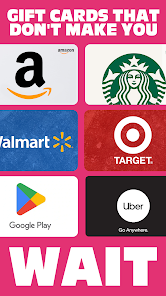
 Earn gift cards effortlessly while enjoying your favorite games. Unlock rewards just by playing regularly. No purchase necessary; play for free and still earn. Access a variety of gift card options for popular retailers. Enjoy a fun way to redeem rewards without extra effort.
 Limited game selection may restrict user enjoyment and engagement. Reward redemption process can be slow and complicated. Earnings often require significant time investment for minimal rewards.
 Yes, users can typically submit suggestions or feedback through the app’s support section or contact options provided in the app.
Yes, Rewarded Play: Earn Gift Cards may collect certain personal data to enhance user experience and provide relevant offers, but it follows privacy guidelines.
Rewarded Play: Earn Gift Cards typically requires an internet connection to access games and redeem rewards, so offline use is limited.
Since Rewarded Play: Earn Gift Cards does not have a subscription model, there is no need for cancellation. Users can simply stop using the app at any time.
Rewarded Play: Earn Gift Cards does not require a subscription; it is free to use without any recurring fees.
No, customer numbers are unique and cannot be changed. If you have concerns, please contact customer service.
You can reach customer service through the app's help section or by emailing support
You can reset your password by clicking the "Forgot Password?" link on the login page and following the instructions sent to your email.
After registering, you'll receive an email with an activation link. Click the link to activate your account. If you need help, contact customer service.
To log in, open the app and enter your email and password. If you experience issues, try resetting your password.












 Google Play
  App Store