


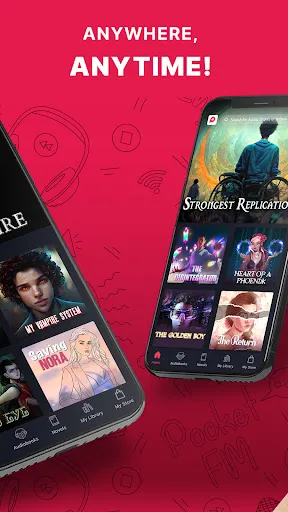


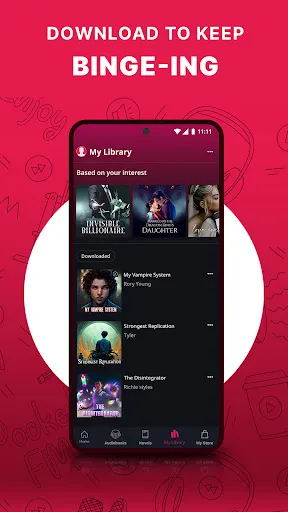
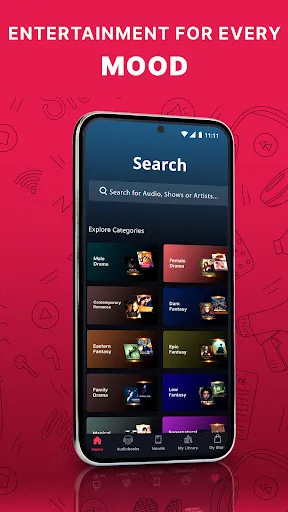


Pocket FM: Audio Series is a versatile audio platform that offers a wide range of features designed to enhance the listening experience. One of its standout features is the extensive library of audio content, which includes audiobooks, podcasts, and original audio series across various genres. Users can easily explore categories such as romance, thriller, and self-help, ensuring there’s something for everyone.
Another notable feature is the personalized recommendation system, which suggests content based on users' listening habits and preferences. This makes it easier for users to discover new series and audiobooks that align with their interests. Additionally, Pocket FM allows users to download episodes for offline listening, making it convenient for those who want to enjoy content without an internet connection.
The app also includes a user-friendly interface, enabling seamless navigation and easy access to favorite series. Furthermore, it offers features like sleep timers and playback speed adjustments, allowing users to customize their listening experience. Overall, Pocket FM combines a rich content library with user-centric features, making it a popular choice for audio enthusiasts.
Using Pocket FM: Audio Series is straightforward and user-friendly, making it accessible for all types of users. To get started, first, download the app from the Google Play Store or Apple App Store and create an account. Once registered, you can explore the vast library of audio content available on the platform.
To find content that interests you, utilize the search function or browse through various categories. You can listen to previews of audio series and audiobooks before committing to a full episode. Once you find something you like, simply click on it to start listening. The app allows you to create playlists and save your favorite series for easy access later.
For those who prefer offline listening, you can download episodes directly to your device. Additionally, take advantage of features like sleep timers and adjustable playback speeds to enhance your listening experience. Overall, Pocket FM is designed to be intuitive, ensuring that users can easily navigate and enjoy their favorite audio content.
Like any application, Pocket FM: Audio Series has its advantages and disadvantages. One of the primary pros is its extensive library, which offers a diverse range of audio content, catering to various tastes and preferences. The personalized recommendations enhance user experience by helping listeners discover new series that align with their interests. Additionally, the ability to download content for offline listening is a significant advantage for users who may not always have internet access.
On the downside, some users may find that certain content is locked behind a paywall, limiting access to premium features or exclusive series. Additionally, while the app is generally user-friendly, some users may experience occasional bugs or glitches that can disrupt their listening experience. Furthermore, the app's performance may vary depending on the device and operating system, which could affect usability for some users.
In summary, while Pocket FM: Audio Series offers a rich and engaging audio experience with numerous features, potential users should weigh the pros and cons to determine if it meets their specific needs and preferences.

 Experience captivating storytelling through immersive audio series. Enjoy a vast library of genres and topics. Listen anytime, anywhere, perfect for multitasking. Engage with content tailored to your interests. Discover new creators and fresh narratives regularly.
 Limited content variety may not satisfy all user preferences Audio quality can be inconsistent Subscription costs may be high for occasional listeners
  Google Play
  App Store
 Yes, Pocket FM: Audio Series may collect personal data to enhance user experience, such as preferences and listening habits. Users should review the app's privacy policy for detailed information on data collection and usage.
Yes, Pocket FM: Audio Series typically offers a free version with limited access to content, as well as a free trial period for users who wish to explore premium features before committing to a subscription.
Yes, Pocket FM: Audio Series requires an internet connection to stream audio content. However, some features may allow users to download episodes for offline listening, depending on the subscription plan.
Users can contact support or send feedback for Pocket FM: Audio Series through the app's support section, where they can find options for customer service, email, or a feedback form to share their thoughts and issues.
Users can manage or cancel their Pocket FM: Audio Series subscription through their account settings within the app or through the app store where they initially subscribed. Detailed instructions are usually provided in the app's help section.
Unfortunately, you cannot change your customer number. If you need further assistance, please contact customer service.
After signing up, check your email for an activation link. Click it to activate your account.
You can reach our customer service via the help section in the app or email support at help
You can update your login information in the settings section of the app under account management.
For technical issues, please use the help section in the app or email us at support