

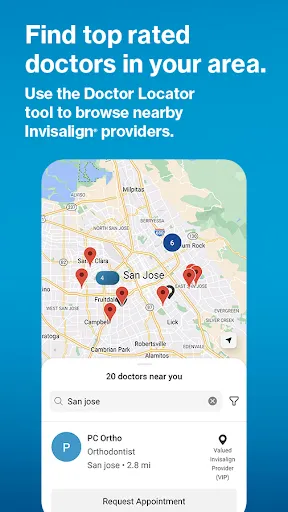
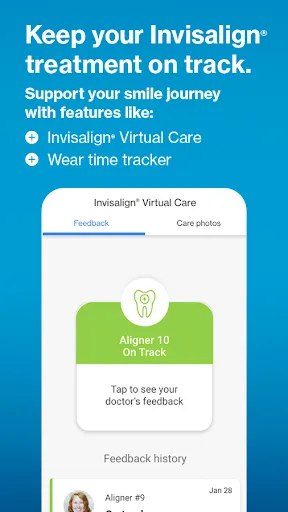
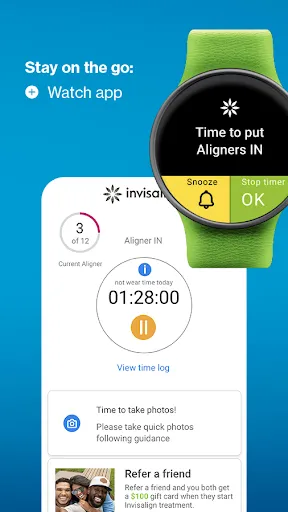
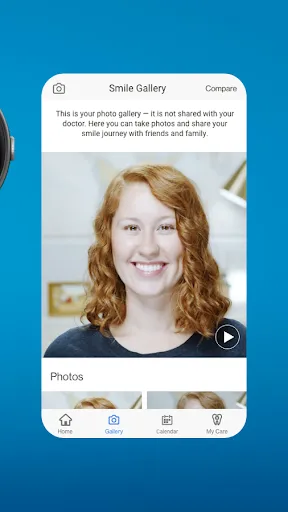
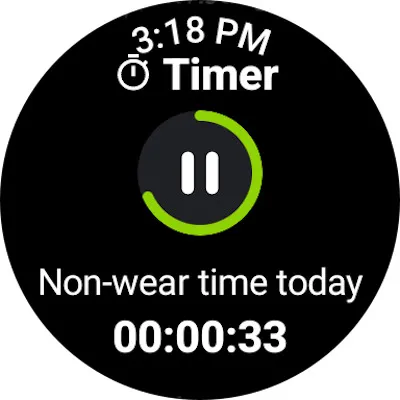
The "My Invisalign - Official App" offers a variety of features designed to enhance the user experience for individuals undergoing Invisalign treatment. One of the primary features is the ability to track your treatment progress. Users can easily monitor how many aligners they have completed and how many are left, providing a clear visual representation of their journey towards a straighter smile.
Another notable feature is the personalized reminders for changing aligners and attending appointments. This helps users stay on schedule and ensures they do not miss important milestones in their treatment. The app also includes educational resources, such as videos and articles, that provide valuable information about the Invisalign process, care tips, and oral hygiene practices.
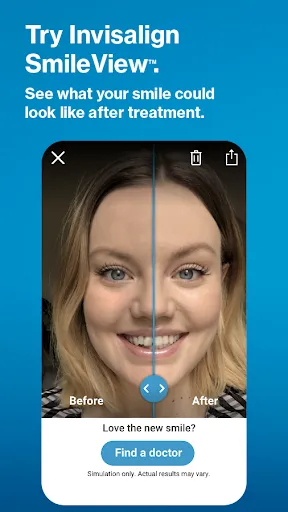
Additionally, users can connect with their orthodontist through the app, allowing for easy communication regarding any questions or concerns. The app also features a virtual treatment simulator, which allows users to visualize their expected results, making the journey more engaging and motivating.
Using the "My Invisalign - Official App" is straightforward and user-friendly. First, download the app from the App Store or Google Play and create an account using your email address. Once registered, you can input your treatment details, including your orthodontist's information and your aligner schedule.
After setting up your profile, you can start tracking your progress by logging each aligner change. The app will send you reminders when it's time to switch to a new aligner, ensuring you stay on track. You can also access educational materials to learn more about your treatment and how to care for your aligners effectively.
If you have any questions or need assistance, the app allows you to communicate directly with your orthodontist. This feature is particularly useful for addressing concerns or receiving guidance throughout your treatment. Overall, the app is designed to make your Invisalign experience more organized and informative.
The "My Invisalign - Official App" comes with several advantages that enhance the user experience. One of the main pros is its convenience; users can easily track their treatment progress and receive reminders, which helps maintain adherence to the treatment plan. The educational resources available within the app empower users with knowledge about their treatment, promoting better oral hygiene and care for their aligners.
Another significant advantage is the direct communication feature with orthodontists, allowing for quick resolution of any issues or questions. This can lead to a more personalized treatment experience. However, there are some cons to consider. Some users may find the app's interface a bit overwhelming at first, especially if they are not tech-savvy. Additionally, the app requires a stable internet connection for optimal functionality, which may be a limitation for some users.
Lastly, while the app is a valuable tool, it should not replace regular visits to the orthodontist, as in-person assessments are crucial for monitoring treatment progress. Overall, the app offers a blend of benefits and drawbacks that users should weigh based on their individual needs.

 Track your Invisalign progress with real-time updates for motivation. Access personalized treatment tips tailored to your needs. Easily schedule appointments and receive reminders directly in the app. Connect with your orthodontist for quick questions and support anytime. Enjoy a user-friendly interface that simplifies your orthodontic journey.
 Limited features compared to other orthodontic apps may hinder user experience. Occasional syncing issues can disrupt treatment tracking and progress. User interface may feel outdated, affecting overall navigation and usability.
  Google Play
  App Store
 Yes, users can submit suggestions or feedback through the app's contact or support section, ensuring their voices are heard.
Yes, the app may collect personal data to enhance user experience and provide tailored services, but it complies with privacy regulations.
Yes, My Invisalign - Official App allows some features to be accessed offline, although certain functionalities may require an internet connection.
You can cancel your subscription through your app store account settings or by following the cancellation instructions provided in the app.
The subscription cost for My Invisalign - Official App varies based on the features selected, but detailed pricing can be found within the app.
Unfortunately, customer numbers cannot be changed once your account is activated. Please contact customer service for any concerns.
You can reach customer service through the app's help section or by calling the number listed on our website.
To activate your account, follow the activation link in your email or enter your details directly in the app under “Activate Account.”
You can find customer service contact details in the app's help section under "Contact Us."
If you activated your account and can't log in, double-check your password or contact customer service for support.