
 Home
Home  Apps
Apps  Games
Games  Windows
  Topics
  Terms of Service
  Cookies & Privacy Policy
  Disclaimer
PeakFinder


Information
- Category: Travel & Local
- Price: $5.99
- Age Rating: Everyone
- Rating: 4.3
- Developer: Fabio Soldati
- Version: 4.8.71
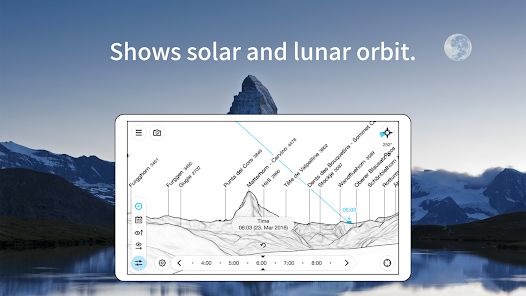
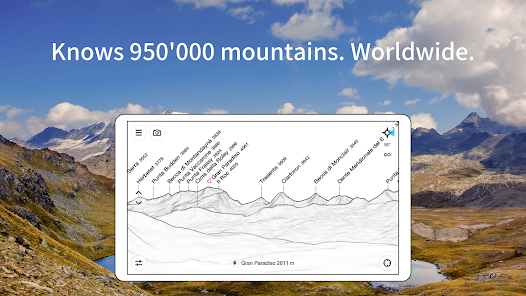
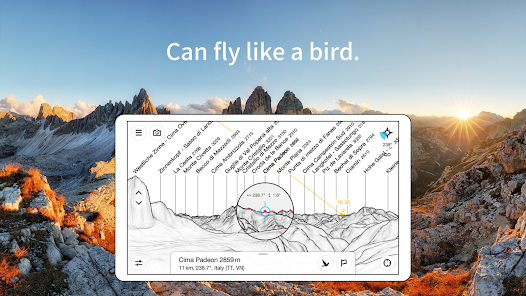
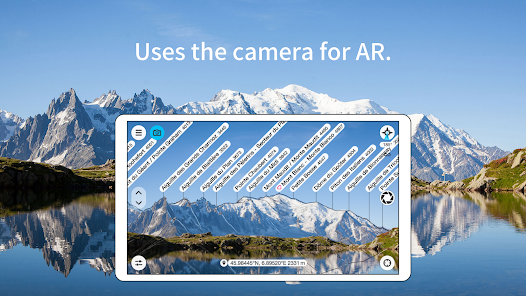
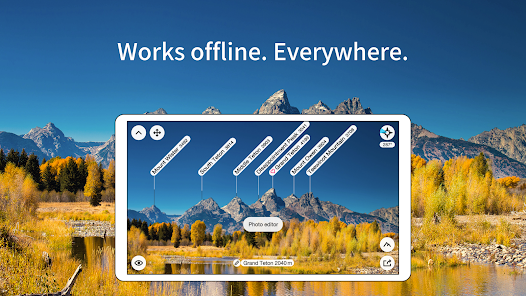
Discover the great outdoors with PeakFinder, your ultimate hiking companion! This innovative app allows you to identify and explore thousands of mountain peaks in real-time using augmented reality. Simply point your device at the horizon, and PeakFinder will reveal the names and elevations of nearby summits, helping you plan your adventures with ease. Whether you're a seasoned mountaineer or a casual hiker, PeakFinder enhances your experience and connects you with nature like never before.
Features of "PeakFinder"
PeakFinder is an innovative application designed for outdoor enthusiasts, particularly those who enjoy hiking and mountain exploration. One of its standout features is its extensive database of mountain peaks, which includes detailed information about thousands of summits worldwide. Users can easily identify peaks in their vicinity by simply pointing their device at the landscape, thanks to the app's augmented reality functionality. This feature enhances the user experience by providing real-time identification and information about the mountains they see.
Another notable feature is the offline capability, allowing users to access peak information without needing a mobile data connection. This is particularly useful for adventurers in remote areas where connectivity may be limited. Additionally, PeakFinder offers customizable maps and the ability to track personal hiking routes, making it easier for users to plan their adventures. The app also includes a community feature where users can share their experiences and tips, fostering a sense of camaraderie among outdoor lovers.
How to Use "PeakFinder"
Using PeakFinder is straightforward and user-friendly, making it accessible for both novice and experienced hikers. To get started, users need to download the app from their device's app store and install it. Once installed, users can open the app and allow it to access their device's location services for optimal functionality. After granting permission, the app will display a compass view that shows the surrounding peaks.
To identify a mountain, users simply point their device towards the peak they wish to learn about. The app will overlay the names and details of the visible mountains on the screen, providing instant information. Users can also explore the app's map feature to plan their hiking routes, view elevation profiles, and access offline maps for areas without cellular service. Additionally, users can save their favorite peaks and routes for easy access during future adventures, enhancing their overall hiking experience.
Pros & Cons of the App
Like any application, PeakFinder has its advantages and disadvantages. One of the primary pros is its extensive database of mountain peaks, which is invaluable for hikers and outdoor enthusiasts. The augmented reality feature is another significant advantage, as it allows users to identify peaks in real-time, enhancing their outdoor experience. The offline functionality is also a major plus, enabling users to access information even in remote areas without cell service. Furthermore, the community aspect of the app encourages sharing experiences and tips among users, fostering a sense of connection.
On the downside, some users may find the app's interface slightly overwhelming at first, especially if they are not tech-savvy. Additionally, while the app covers a vast number of peaks, there may be some less-known mountains that are not included in the database. Battery consumption can also be a concern, particularly when using the augmented reality feature for extended periods. Lastly, while the app is generally reliable, occasional bugs or glitches may occur, which can disrupt the user experience. Overall, PeakFinder is a powerful tool for outdoor enthusiasts, but it may require some adjustment for new users.
 Google Play
  App Store
 FAQ
Can I create playlists on Spotify?
Yes, users can create, share, and collaborate on playlists with friends.
Can I download music on Spotify?
Yes, premium users can download songs and playlists for offline listening.
Can I listen to Spotify offline?
Yes, premium users can listen to downloaded music offline without an internet connection.
Can I use Spotify on multiple devices?
Yes, you can use Spotify on multiple devices, but only one device can stream at a time.
Does Spotify have podcasts?
Yes, Spotify hosts a wide range of podcasts across various genres.
Similar Apps
















You May Like

GasBuddy: Find & Pay for Gas
Travel & Local
3.8

United Airlines
Travel & Local
4.7

Airbnb
Travel & Local
4.5

American Airlines
Travel & Local
4.6

ArriveCAN
Travel & Local
4.8

Booking.com: Hotels & Travel
Travel & Local
4.5

Expedia: Hotels, Flights, Cars
Travel & Local
4.8

Fly Delta
Travel & Local
4.8

Google Earth
Travel & Local
3.8

Hopper: Hotels, Flights & Cars
Travel & Local
4.6

Hotels.com: Travel Booking
Travel & Local
4.8

LiveATC for Android
Travel & Local
3.9