



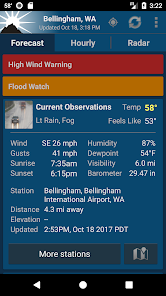
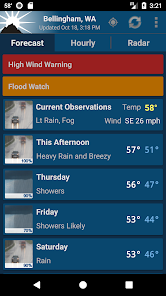
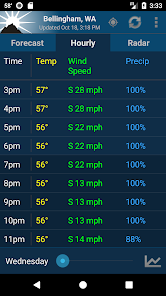
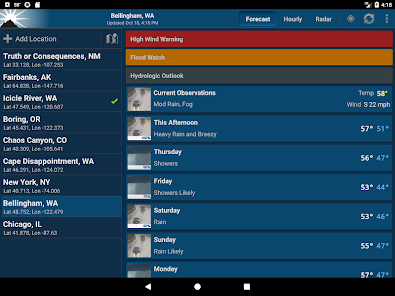
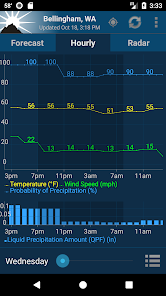
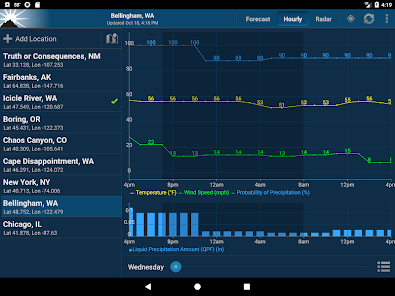
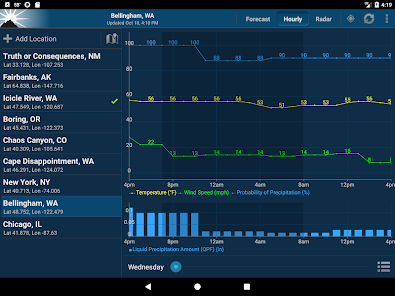
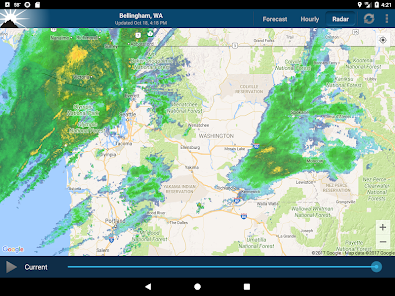
"NOAA Weather Unofficial (Pro)" is a comprehensive weather application that provides users with a wide array of features designed to deliver accurate and timely weather information. One of its standout features is real-time weather alerts, which notify users of severe weather conditions such as storms, floods, and tornadoes, ensuring they stay informed and safe. The app also offers detailed forecasts, including hourly and daily predictions, allowing users to plan their activities accordingly.
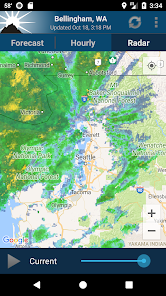
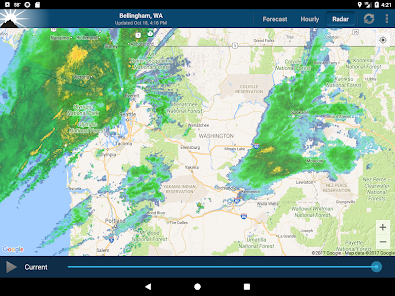
Another notable feature is the interactive radar maps, which provide a visual representation of weather patterns, precipitation, and storm tracking. Users can zoom in and out to view specific areas, making it easier to monitor local weather conditions. Additionally, the app includes satellite imagery, which enhances the understanding of weather systems. The user-friendly interface allows for easy navigation, and users can customize their settings to receive notifications for specific locations. Overall, "NOAA Weather Unofficial (Pro)" combines functionality with accessibility, making it a valuable tool for anyone needing reliable weather information.
Using "NOAA Weather Unofficial (Pro)" is straightforward and user-friendly, making it accessible for individuals of all ages. Upon launching the app, users are greeted with a clean interface that displays the current weather conditions for their location. To get started, users can enable location services, allowing the app to automatically detect their current area and provide localized weather updates. Alternatively, users can manually enter a city or zip code to receive forecasts for specific locations.
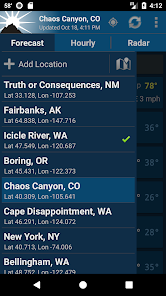
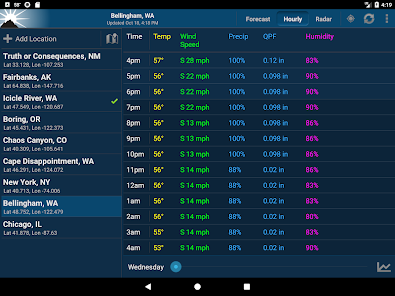
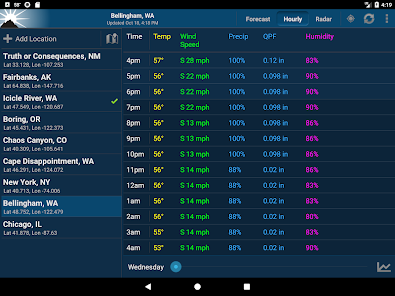
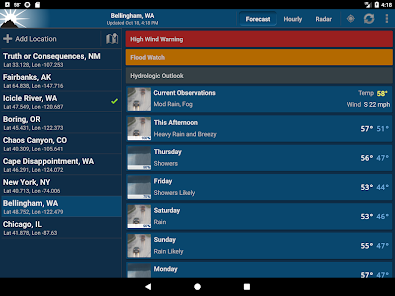
Once the desired location is set, users can explore various features, such as hourly and daily forecasts, severe weather alerts, and radar maps. Tapping on any of these options will provide more detailed information. Users can also customize their notification settings to receive alerts for specific weather events, ensuring they are always prepared. Additionally, the app allows users to save multiple locations, making it easy to keep track of weather conditions in different areas. Overall, the intuitive design and comprehensive features make navigating the app a seamless experience.
"NOAA Weather Unofficial (Pro)" comes with several advantages that make it a popular choice among weather enthusiasts. One of the primary pros is its accuracy, as it sources data directly from the National Oceanic and Atmospheric Administration (NOAA), ensuring reliable forecasts and alerts. The app's real-time notifications for severe weather events are invaluable for users who need to stay informed about changing conditions. Additionally, the interactive radar and satellite imagery provide a visual understanding of weather patterns, enhancing the overall user experience.
However, there are some cons to consider. Some users have reported occasional glitches or slow loading times, which can be frustrating, especially during severe weather events when timely information is crucial. Additionally, while the app is feature-rich, some users may find the interface slightly overwhelming at first due to the abundance of options. Lastly, the app may require a stable internet connection to access all features, which could be a limitation in areas with poor connectivity. Overall, while "NOAA Weather Unofficial (Pro)" has its drawbacks, its strengths often outweigh them, making it a valuable weather resource.

 Access real-time weather updates for accurate planning and decision-making Enjoy customizable alerts tailored to your specific location and preferences Utilize an intuitive interface for easy navigation and quick information retrieval Benefit from detailed forecasts that enhance your outdoor activities and safety Connect with a community of weather enthusiasts for shared insights and support
 Limited official data may lead to inaccuracies in severe weather alerts. User interface can be less intuitive compared to other weather apps. Subscription fees may deter users seeking free weather information.
  Google Play
  App Store
 NOAA Weather Unofficial (Pro) prioritizes user privacy and does not collect personal data unless explicitly provided by the user for specific features or feedback.
NOAA Weather Unofficial (Pro) does not offer a free trial or free version; it is a paid app that provides premium features and ad-free usage.
Yes, NOAA Weather Unofficial (Pro) requires an internet connection to access live weather data, forecasts, and updates. However, some features may be available offline if previously downloaded.
You can contact support or send feedback for NOAA Weather Unofficial (Pro) through the app's help section or by visiting the official website, where you'll find contact details and support resources.
You can manage or cancel your NOAA Weather Unofficial (Pro) subscription through the app store where you purchased it, following the specific instructions for subscription management on that platform.
Yes, you can activate your account directly within the app by following the prompts after downloading it.
Yes, you can change your email address in the account settings section after logging in.
You can reach customer service via the support section in the app or by emailing support
To log in, open the app and enter your registered email and password. If you have trouble, use the "Forgot Password" option.
To reset your password, go to the login page and click on "Forgot Password." Follow the instructions sent to your email.



























