


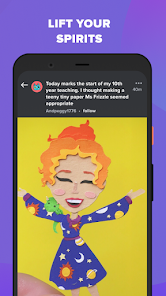

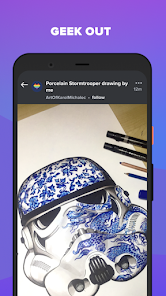
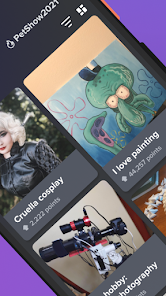

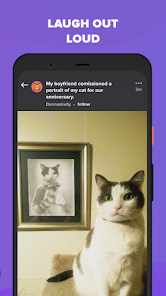
The "Imgur: Funny Memes & GIF Maker" app is designed to provide users with a fun and engaging platform for creating and sharing visual content. One of its standout features is the extensive library of memes and GIFs, allowing users to browse through a vast collection for inspiration or entertainment. The app also includes a user-friendly meme generator, enabling users to easily create their own memes by adding text to images or GIFs. This feature is particularly appealing for those looking to add a personal touch to their creations.
Additionally, the app supports image editing tools, which allow users to customize their visuals further. Users can adjust brightness, contrast, and other settings to enhance their images before sharing them. The social aspect of Imgur is another highlight, as users can share their creations with a community of like-minded individuals, receive feedback, and engage in discussions. The app also offers a seamless sharing experience, making it easy to post content on various social media platforms. Overall, "Imgur: Funny Memes & GIF Maker" combines creativity with community, making it a popular choice for meme enthusiasts.
Using the "Imgur: Funny Memes & GIF Maker" app is straightforward and user-friendly, making it accessible for users of all skill levels. To get started, download the app from your device's app store and create an account or log in. Once you're in, you can explore the app's extensive library of memes and GIFs. To create your own meme, simply select an image or GIF from the library or upload your own. The app provides an intuitive interface where you can add text, adjust fonts, and position your captions as desired.
After finalizing your meme, you can save it to your device or share it directly on social media platforms like Facebook, Twitter, or Instagram. The app also allows you to browse and interact with content created by other users, providing a sense of community. You can upvote, comment, and share your favorite memes, enhancing your overall experience. Additionally, the app frequently updates its content, ensuring that you always have access to the latest trends and popular memes. Overall, the app is designed to make meme creation and sharing a fun and engaging process.
The "Imgur: Funny Memes & GIF Maker" app comes with several advantages that make it appealing to users. One of the primary pros is its vast library of memes and GIFs, which provides endless inspiration for content creation. The user-friendly interface simplifies the process of making memes, allowing even beginners to create engaging visuals quickly. Additionally, the app fosters a strong community where users can share their creations, receive feedback, and discover trending content. The editing tools also enhance the creative process, enabling users to customize their images effectively.
However, the app is not without its drawbacks. Some users may find the ads intrusive, which can detract from the overall experience. Additionally, while the community aspect is a strength, it can also lead to negative interactions, as not all feedback is constructive. Furthermore, the app's reliance on internet connectivity may limit usability in areas with poor service. Lastly, while the meme generator is robust, some advanced users may find it lacking in features compared to dedicated graphic design software. Balancing these pros and cons is essential for users to determine if the app meets their needs.

 Easily create and share funny memes with friends and family Access a vast library of trending GIFs for instant entertainment User-friendly interface makes meme creation simple and enjoyable Engage with a vibrant community of fellow meme enthusiasts Seamlessly upload and store your creations for easy access
 Limited editing features restrict customization of memes and GIFs. Ads can interrupt user experience and limit engagement. Content can sometimes lack originality, making it less unique.
 Yes, users can submit suggestions and feedback about their experience with Imgur: Funny Memes & GIF Maker through the app's feedback feature or via their official support channels.
Imgur: Funny Memes & GIF Maker may collect user data to enhance the app experience, but it typically adheres to privacy policies that outline what data is collected and how it is used.
Yes, Imgur: Funny Memes & GIF Maker allows some offline functionality, enabling users to create and edit memes and GIFs without an internet connection, though certain features may require online access.
To cancel your subscription to Imgur: Funny Memes & GIF Maker, you can manage your subscription settings through your device’s app store or the app's settings menu, following the provided instructions.
The subscription pricing for Imgur: Funny Memes & GIF Maker can vary, so it's best to check the app for the most current subscription options and pricing details.
Yes, you can change your login email in the account settings after logging in.
Yes, you can log in using your Facebook or Google account if you linked them during registration.
To activate your account, check your email for the activation link sent during registration and click on it.
You can contact customer service through the contact form on the Imgur website or by sending an email for quicker assistance.
You can log in by clicking the "Log In" button on the homepage and entering your email and password.












 Google Play
  App Store