




Poly.AI offers a robust platform for creating AI chatbots that can engage users in natural conversations. One of its standout features is the ability to customize the chatbot's personality and tone, allowing businesses to align the bot's responses with their brand voice. Additionally, Poly.AI supports multiple languages, making it accessible to a global audience. This multilingual capability ensures that users can interact with the chatbot in their preferred language, enhancing user experience.
Another significant feature is the integration with various messaging platforms, such as Facebook Messenger, WhatsApp, and Slack. This allows businesses to deploy their chatbots across multiple channels seamlessly. Furthermore, Poly.AI utilizes advanced machine learning algorithms to improve the chatbot's understanding of user queries over time, ensuring more accurate and relevant responses. The platform also provides analytics tools that help businesses track user interactions and optimize the chatbot's performance based on real-time data.
Using Poly.AI to create an AI chatbot is a straightforward process that begins with signing up for an account on their platform. Once registered, users can access a user-friendly interface that guides them through the chatbot creation process. The first step involves defining the chatbot's purpose and target audience, which helps in tailoring its responses effectively.
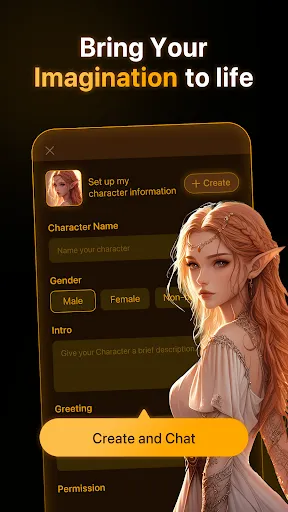
Next, users can customize the chatbot's personality by selecting its tone, style, and language preferences. After setting these parameters, the platform allows users to input common questions and responses, which the chatbot will use to engage with users. Once the chatbot is configured, it can be tested in a simulated environment to ensure it functions as intended. Finally, users can deploy the chatbot across their chosen messaging platforms, monitor its performance, and make adjustments as needed to enhance user interaction.
Poly.AI comes with several advantages that make it a compelling choice for businesses looking to implement AI chatbots. One of the primary pros is its ease of use; the platform is designed for users with varying levels of technical expertise, allowing anyone to create a chatbot without extensive programming knowledge. Additionally, the customization options enable businesses to create a unique chatbot that reflects their brand identity. The multilingual support is another significant benefit, as it broadens the potential user base.
However, there are some drawbacks to consider. One potential con is that while the platform offers a range of features, some users may find the pricing structure to be on the higher side, especially for small businesses or startups. Additionally, while the machine learning capabilities are impressive, they may require time to fully optimize, meaning that initial interactions might not be as refined as expected. Overall, while Poly.AI provides a powerful tool for chatbot creation, potential users should weigh these pros and cons based on their specific needs and budget.
```
 Poly.AI enables seamless integration with existing systems for easy deployment. It offers customizable chatbots tailored to specific business needs. The platform supports multiple languages, enhancing global reach and engagement. Advanced AI technology ensures natural and engaging conversations with users. Real-time analytics provide insights to optimize customer interactions and strategies.
 Limited customization options restrict tailored user experiences. High costs may deter small businesses from adoption. Integration with existing systems can be complex and time-consuming.
  Google Play
  App Store
 Yes, users are encouraged to submit suggestions or feedback through the app or the official website, as the developers value user input for future improvements.
Poly.AI has a privacy policy in place and may collect certain user data to improve app functionality and performance, but it is committed to protecting user privacy and ensuring data security.
Currently, Poly.AI requires an internet connection to function, as the chatbot's AI processing and updates rely on cloud-based resources.
Users can cancel their subscription through the app's settings or their respective app store account, following the prompts for subscription management.
Subscription pricing for Poly.AI varies depending on the plan selected, with options for monthly or annual billing, providing users with flexibility based on their needs.
Unfortunately, customer numbers cannot be changed once assigned. Please contact customer service for further assistance.
You can contact our customer service team via the support section in the app or email us directly for assistance.
Log in to your account and navigate to the settings section to update your information.
To log in, enter your registered email and password on the login page of the app.
Click on "Forgot Password?" on the login page, and follow the instructions to reset it via your email.