


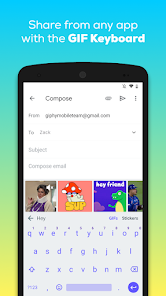
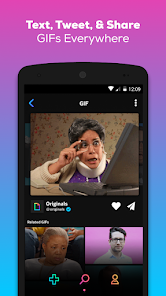
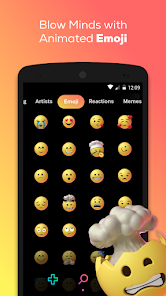
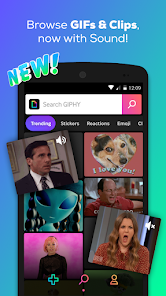
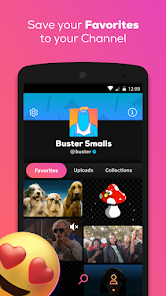
"GIPHY: GIFs, Stickers & Clips" is a versatile application that allows users to explore a vast library of animated GIFs, stickers, and short video clips. One of its standout features is the extensive search functionality, enabling users to find specific content by keywords, categories, or trending topics. The app also offers a user-friendly interface, making it easy to navigate through various collections and discover new content.
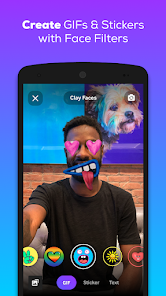
Additionally, GIPHY allows users to create their own GIFs and stickers by uploading images or videos, which can then be customized with text and effects. The app integrates seamlessly with popular social media platforms, allowing users to share their favorite GIFs directly to apps like Instagram, Facebook, and Twitter. Furthermore, GIPHY provides a "GIPHY Cam" feature, which lets users record their own GIFs using their device's camera, adding a personal touch to their creations. Overall, GIPHY is a comprehensive tool for anyone looking to enhance their digital communication with fun and engaging visual content.
Using "GIPHY: GIFs, Stickers & Clips" is straightforward and user-friendly. Upon launching the app, users are greeted with a home screen showcasing trending GIFs and stickers. To find specific content, simply tap on the search bar at the top and enter relevant keywords or phrases. The app will display a variety of results, allowing users to browse through different categories or trending options.
To share a GIF or sticker, select the desired item, and tap the share button. This will present options to share directly to social media platforms or copy the link for use in messaging apps. For those interested in creating their own GIFs, navigate to the "Create" section, where you can upload images or videos, add text, and apply filters. Once satisfied with your creation, save it to your device or share it instantly. With these simple steps, users can easily enhance their conversations and social media posts with engaging visual content.
Like any application, "GIPHY: GIFs, Stickers & Clips" has its advantages and disadvantages. One of the primary pros is its extensive library, which offers millions of GIFs and stickers, catering to a wide range of emotions and situations. The app's integration with various social media platforms makes sharing content effortless, enhancing user experience. Additionally, the ability to create personalized GIFs adds a unique touch, allowing users to express themselves creatively.
On the downside, some users may find the app's search functionality occasionally yields irrelevant results, making it challenging to find specific content quickly. Furthermore, while the app is free, it may contain ads that can disrupt the user experience. Additionally, the reliance on internet connectivity can be a limitation for users in areas with poor network access. Overall, while GIPHY offers a fun and engaging platform for sharing visual content, users should be aware of its limitations.

 Access a vast library of GIFs, stickers, and clips for every occasion. Enhance your conversations with fun and expressive visual content. Easily shareable across multiple social media platforms and messaging apps. User-friendly interface makes finding the perfect GIF quick and easy. Create personalized GIFs and stickers to add a unique touch to your messages.
 Limited search functionality makes finding specific content challenging. Ads can disrupt user experience and hinder navigation. Content ownership issues may lead to copyright concerns for creators.
  Google Play
  App Store
 Yes, users can submit suggestions or feedback through the app's support section or website, where they can share their thoughts directly with the GIPHY team.
Yes, GIPHY may collect personal data to enhance user experience, including usage data and preferences, but it follows privacy policies to protect user information.
The app requires an internet connection to access its full features, so offline use is limited. However, users can save GIFs and stickers for offline viewing in their device's gallery.
To cancel a subscription, users can go to their device's settings or app store account settings and follow the prompts to manage subscriptions.
The app typically offers a free version, and any subscription details or pricing for premium features can vary, so it's best to check within the app for the most current information.
Unfortunately, customer numbers cannot be changed. If you have concerns, please contact customer service for support.
Check your email for the activation link from GIPHY and click on it to activate your account.
You can reach GIPHY customer service through the help section on their website or by emailing support
Click on the "Forgot Password?" link on the login page to reset your password via email.
To log in, visit the GIPHY website and click on the "Log In" button. Enter your email and password to access your account.