
 Home
Home  Apps
Apps  Games
Games  Windows
  Topics
  Terms of Service
  Cookies & Privacy Policy
  Disclaimer
Email Home - Email Homescreen


Information
- Category: Tools
- Price: Free
- Age Rating: /
- Rating: 4.2
- Developer: Yobi Mobi
- Version:
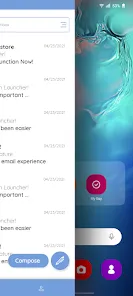
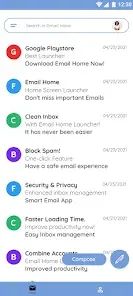
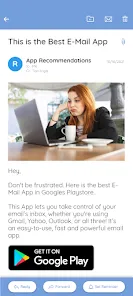
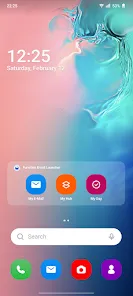
Introducing "Email Home - Email Homescreen," the ultimate app designed to streamline your email experience. With a user-friendly interface, it transforms your homescreen into a personalized email hub, allowing you to access your messages effortlessly. Stay organized and never miss an important email again, all while enjoying customizable features that suit your style. Simplify your communication and enhance productivity with "Email Home," where your inbox meets convenience.
Features of "Email Home - Email Homescreen"
"Email Home - Email Homescreen" offers a variety of features designed to enhance the user experience and streamline email management. One of its standout features is the customizable home screen, which allows users to set up their email interface according to their preferences. This includes the ability to add widgets for quick access to important emails, calendar events, and tasks.
Another notable feature is the unified inbox, which consolidates emails from multiple accounts into a single view, making it easier for users to manage their correspondence without switching between different accounts. The app also includes advanced search capabilities, enabling users to find specific emails quickly and efficiently. Additionally, it supports various email providers, ensuring compatibility with popular services like Gmail, Yahoo, and Outlook.
Furthermore, "Email Home" offers robust security features, including end-to-end encryption and two-factor authentication, ensuring that users' data remains safe. The app also provides customizable notifications, allowing users to prioritize alerts based on their preferences. Overall, these features make "Email Home - Email Homescreen" a versatile tool for anyone looking to optimize their email management.
How to Use "Email Home - Email Homescreen"?
Using "Email Home - Email Homescreen" is straightforward and user-friendly. To get started, download the app from your device's app store and install it. Once installed, open the app and follow the on-screen prompts to set up your email accounts. You can add multiple accounts from various providers, which will be integrated into the unified inbox feature.
After setting up your accounts, take advantage of the customizable home screen. You can add widgets for quick access to your most important emails, calendar events, and tasks. To do this, simply tap and hold on the home screen to enter edit mode, then select the widgets you want to include. Additionally, explore the settings menu to adjust notification preferences, security settings, and other personalization options.
For efficient email management, utilize the advanced search feature to locate specific emails quickly. You can also organize your inbox by creating folders or labels for different categories of emails. Regularly check the app for updates, as new features and improvements are frequently added to enhance user experience.
Pros & Cons of the App
"Email Home - Email Homescreen" comes with several advantages that make it appealing to users. One of the primary pros is its customizable interface, which allows users to tailor their email experience to suit their needs. The unified inbox feature is another significant benefit, as it simplifies email management by consolidating messages from various accounts into one view. Additionally, the app's robust security measures, including encryption and two-factor authentication, provide peace of mind for users concerned about data privacy.
However, the app is not without its drawbacks. Some users may find the initial setup process a bit cumbersome, especially if they have multiple email accounts to configure. Additionally, while the app supports various email providers, there may be occasional compatibility issues with less common services. Furthermore, some users have reported that the app can be resource-intensive, leading to slower performance on older devices.
In summary, while "Email Home - Email Homescreen" offers a range of useful features and benefits, potential users should weigh these against the possible downsides to determine if it meets their email management needs.
Get Installation Details  Google Play
  App Store
Google Play App Store FAQ
Can I create playlists on Spotify?
Yes, users can create, share, and collaborate on playlists with friends.
Can I download music on Spotify?
Yes, premium users can download songs and playlists for offline listening.
Can I listen to Spotify offline?
Yes, premium users can listen to downloaded music offline without an internet connection.
Can I use Spotify on multiple devices?
Yes, you can use Spotify on multiple devices, but only one device can stream at a time.
Does Spotify have podcasts?
Yes, Spotify hosts a wide range of podcasts across various genres.
Similar Apps













You May Like

Calculator
Tools
4.4

SHAREit: Transfer, Share Files
Tools
4.3
Auto Clicker - Automatic tap
Tools
4.6

Beats
Tools
3.8

Starlink
Tools
4.9
APRSdroid - APRS Client
Tools
3.9

AVG AntiVirus & Security
Tools
4.6

AirMirror Receiver Pro
Tools
3

Amazon Fire TV
Tools
4.6
Automatic Call Recorder Pro
Tools
3.5

Blink Home Monitor
Tools
4.4

CC Booster
Tools
4.5