



AirMirror Receiver Pro is a versatile application designed for seamless screen mirroring and remote control functionalities. One of its standout features is the ability to mirror your mobile device's screen to a larger display, allowing users to enjoy content on a bigger screen. This is particularly useful for presentations, gaming, or sharing media with friends and family.
Another notable feature is the remote control capability, which enables users to control their mobile devices from a PC or another device. This is especially beneficial for troubleshooting or accessing apps without needing to physically handle the mobile device. The app also supports multiple platforms, making it compatible with various operating systems, enhancing its usability across different devices.
Additionally, AirMirror Receiver Pro offers high-quality streaming with minimal lag, ensuring a smooth user experience. The app also includes features like file transfer, allowing users to easily share files between devices. With its user-friendly interface, even those who are not tech-savvy can navigate the app with ease, making it accessible for everyone.
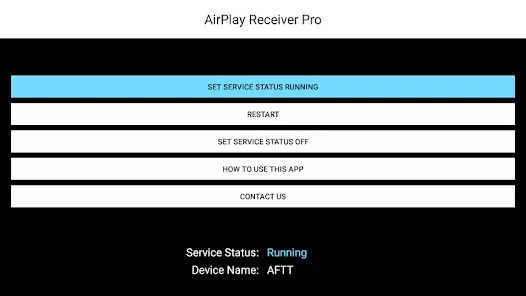
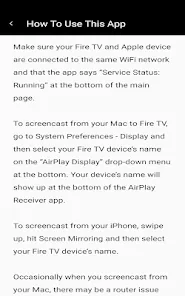
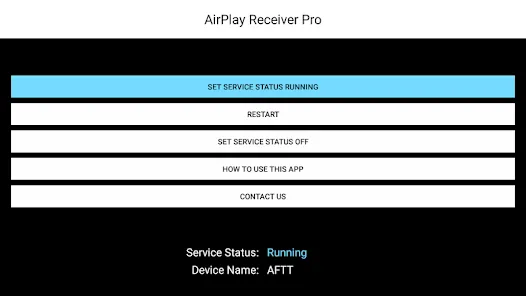
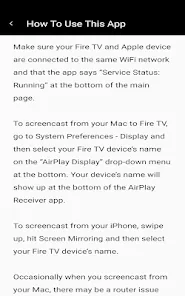
Using AirMirror Receiver Pro is a straightforward process that can be accomplished in a few simple steps. First, download and install the application on your device. Once installed, ensure that both the device you want to mirror and the receiving device are connected to the same Wi-Fi network. This is crucial for establishing a successful connection.
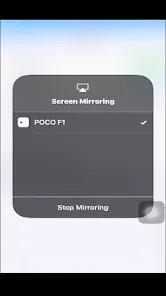
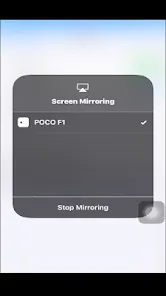
Next, open the AirMirror Receiver Pro app on the receiving device. On your mobile device, launch the app that you wish to mirror. Look for the screen mirroring option, which may be labeled differently depending on your device. Select AirMirror Receiver Pro from the list of available devices. Once connected, your mobile screen will be mirrored on the larger display.
If you wish to use the remote control feature, simply follow the on-screen instructions to grant the necessary permissions. This will allow you to control your mobile device from the receiving device. Remember to adjust the settings according to your preferences for an optimal experience. With these steps, you can easily enjoy the full range of features that AirMirror Receiver Pro has to offer.
AirMirror Receiver Pro comes with several advantages that make it a popular choice among users. One of the primary pros is its ease of use; the intuitive interface allows even beginners to navigate the app without difficulty. Additionally, the high-quality streaming and minimal lag enhance the overall user experience, making it ideal for gaming and media sharing. The ability to control mobile devices remotely is another significant advantage, providing convenience for troubleshooting and accessing apps.
However, there are some drawbacks to consider. One of the main cons is that the app requires a stable Wi-Fi connection for optimal performance, which may not always be available. Additionally, some users have reported occasional connectivity issues, which can be frustrating during important tasks. Furthermore, while the app is compatible with various platforms, certain features may be limited depending on the operating system, which could restrict its functionality for some users.
In summary, while AirMirror Receiver Pro offers a range of useful features and a user-friendly experience, potential users should weigh the pros and cons to determine if it meets their specific needs.

 Effortlessly mirror screens for seamless presentations and collaborations. Supports multiple devices, enhancing versatility for users. High-quality streaming ensures crisp visuals and smooth performance. User-friendly interface makes setup quick and intuitive. Secure connection protects your data while sharing content.
 Limited device compatibility restricts user access to certain features. Performance can lag during high-demand usage scenarios. User interface may not be intuitive for all users.
  Google Play
  App Store
 AirMirror Receiver Pro may collect certain usage data and device information as per its privacy policy, but it does not sell personal data to third parties.
Yes, AirMirror Receiver Pro offers a free version with limited features, and users can also access a free trial of the premium features for a limited time.
Yes, AirMirror Receiver Pro typically requires an internet connection for remote access functionality, although local network mirroring may be possible without the internet.
You can contact support or send feedback by visiting the official AirMirror website or using the help section within the app to access customer support options.
You can manage or cancel your AirMirror Receiver Pro subscription through the app’s settings or the platform where you purchased the subscription, such as the app store or website.
Yes, you can log in using your social media accounts if you've linked them during the registration process.
Customer numbers are typically permanent; however, for any changes, please contact customer service for assistance.
Yes, you need to activate your account after registration to access all features of AirMirror Receiver Pro.
You can reach customer service by visiting our support page or calling the provided customer number.
Your customer number is usually included in your confirmation email or can be found in your account settings.

























