



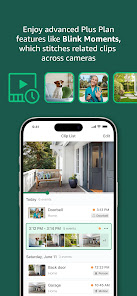
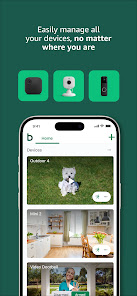
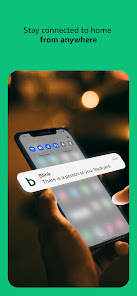
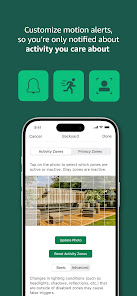
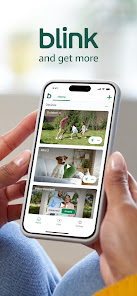
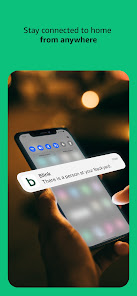
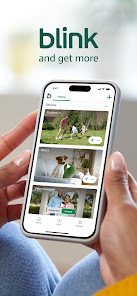
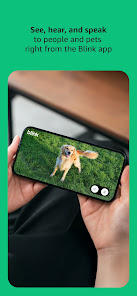
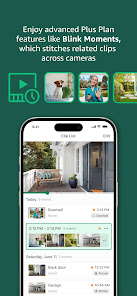
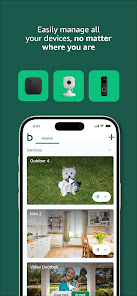
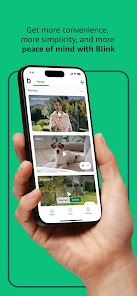
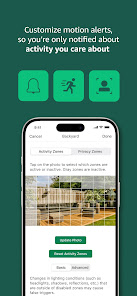
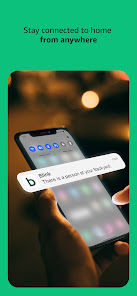
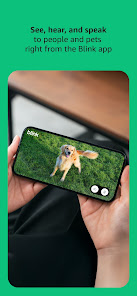
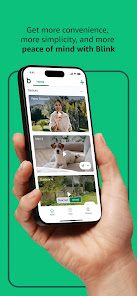
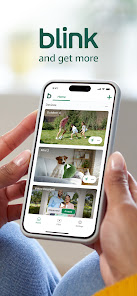
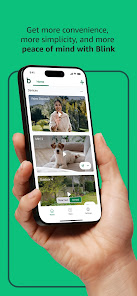
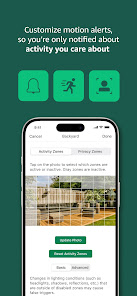
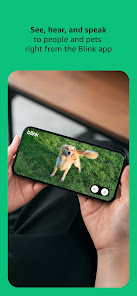
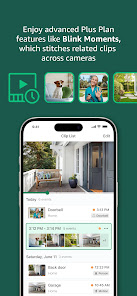
The "Blink Home Monitor" app offers a range of features designed to enhance home security and monitoring. One of its primary features is live video streaming, allowing users to view real-time footage from their Blink cameras directly on their smartphones. This feature is particularly useful for keeping an eye on your property while you are away. Additionally, the app supports motion detection alerts, notifying users whenever movement is detected within the camera's field of view. This ensures that you are always aware of any activity around your home.
Another notable feature is the ability to customize camera settings, including sensitivity levels for motion detection and the option to set specific monitoring schedules. Users can also access recorded clips, which are stored in the cloud, making it easy to review past events. The app supports two-way audio, enabling communication through the camera, which can be helpful for interacting with visitors or pets. Furthermore, the Blink Home Monitor app is user-friendly, with an intuitive interface that simplifies navigation and setup, making it accessible for users of all tech levels.
Using the "Blink Home Monitor" app is straightforward and user-friendly. To get started, first, download the app from the App Store or Google Play Store and create an account. Once your account is set up, you can add your Blink cameras by following the on-screen instructions. Ensure that your cameras are powered and connected to your Wi-Fi network for optimal performance.
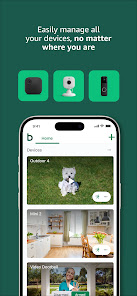
After adding your cameras, you can customize settings such as motion detection sensitivity and notification preferences. The app allows you to view live feeds and recorded clips, which can be accessed easily from the main dashboard. To receive alerts, make sure to enable push notifications in your device settings. Additionally, you can use the two-way audio feature to communicate through the camera. Regularly check for app updates to ensure you have the latest features and security enhancements. Overall, the app is designed to provide a seamless experience for monitoring your home.
The "Blink Home Monitor" app comes with several advantages that make it a popular choice for home security. One of the main pros is its affordability, as Blink cameras are generally less expensive than many competitors. The app's user-friendly interface makes it easy for users to navigate and set up their devices without technical expertise. Additionally, the cloud storage option for recorded clips is a significant benefit, allowing users to access footage without needing a physical storage device. The motion detection alerts are timely and customizable, providing peace of mind for homeowners.
However, there are some drawbacks to consider. One con is that the app requires a stable Wi-Fi connection for optimal performance, which may be a limitation in areas with poor connectivity. Some users have reported occasional lag in live video streaming, which can be frustrating during critical moments. Additionally, while the app offers basic features, it may lack advanced functionalities found in more expensive security systems, such as facial recognition or advanced analytics. Overall, while the "Blink Home Monitor" app is a solid choice for basic home security, potential users should weigh these pros and cons based on their specific needs.

 Easy installation with no complex wiring required. Live HD video streaming from anywhere, anytime. Motion detection alerts keep you informed of activity. Two-way audio enables seamless communication with visitors. Affordable subscription plans for extended video storage.
 Limited integration with other smart home devices reduces versatility. Storage plans can become costly over time for extensive use. The mobile app occasionally experiences connectivity issues, impacting real-time monitoring.
  Google Play
  App Store
 Yes, users can submit suggestions or feedback through the app's support or feedback section, allowing them to share their thoughts and experiences with the developers.
Yes, Blink Home Monitor may collect personal data such as account information and usage data to improve its services, but it follows privacy policies to protect user information.
Blink Home Monitor typically requires an internet connection to function properly, as it relies on cloud services for video storage and notifications.
You can cancel your Blink Home Monitor subscription through the app settings or by managing your subscription directly through the app store where you initially subscribed.
Subscription costs for Blink Home Monitor can vary, but it typically includes options for monthly or annual plans that offer additional storage and features.
Customer numbers are unique identifiers and cannot be changed. Please contact customer service for further assistance.
Yes, customer service can assist you with any activation issues you may encounter. Reach out through the app or website for help.
You can reach customer service through the Blink app or by visiting our website for support options.
To activate your Blink account, click the activation link in the verification email sent to you after registration.
Enter your username and password, then follow the on-screen prompts to enter the verification code sent to your device.

























