



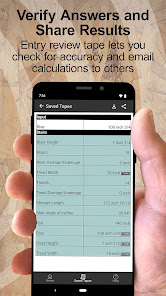

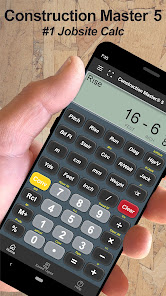

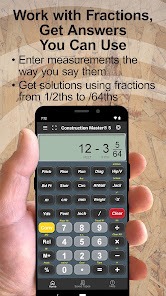
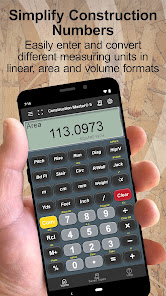
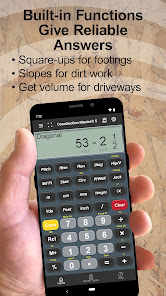
The "Construction Master 5 Calc" is a powerful tool designed specifically for construction professionals, offering a range of features that streamline calculations and improve efficiency on the job site. One of its standout features is the ability to perform advanced calculations for various construction-related tasks, including area, volume, and material estimates. This allows users to quickly determine the quantities needed for projects, reducing the risk of errors and saving time.
Another notable feature is its built-in conversion capabilities, which enable users to switch between different measurement systems, such as imperial and metric. This is particularly useful for contractors working on international projects or collaborating with teams that use different units. Additionally, the calculator includes a user-friendly interface with large buttons and a clear display, making it easy to navigate even in challenging environments.
Furthermore, the "Construction Master 5 Calc" offers memory functions that allow users to store and recall previous calculations, enhancing productivity. It also includes specialized functions for roofing, framing, and other construction tasks, making it a versatile tool for various trades. Overall, the combination of these features makes the "Construction Master 5 Calc" an essential device for anyone in the construction industry.
Using the "Construction Master 5 Calc" is straightforward, thanks to its intuitive design and user-friendly interface. To get started, first familiarize yourself with the layout of the calculator, which includes a variety of buttons for different functions. Begin by selecting the type of calculation you need to perform, such as area, volume, or material estimates. The calculator provides specific keys for each function, making it easy to input the necessary dimensions.
Once you have entered the required measurements, simply press the corresponding function key to obtain your results. For example, if you are calculating the area of a rectangle, input the length and width, then hit the area button to see the result instantly. Additionally, take advantage of the memory functions to store important calculations for later use, which can be particularly helpful when working on large projects with multiple estimates.
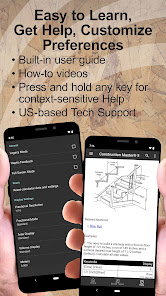
For conversions, use the dedicated conversion keys to switch between measurement systems effortlessly. The calculator also includes a user manual that provides detailed instructions and examples, ensuring that you can maximize its capabilities. With a little practice, you will find that the "Construction Master 5 Calc" significantly enhances your efficiency and accuracy in construction calculations.
The "Construction Master 5 Calc" app comes with several advantages that make it a valuable tool for construction professionals. One of the primary benefits is its comprehensive range of functions tailored specifically for the construction industry, allowing users to perform complex calculations quickly and accurately. The app's ability to convert between different measurement systems is another significant advantage, making it versatile for various projects and locations.
Moreover, the user-friendly interface and large buttons enhance usability, even in challenging work environments. The memory functions also allow users to store and recall previous calculations, which can save time and reduce errors. However, there are some drawbacks to consider. Some users may find the initial learning curve a bit steep, especially if they are not familiar with advanced calculators. Additionally, while the app is feature-rich, it may be more than what is needed for smaller projects or casual users.
Lastly, the price point may be a consideration for some, as there are free alternatives available that offer basic functions. Overall, while the "Construction Master 5 Calc" has its pros and cons, its specialized features and efficiency make it a worthwhile investment for serious construction professionals.

 Offers fast and accurate calculations for various construction measurements User-friendly interface simplifies complex calculations for all skill levels Built-in conversion features eliminate the need for additional tools Durable design ensures reliability on job sites, even in tough conditions Supports multiple measurement systems for versatile project requirements
 Limited functionality compared to more comprehensive construction software solutions High learning curve for new users can hinder productivity Compatibility issues with other industry-standard tools may arise
  Google Play
  App Store
 Yes, users can submit suggestions or feedback to Construction Master 5 through the app's support section or by contacting their customer service via email or their website.
Construction Master 5 does not collect personal data unless users voluntarily provide it for specific features, like feedback or support requests.
Yes, Construction Master 5 supports offline use, allowing users to perform calculations without needing an internet connection.
To cancel your Construction Master 5 subscription, you need to go through the app store settings on your device, where you can manage your subscriptions directly.
The subscription cost for Construction Master 5 varies based on the platform and the specific features offered, so it’s best to check the app store or the official website for the latest pricing.
Yes, you can activate your account using the activation code provided with your purchase. If you need help, contact customer service.
Yes, you can update your login information in your account settings after logging in to your Construction Master 5 Calc account.
You can activate your account by entering the activation code sent to your email during purchase on our activation page.
You can contact our customer service team via email or phone listed on our website for any inquiries.
You can reach customer service through our support page, where you will find multiple contact options for technical assistance.

























