
 Home
Home  Apps
Apps  Games
Games  Windows
  Topics
  Terms of Service
  Cookies & Privacy Policy
  Disclaimer
DroidCamX HD (Classic)


Information
- Category: Tools
- Price: 4.99
- Age Rating: Everyone
- Rating: 4.5
- Developer: Dev47Apps
- Version: 45410
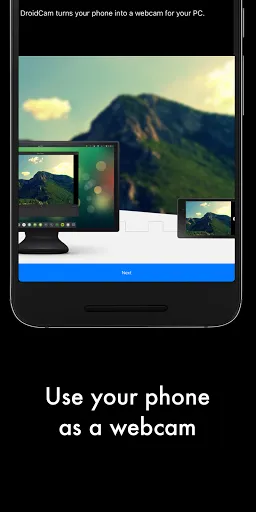
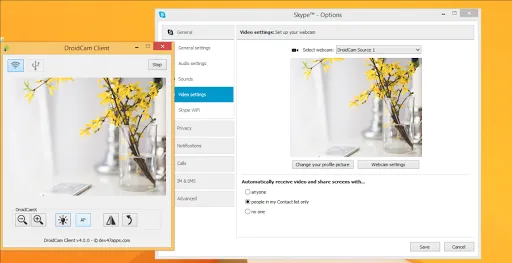
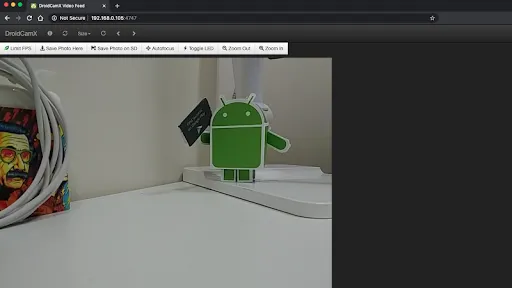
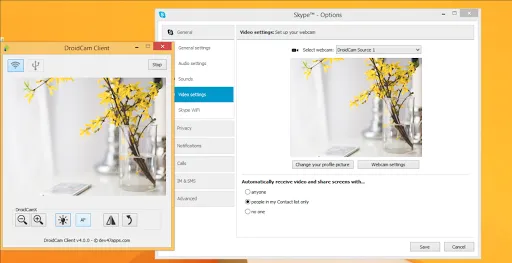
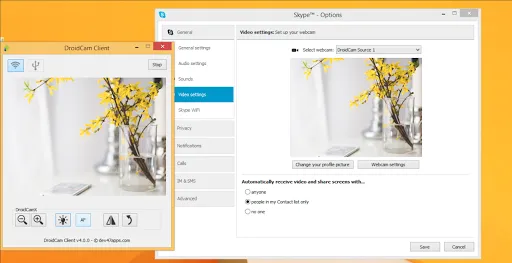
DroidCamX HD (Classic) transforms your smartphone into a high-definition webcam for your computer. With seamless connectivity via Wi-Fi or USB, it allows you to enhance video calls, streaming, and online meetings. The app supports various resolutions and features like audio support, flashlight, and customizable settings, ensuring a versatile and user-friendly experience. Perfect for those seeking an affordable and convenient webcam solution, DroidCamX HD (Classic) elevates your video communication effortlessly.
Features of "DroidCamX HD (Classic)"
DroidCamX HD (Classic) is a versatile application that transforms your smartphone into a high-definition webcam for your computer. One of its standout features is the ability to connect via Wi-Fi or USB, providing flexibility in how you set up your device. The app supports HD video quality, allowing for clear and crisp video during calls or streaming sessions. Additionally, it offers audio support, enabling you to use your phone's microphone for sound input.
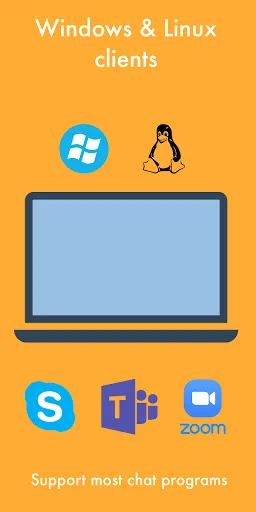
Another notable feature is the customizable settings, which allow users to adjust video resolution, frame rate, and other parameters to suit their needs. The app also includes a simple user interface, making it easy for anyone to navigate and set up. Furthermore, DroidCamX HD (Classic) supports various video conferencing platforms, ensuring compatibility with popular services like Zoom, Skype, and Microsoft Teams. Overall, its combination of high-quality video, audio support, and user-friendly design makes it a popular choice for those looking to enhance their video communication experience.
How to Use "DroidCamX HD (Classic)"
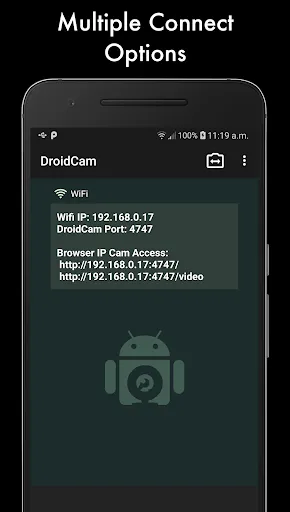
Using DroidCamX HD (Classic) is a straightforward process that can be completed in just a few steps. First, download and install the DroidCamX app on your smartphone from the Google Play Store or Apple App Store. Next, you will need to install the DroidCam client on your computer, which is available for Windows and Linux. Once both applications are installed, open the DroidCamX app on your phone and note the IP address and port number displayed on the screen.
On your computer, launch the DroidCam client and enter the IP address and port number from your phone. You can choose to connect via Wi-Fi or USB, depending on your preference. After entering the details, click the "Start" button on the client to establish the connection. Once connected, your smartphone will function as a webcam, and you can use it with your preferred video conferencing software. Adjust the settings as needed to optimize video quality and audio input for the best experience.
Pros & Cons of the App
DroidCamX HD (Classic) comes with several advantages that make it a popular choice among users. One of the main pros is its ability to deliver high-definition video quality, which enhances the overall experience during video calls or streaming. The app is also easy to set up and use, making it accessible for users of all technical levels. Additionally, the flexibility of connecting via Wi-Fi or USB provides users with options based on their preferences and available resources.
However, there are some drawbacks to consider. One con is that the free version of the app has limitations, such as watermarks on the video feed and restricted features. Users may need to purchase the premium version to unlock the full potential of the app. Additionally, the performance can vary based on the quality of the Wi-Fi connection, which may lead to lag or reduced video quality in some cases. Overall, while DroidCamX HD (Classic) offers many benefits, potential users should weigh these pros and cons before deciding to use the app.
Get Installation Details  Google Play
  App Store
Google Play App Store FAQ
Can I create playlists on Spotify?
Yes, users can create, share, and collaborate on playlists with friends.
Can I download music on Spotify?
Yes, premium users can download songs and playlists for offline listening.
Can I listen to Spotify offline?
Yes, premium users can listen to downloaded music offline without an internet connection.
Can I use Spotify on multiple devices?
Yes, you can use Spotify on multiple devices, but only one device can stream at a time.
Does Spotify have podcasts?
Yes, Spotify hosts a wide range of podcasts across various genres.
Similar Apps












You May Like

Calculator
Tools
4.4

SHAREit: Transfer, Share Files
Tools
4.3
Auto Clicker - Automatic tap
Tools
4.6

Beats
Tools
3.8

Starlink
Tools
4.9
APRSdroid - APRS Client
Tools
3.9
AVG AntiVirus & Security
Tools
4.6

AirMirror Receiver Pro
Tools
3

Amazon Fire TV
Tools
4.6
Automatic Call Recorder Pro
Tools
3.5

Blink Home Monitor
Tools
4.4
CC Booster
Tools
4.5