
 Home
Home  Apps
Apps  Games
Games  Windows
  Topics
  Terms of Service
  Cookies & Privacy Policy
  Disclaimer
Device Info: View phone info


Information
- Category: Tools
- Price: free
- Age Rating: Everyone
- Rating: 4.3
- Developer: LiuZho Soft
- Version: v3.0.1.0
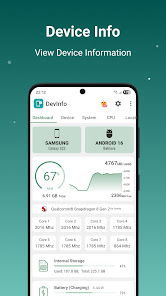
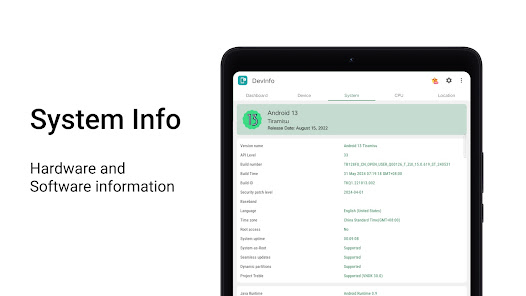
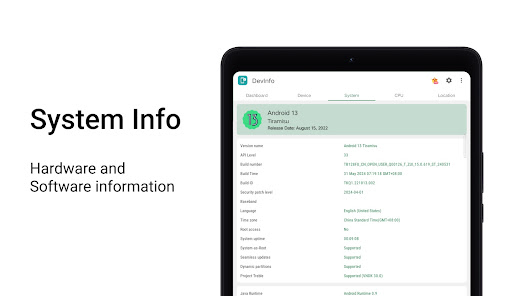
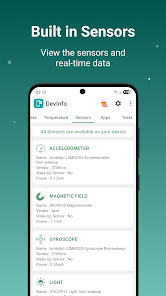
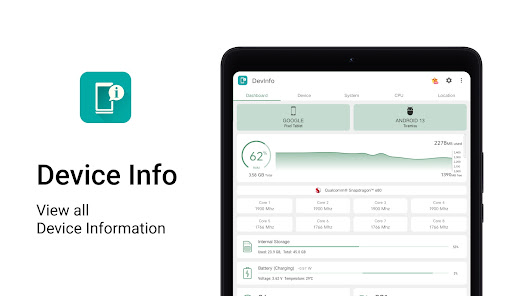
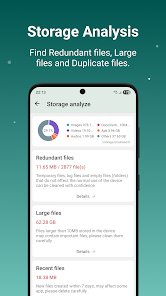
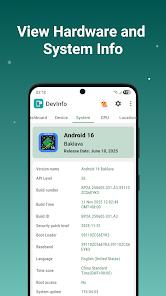
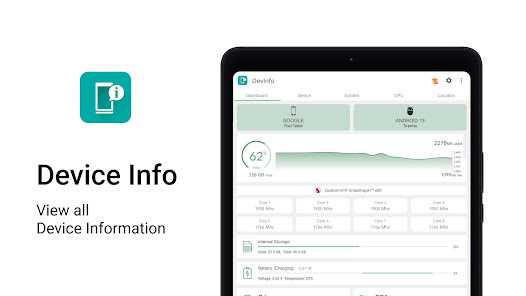
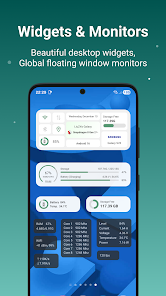
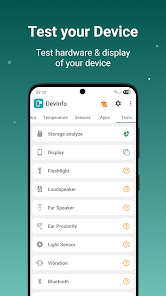
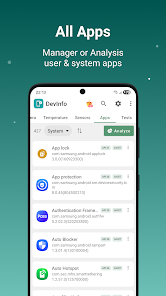
"Device Info: View Phone Info" is your go-to app for comprehensive insights into your smartphone's specifications and performance. Easily access detailed information about your device's hardware, software, battery status, and network connectivity. Whether you're a tech enthusiast or just curious about your phone's capabilities, this user-friendly app provides all the essential data at your fingertips, helping you optimize your device and troubleshoot issues with ease. Stay informed and make the most of your mobile experience!
Features of "Device Info: View Phone Info"
"Device Info: View Phone Info" is a comprehensive application designed to provide users with detailed information about their mobile devices. One of its standout features is the ability to display hardware specifications, including the processor type, RAM size, and storage capacity. This allows users to understand the capabilities of their device better.
Another key feature is the software information section, which includes details about the operating system version, build number, and security patch level. This is particularly useful for users who want to ensure their device is up to date. Additionally, the app offers insights into battery health, including charge cycles and current charge status, helping users manage their device's power more effectively.
Furthermore, "Device Info" provides network information, such as Wi-Fi and cellular connection details, which can assist users in troubleshooting connectivity issues. The user-friendly interface makes navigation easy, allowing users to access the information they need quickly. Overall, this app serves as a valuable tool for anyone looking to gain a deeper understanding of their mobile device's specifications and performance.
How to Use "Device Info: View Phone Info"
Using "Device Info: View Phone Info" is straightforward and user-friendly. After downloading and installing the app from your device's app store, open it to access the main dashboard. The interface is designed to be intuitive, with various tabs or sections that categorize the information available.
To view hardware specifications, simply navigate to the relevant section, where you will find detailed information about your device's processor, RAM, and storage. For software details, look for the software tab, which will display the operating system version and other pertinent information. If you're interested in battery health, check the battery section for insights on charge cycles and current status.
Additionally, the app allows users to explore network information, making it easy to troubleshoot connectivity issues. Users can also take advantage of the search feature to quickly find specific information. Overall, the app is designed to provide a seamless experience, ensuring that users can easily access and understand their device's information.
Pros & Cons of the App
Like any application, "Device Info: View Phone Info" has its advantages and disadvantages. One of the primary pros is its comprehensive nature, offering a wealth of information about both hardware and software specifications. This can be particularly beneficial for tech enthusiasts and users who want to optimize their device's performance. The user-friendly interface also enhances the overall experience, making it accessible for users of all skill levels.
Another advantage is the app's ability to provide real-time data, such as battery health and network status, which can help users make informed decisions about their device usage. However, there are some cons to consider. Some users may find that the app's extensive information can be overwhelming, especially if they are not tech-savvy. Additionally, while the app is generally reliable, occasional bugs or inaccuracies in the data may occur, leading to confusion.
Lastly, the app may require permissions that some users are uncomfortable granting, which could deter potential downloads. Overall, while "Device Info: View Phone Info" offers valuable insights into mobile devices, users should weigh these pros and cons before deciding to use it.
Get Installation Details  Google Play
  App Store
Google Play App Store FAQ
Can I create playlists on Spotify?
Yes, users can create, share, and collaborate on playlists with friends.
Can I download music on Spotify?
Yes, premium users can download songs and playlists for offline listening.
Can I listen to Spotify offline?
Yes, premium users can listen to downloaded music offline without an internet connection.
Can I use Spotify on multiple devices?
Yes, you can use Spotify on multiple devices, but only one device can stream at a time.
Does Spotify have podcasts?
Yes, Spotify hosts a wide range of podcasts across various genres.
Similar Apps
















You May Like

Calculator
Tools
4.4

SHAREit: Transfer, Share Files
Tools
4.3

Auto Clicker - Automatic tap
Tools
4.6

Beats
Tools
3.8

Starlink
Tools
4.9
APRSdroid - APRS Client
Tools
3.9

AVG AntiVirus & Security
Tools
4.6

AirMirror Receiver Pro
Tools
3

Amazon Fire TV
Tools
4.6

Automatic Call Recorder Pro
Tools
3.5

Blink Home Monitor
Tools
4.4

CC Booster
Tools
4.5