


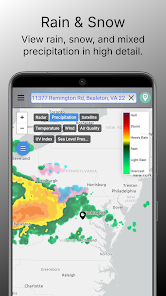
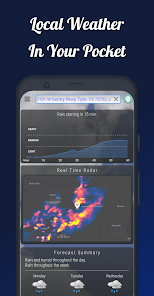
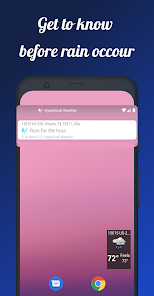
"Dark Sky Tech & Radar Forecast" is renowned for its advanced weather forecasting capabilities. One of its standout features is hyper-localized weather data, which provides users with minute-by-minute precipitation forecasts tailored to their specific location. This allows users to plan their activities with precision, knowing exactly when rain or snow is expected. Additionally, the app offers a sleek and user-friendly interface that makes navigation intuitive, even for those who are not tech-savvy.
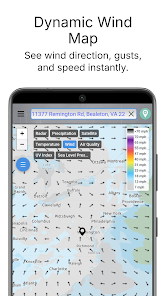
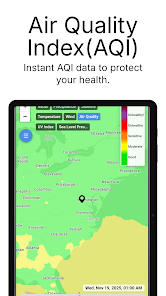
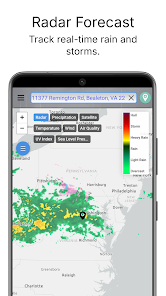
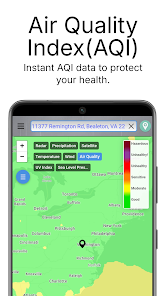
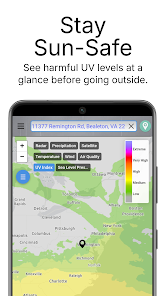
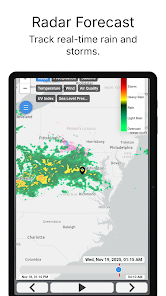
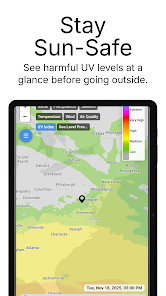
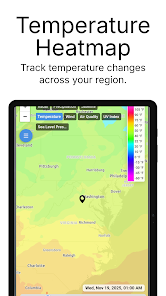
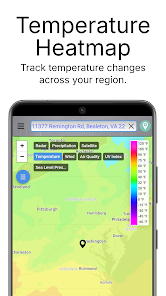
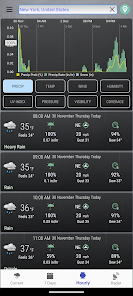
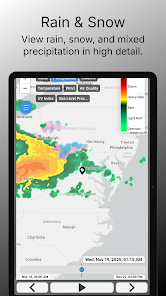
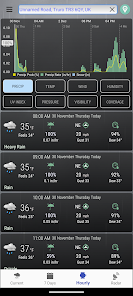
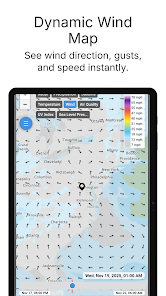
Another notable feature is the interactive radar map, which displays real-time weather patterns, including storm tracking and cloud cover. Users can zoom in and out to see weather conditions in their immediate vicinity or across broader regions. The app also includes severe weather alerts, ensuring that users are promptly informed about any hazardous conditions in their area. Furthermore, the app provides detailed forecasts, including hourly and daily summaries, which help users prepare for upcoming weather changes.
Using "Dark Sky Tech & Radar Forecast" is straightforward and user-friendly. Upon downloading the app, users are prompted to allow location access, which enables the app to deliver accurate, localized weather information. Once set up, the home screen displays the current weather conditions, along with a brief overview of the forecast for the day. Users can swipe or tap to access more detailed hourly and daily forecasts.
To explore the interactive radar map, users can simply tap on the map icon, which allows them to visualize weather patterns in real-time. Zooming in and out is easy, enabling users to focus on their immediate area or broader regions. For those interested in severe weather alerts, users can customize their notification settings to receive timely updates about any significant weather changes. Overall, the app's intuitive design makes it accessible for users of all experience levels.
The "Dark Sky Tech & Radar Forecast" app comes with several advantages that make it a popular choice among weather enthusiasts. One of its primary strengths is the accuracy of its forecasts, particularly the hyper-localized data that allows users to receive precise weather updates for their specific location. The app's sleek design and user-friendly interface enhance the overall experience, making it easy to navigate through various features. Additionally, the interactive radar map provides a comprehensive view of weather patterns, which is beneficial for planning outdoor activities.
However, there are some drawbacks to consider. One notable con is that the app may require a subscription for full access to its features, which could deter some users. Additionally, while the app excels in providing short-term forecasts, some users have reported that long-term predictions may not be as reliable. Lastly, the app's reliance on location services may raise privacy concerns for some individuals. Balancing these pros and cons is essential for users to determine if the app meets their weather forecasting needs.

 Accurate minute-by-minute precipitation forecasts keep you informed. User-friendly interface simplifies accessing weather data effortlessly. Hyper-localized weather updates ensure relevant information for your location. Customizable notifications alert you to significant weather changes instantly. Historical weather data aids in planning future activities effectively.
 Limited availability in certain regions may affect user experience High subscription cost can deter some users Frequent updates may lead to temporary app instability
  Google Play
  App Store
 Yes, users can submit suggestions or feedback through the app or the Dark Sky website to help improve the service.
Dark Sky may collect certain data to provide its services, but it emphasizes user privacy and data protection in its policy.
Dark Sky does not support offline use; an internet connection is required to access its features and updates.
To cancel your Dark Sky subscription, you can go through your app store settings or the Dark Sky website, depending on how you subscribed.
A subscription to Dark Sky typically costs around $3.99 per year, but prices may vary based on the platform or location.
Unfortunately, customer numbers are permanent. If you need help with your account, please contact customer service.
You can check your account activation status by logging in to your account or contacting customer service for assistance.
To log in from a new device, simply enter your credentials on the login page. If you encounter issues, ensure your account is activated or contact customer service.
You can contact our customer service via email or through the support section on our website. We’re here to help!
To activate your account, follow the link sent to your email upon registration. If you didn’t receive it, check your spam folder or contact customer service.



























