


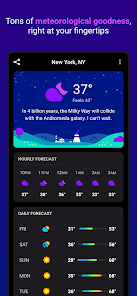
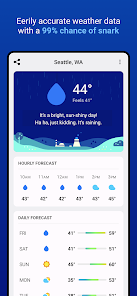
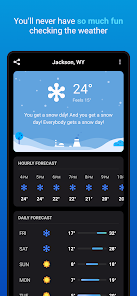
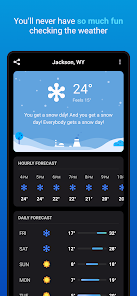
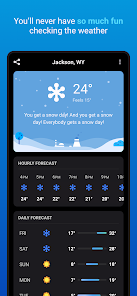
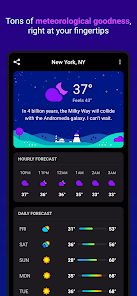
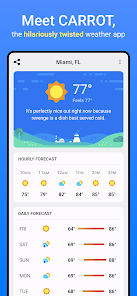
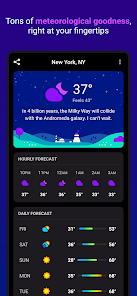
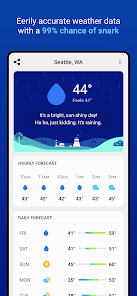
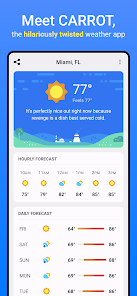
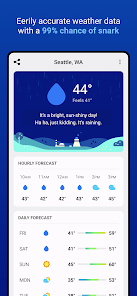
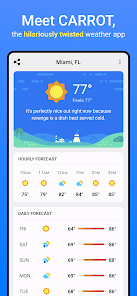
CARROT Weather is a unique weather application that combines accurate forecasts with a quirky personality. One of its standout features is the hyper-localized weather data, which provides users with minute-by-minute precipitation forecasts. This allows users to plan their activities with precision, knowing exactly when rain or snow will start or stop.
Another notable feature is the customizable interface. Users can choose from various themes and layouts, tailoring the app to their preferences. Additionally, CARROT Weather offers a range of fun and humorous weather-related notifications, making the experience enjoyable and engaging. The app also includes a detailed radar map, which helps users visualize weather patterns in real-time.
Furthermore, CARROT Weather integrates with various smart devices, allowing users to receive updates on their smartwatches or other connected devices. The app also supports multiple locations, making it easy for users to keep track of weather conditions in different areas. Overall, CARROT Weather stands out for its blend of functionality and entertainment, making it a favorite among weather enthusiasts.
Using CARROT Weather is straightforward and user-friendly. After downloading the app, users can set their location to receive accurate weather forecasts tailored to their area. The app's main screen displays current conditions, including temperature, humidity, and wind speed, along with a brief summary of the weather.
To access more detailed information, users can swipe through various tabs that provide hourly and daily forecasts. The app also features a radar map, which can be accessed by tapping on the map icon. Users can customize their experience by adjusting settings, such as notification preferences and theme options, to suit their style.
Additionally, CARROT Weather allows users to add multiple locations, making it easy to check the weather in different cities or regions. The app's quirky personality shines through in its notifications and alerts, adding a fun twist to the weather-checking experience. Overall, CARROT Weather is designed to be intuitive, ensuring that users can easily navigate and enjoy its features.
CARROT Weather has several advantages that make it a popular choice among users. One of the primary pros is its accuracy in providing hyper-local weather data, which is crucial for planning outdoor activities. The app's engaging and humorous personality adds a layer of enjoyment, making it more than just a standard weather app. Additionally, the customizable interface allows users to tailor the app to their preferences, enhancing the overall user experience.
However, there are some drawbacks to consider. One con is that the app may require a subscription for access to premium features, which could deter some users. Additionally, while the quirky notifications are entertaining, they may not appeal to everyone, particularly those who prefer a more straightforward approach to weather information. Lastly, some users have reported occasional glitches or inaccuracies in the data, which can be frustrating when relying on timely weather updates.
In summary, CARROT Weather offers a unique blend of functionality and entertainment, making it a compelling choice for weather enthusiasts. However, potential users should weigh the pros and cons to determine if it aligns with their preferences and needs.

 Accurate hyper-local forecasts for precise weather information. User-friendly interface makes navigation effortless for all users. Customizable notifications keep you informed on your terms. Stunning visuals enhance the weather experience beautifully. Unique features like radar and maps offer in-depth insights.
 Limited free features compared to premium options restricts user experience. Some users find the interface overwhelming with too much information. Occasional inaccuracies in weather forecasts can impact reliability for planning.
 Yes, users can submit suggestions or feedback directly through the app or by contacting the support team via their website or social media channels.
CARROT Weather may collect certain data to enhance user experience, but it prioritizes user privacy and does not sell personal information to third parties.
Yes, CARROT Weather allows users to access some features and previously downloaded weather data even when offline.
Users can cancel their CARROT Weather subscription through the App Store or Google Play Store, depending on the platform used for the purchase.
The subscription for CARROT Weather typically costs around $3.99 per year, offering additional features and an ad-free experience.
Unfortunately, customer numbers cannot be changed. If you have concerns, please contact customer service for further assistance.
To activate your account, click the activation link sent to your email after signing up. If you don't see it, check your spam folder.
To activate your account on a new device, simply log in with your existing email and password; activation is not needed again.
If you've forgotten your password, click on "Forgot Password?" on the login screen and follow the instructions to reset it.
You can log in by opening the app and entering your email and password in the login screen. If you forgot your password, use the "Forgot Password" link.












 Google Play
  App Store














