
 Home
Home  Apps
Apps  Games
Games  Windows
  Topics
  Terms of Service
  Cookies & Privacy Policy
  Disclaimer
Calorie Counter by Lose It!


Information
- Category: Health & Fitness
- Price: free
- Age Rating: Everyone
- Rating: 4.6
- Developer: FitNow, Inc.
- Version: 18.0.303
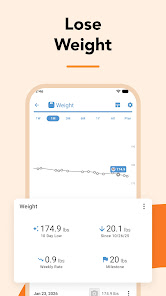
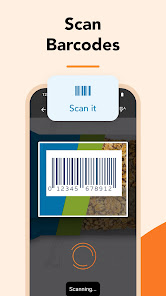
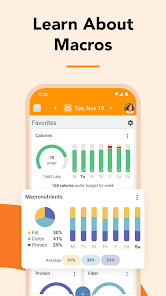
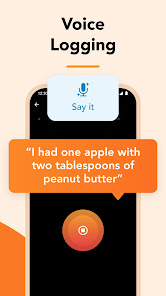
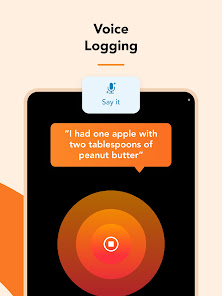
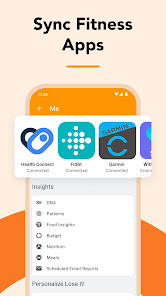


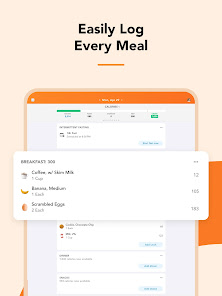
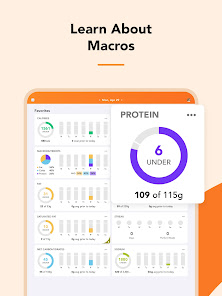

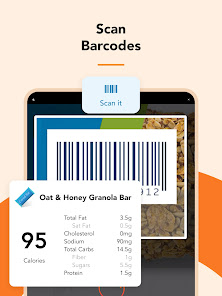

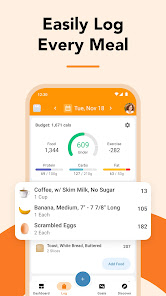
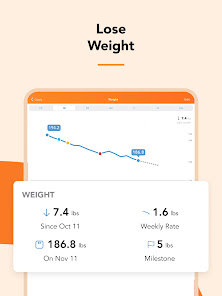
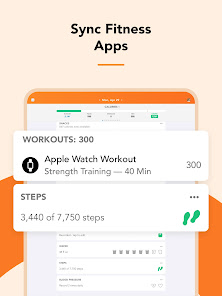
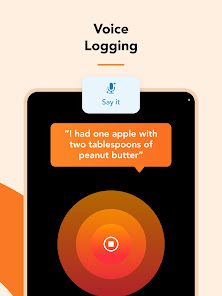
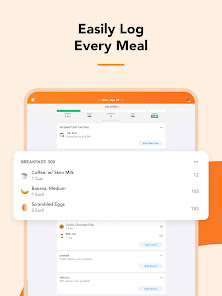

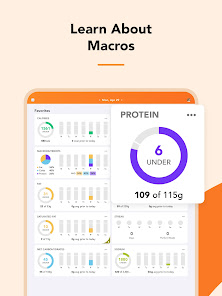

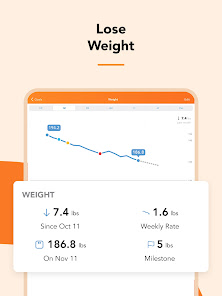
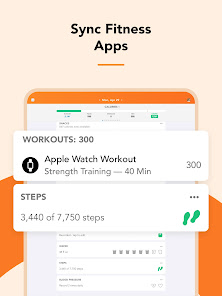
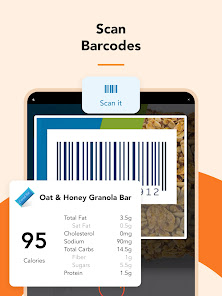
"Calorie Counter by Lose It!" is a user-friendly app designed to help you track your food intake and manage your weight effectively. With a vast database of foods, barcode scanning, and personalized goals, it simplifies calorie counting and encourages healthier eating habits. Whether you're looking to lose weight, maintain your current weight, or simply eat better, Lose It! provides the tools and support you need to achieve your health and wellness goals.
Features & Highlights
- Food Database: Lose It! boasts an extensive food database that includes millions of items, making it easy to track what you eat. For instance, when I wanted to log my favorite avocado toast breakfast, I simply searched for “avocado toast” in the app, and it provided me with several options, including serving sizes and calorie counts.
- Customizable Goals: Users can set personalized weight loss goals based on their unique needs. When I started my fitness journey, I input my current weight, target weight, and timeline, and the app calculated a daily calorie limit tailored specifically for me.
- Barcode Scanner: The built-in barcode scanner allows for quick logging of packaged foods. One busy morning, I grabbed a protein bar and scanned the barcode. Within seconds, it populated all the nutritional information, helping me stay on track effortlessly.
- Recipe Builder: The recipe builder feature lets you create meals from scratch, making it easy to log homemade dishes. I often prepare a hearty vegetable stir-fry, and by entering the ingredients, I can see the overall calorie count and nutritional breakdown.
- Community Support: Lose It! offers a community feature where users can connect, share goals, and motivate each other. I joined a group focused on healthy eating habits, and the encouragement and tips I received were invaluable on days when my motivation dipped.
Real Experience Using Calorie Counter by Lose It!
Application Scenarios
As someone who is constantly on the go, I find that incorporating the Calorie Counter by Lose It! app into my daily routine has been a game-changer. In the mornings, as I prepare breakfast, I quickly log my meal to ensure I stay within my calorie goal. When I’m at the grocery store, the barcode scanner comes in handy, allowing me to scan items and make informed choices. Even during lunch meetings, I can easily estimate the calories in my meal by searching the food database, which helps me stay accountable without being overly restrictive. After a busy day, I often reflect on my food choices, using the app to analyze what went well and where I can improve.
User Experience
The user interface of Lose It! is remarkably intuitive. Upon opening the app, I’m greeted by a clean dashboard displaying my daily calorie intake and remaining allowance. Logging meals is a breeze, thanks to the straightforward design, which minimizes the time spent on tedious entry. I appreciate how the app allows me to view my nutrient breakdown—this feature keeps my diet balanced and healthy. The performance is seamless; I’ve never experienced lag, even when accessing the extensive food database. Overall, my experience has been overwhelmingly positive, and I feel empowered to make healthier choices with each meal.
Pricing
Calorie Counter by Lose It! offers a free version, which is quite robust, but for those looking for advanced features, there's a premium subscription available. The premium version unlocks additional benefits, such as meal planning and advanced reporting tools. I opted for the premium subscription after a month of using the free version, as I wanted access to more personalized insights. The pricing is reasonable, especially considering the value it adds to my health journey.
Updates & Support
The Lose It! team is proactive about updates and improvements. I’ve noticed regular updates that enhance the app’s functionality and address user feedback. Their customer support is also commendable; whenever I had questions about the app, I received prompt and helpful responses. The community support features are continuously being refined, ensuring users feel connected and motivated.
Security & Privacy Review
As an American user, I prioritize security and privacy when using apps like Calorie Counter by Lose It!. The app is available on both the App Store and Google Play, ensuring it meets the necessary security standards for reputable applications. In terms of registration, I was required to provide basic personal information such as age, weight, and fitness goals, which is standard for health-related apps. I appreciate that Lose It! has a clear privacy policy detailing how my data is used and safeguarded.
Importantly, the app does not bombard me with intrusive ads, which is a significant plus for a smooth user experience. It does utilize cookies and analytics for tracking user engagement and app performance, but I feel comfortable with the level of transparency regarding data usage. Overall, I believe that Lose It! takes the necessary steps to protect user privacy while offering a valuable service.
Pros 
-
 Track your daily intake easily
 - Barcode scanner for quick entries
- Customizable food database available
- Set personalized weight goals
- Connect with friends for support
Cons 
-
 Limited food database
 - Inaccurate calorie tracking
- Premium features are costly
- User interface can lag
Get Installation Details  Google Play
  App Store
Google Play App Store FAQ
Can I submit suggestions or feedback to Calorie Counter by Lose It!?
Yes, users can submit feedback and suggestions through the app's support section or website.
Does Calorie Counter by Lose It! collect my personal data?
Yes, the app collects personal data to provide personalized recommendations and improve user experience, but follows privacy policies.
Does Calorie Counter by Lose It! support offline use?
Yes, users can log meals and access some features offline, but syncing may require an internet connection.
How do I cancel my Calorie Counter by Lose It! subscription?
Users can cancel their subscription through their app store settings or by contacting customer support.
How much does a subscription to Calorie Counter by Lose It! cost?
The premium subscription costs around $39.99 per year, with occasional promotional discounts available.
How to use Calorie Counter by Lose It!
How can I contact customer service for the Lose It! app?
You can contact customer service through the app by navigating to Settings > Help & Support > Contact Us. You can also email support
How do I activate my Lose It! subscription?
After purchasing a subscription, log in to the app, and your subscription will automatically activate. Check under Settings > Subscription to confirm.
How do I log in to my Lose It! account?
Open the app and tap ‘Log In’. Enter your email and password associated with your account. If you forget your password, use the ‘Forgot Password’ option.
What is the customer service phone number for Lose It!?
Lose It! does not provide a customer service phone number. Please use the in-app support or email for assistance.
Similar Apps
















You May Like

AllTrails: Hike, Bike & Run
Health & Fitness
4.6
Blood Pressure App Pro
Health & Fitness
3.9
Blood Pressure Monitor & Info
Health & Fitness
4.5

Calm - Sleep, Meditate, Relax
Health & Fitness
4.5

Daily Yoga ®: Yoga for Fitness
Health & Fitness
4.1

Feelsy: ASMR Stress Relief
Health & Fitness
4.1

Home Fitness Coach: FitCoach
Health & Fitness
4.3
FitNotes Supporter
Health & Fitness
4.9

Fitbit
Health & Fitness
4.1

Flo Period & Pregnancy Tracker
Health & Fitness
4.7

Geocaching®
Health & Fitness
4.6

Headspace: Sleep and Anxiety
Health & Fitness
4.3