
 Home
Home  Apps
Apps  Games
Games  Windows
  Topics
  Terms of Service
  Cookies & Privacy Policy
  Disclaimer
Blood Pressure Monitor & Info


Information
- Category: Health & Fitness
- Price: Free
- Age Rating: /
- Rating: 4.5
- Developer: Braly JSC
- Version: 2.9.2
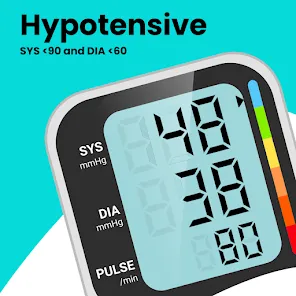
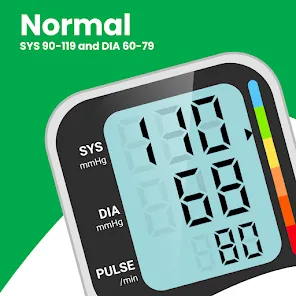
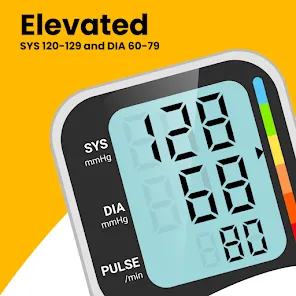
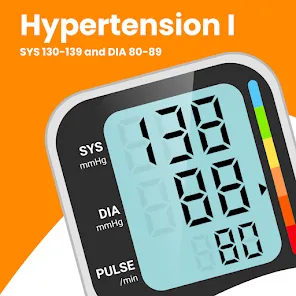
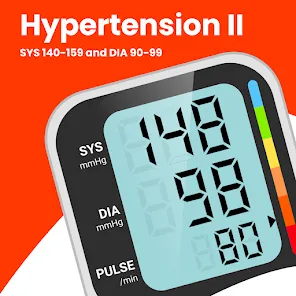
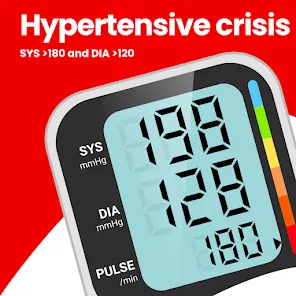
Welcome to the "Blood Pressure Monitor & Info" app, your essential companion for tracking and managing your blood pressure health. With user-friendly features, you can easily log your readings, monitor trends, and gain valuable insights into your cardiovascular wellness. Access informative resources and tips to help you maintain a healthy lifestyle. Stay proactive about your health and take control of your blood pressure with our comprehensive and intuitive app. Your journey to better health starts here!
Features of "Blood Pressure Monitor & Info"
The "Blood Pressure Monitor & Info" app is designed to help users track and manage their blood pressure effectively. One of its key features is the ability to log blood pressure readings easily, allowing users to input systolic and diastolic values along with pulse rates. The app also provides visual graphs and charts that display trends over time, making it easier to identify patterns and fluctuations in blood pressure levels.
Additionally, the app offers reminders for users to take their readings, ensuring that they stay consistent with monitoring their health. It includes educational resources about blood pressure, including tips for maintaining healthy levels and understanding the implications of high or low readings. Users can also share their data with healthcare providers directly through the app, facilitating better communication and management of their health. Overall, the app combines functionality with user-friendly design, making it a valuable tool for anyone looking to monitor their blood pressure.
How to Use "Blood Pressure Monitor & Info"
Using the "Blood Pressure Monitor & Info" app is straightforward and user-friendly. First, download the app from your device's app store and create an account to start tracking your blood pressure. Once registered, you can easily input your blood pressure readings by selecting the appropriate fields for systolic and diastolic values, as well as your pulse rate. It’s recommended to take readings at the same time each day for consistency.
After entering your data, the app will automatically generate graphs and charts that illustrate your blood pressure trends over time. You can also set reminders to prompt you to take your readings regularly. Additionally, explore the educational resources available within the app to learn more about blood pressure management. If you wish to share your readings with a healthcare professional, the app provides options for exporting your data securely. This comprehensive approach ensures that you stay informed and proactive about your health.
Pros & Cons of the App
The "Blood Pressure Monitor & Info" app comes with several advantages that make it a useful tool for individuals monitoring their blood pressure. One of the main pros is its user-friendly interface, which allows users of all ages to navigate the app easily. The ability to visualize data through graphs helps users understand their blood pressure trends, making it easier to identify any concerning changes. Additionally, the reminder feature ensures that users remain consistent in tracking their readings, which is crucial for effective management.
However, there are some cons to consider. The app may require an internet connection for certain features, which could be a limitation for users in areas with poor connectivity. Some users may also find the educational content insufficient or overly simplistic, depending on their level of knowledge about blood pressure management. Furthermore, while the app allows for data sharing, privacy concerns may arise regarding the security of personal health information. Overall, while the app offers valuable features, potential users should weigh these pros and cons before deciding to rely on it for their health management.
Get Installation Details  Google Play
  App Store
Google Play App Store FAQ
Can I create playlists on Spotify?
Yes, users can create, share, and collaborate on playlists with friends.
Can I download music on Spotify?
Yes, premium users can download songs and playlists for offline listening.
Can I listen to Spotify offline?
Yes, premium users can listen to downloaded music offline without an internet connection.
Can I use Spotify on multiple devices?
Yes, you can use Spotify on multiple devices, but only one device can stream at a time.
Does Spotify have podcasts?
Yes, Spotify hosts a wide range of podcasts across various genres.
Similar Apps














You May Like

AllTrails: Hike, Bike & Run
Health & Fitness
4.6
Blood Pressure App Pro
Health & Fitness
3.9

Calm - Sleep, Meditate, Relax
Health & Fitness
4.5
Calorie Counter by Lose It!
Health & Fitness
4.6

Daily Yoga ®: Yoga for Fitness
Health & Fitness
4.1

Feelsy: ASMR Stress Relief
Health & Fitness
4.1

Home Fitness Coach: FitCoach
Health & Fitness
4.3
FitNotes Supporter
Health & Fitness
4.9

Fitbit
Health & Fitness
4.1

Flo Period & Pregnancy Tracker
Health & Fitness
4.7

Geocaching®
Health & Fitness
4.6

Headspace: Sleep and Anxiety
Health & Fitness
4.3