


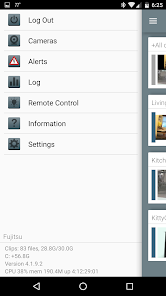
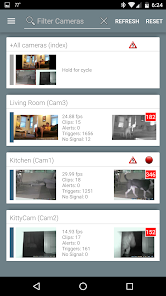
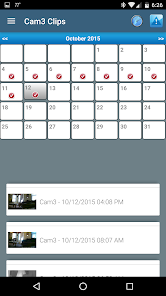
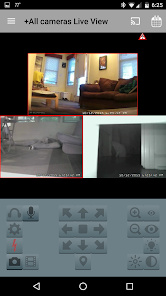
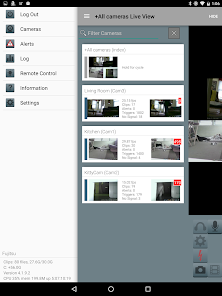
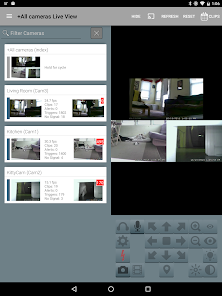
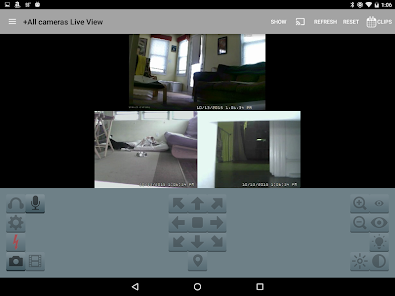
Blue Iris is a powerful video surveillance software that offers a wide range of features designed for both home and business security. One of its standout features is the ability to support multiple camera types, including IP cameras, webcams, and analog cameras, allowing users to customize their surveillance setup according to their needs. The software also provides real-time monitoring, enabling users to view live feeds from their cameras on various devices, including smartphones and tablets.
Another notable feature is motion detection, which can trigger alerts and notifications when movement is detected in the camera's field of view. This is complemented by customizable recording options, allowing users to choose when and how footage is recorded, whether continuously or based on specific events. Additionally, Blue Iris offers remote access capabilities, enabling users to manage their surveillance system from anywhere in the world. The software also includes advanced features such as video analytics, which can help identify specific events or behaviors, enhancing overall security management.
Using Blue Iris is straightforward, making it accessible for both beginners and experienced users. To get started, first, download and install the software on your Windows PC. Once installed, launch the application and begin by adding your cameras. This can be done by navigating to the 'Camera' tab and selecting 'Add Camera.' You will need to input the camera's IP address or select it from the list of detected devices.
After adding your cameras, configure the settings according to your preferences. This includes setting up motion detection zones, adjusting recording schedules, and customizing alert notifications. Once your cameras are set up, you can access live feeds and recorded footage through the main interface. For remote access, ensure that you configure the necessary network settings, such as port forwarding, to allow access from your mobile device or another computer. Finally, familiarize yourself with the various features and tools available within the software to maximize your surveillance capabilities.
Blue Iris comes with several advantages that make it a popular choice for video surveillance. One of the primary pros is its versatility, as it supports a wide range of camera types and offers extensive customization options. Users appreciate the robust motion detection capabilities, which help in minimizing unnecessary recordings and alerts. Additionally, the software's remote access feature allows users to monitor their property from anywhere, providing peace of mind. The user interface is also relatively intuitive, making it easier for users to navigate through the various settings and features.
However, there are some cons to consider. One downside is that Blue Iris is primarily designed for Windows, which may limit its accessibility for users on other operating systems. The software can also be resource-intensive, requiring a powerful computer to run smoothly, especially when managing multiple cameras. Furthermore, while the initial cost is reasonable, users may find that additional features or camera licenses can add up, making it less budget-friendly for larger setups. Overall, while Blue Iris offers a comprehensive surveillance solution, potential users should weigh these pros and cons based on their specific needs.

 Flexible camera support for various brands and models User-friendly interface simplifies setup and management Advanced motion detection reduces false alarms Remote access enables monitoring from anywhere Comprehensive recording options enhance security coverage
 Limited integration options with non-IP cameras can restrict system flexibility. High resource usage may require powerful hardware for optimal performance. The user interface can be complex, posing a learning curve for new users.
  Google Play
  App Store
 Blue Iris does not inherently collect personal data but may log information related to the use of its services. Users should review the privacy policy for specific details on data handling practices.
Yes, Blue Iris offers a 14-day free trial, allowing users to test the full functionality of the software before committing to a purchase. There is no free version available beyond the trial period.
While Blue Iris can function without an internet connection for local monitoring, an internet connection is necessary for remote access and certain features like cloud storage or notifications.
You can contact Blue Iris support through their official website, where you can submit a support ticket or find additional resources. Feedback can also be sent via their contact page.
You can manage or cancel your Blue Iris subscription through your account settings on the Blue Iris website or by contacting their support team for assistance.
Customer numbers are unique and cannot be changed. If you have issues, please contact customer service for further assistance.
No, each user should have only one account with a unique customer number. For help, contact customer service.
You can reach customer service via the support section on our website or by calling the support number listed there.
After purchase, check your email for an activation link. Click it to activate your account. If you don't see it, contact customer service.
Visit the Blue Iris website and navigate to the support section for contact information.