


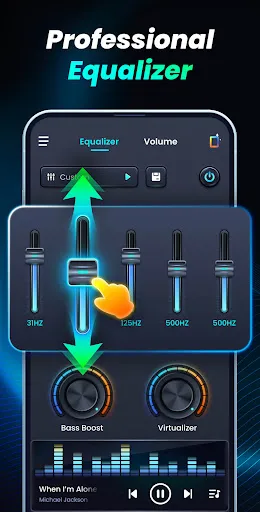
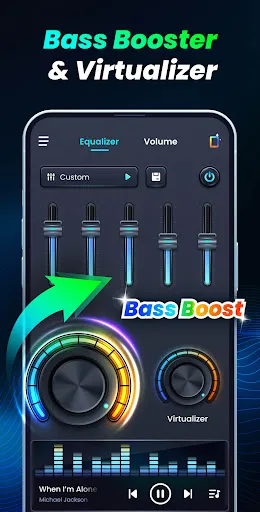
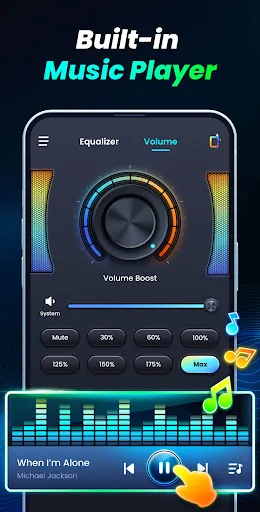

"Volume Bass Booster, Equalizer" is a versatile audio enhancement application designed to elevate your listening experience. One of its standout features is the customizable equalizer, which allows users to adjust frequency levels to suit their personal preferences. This feature enables you to enhance bass, treble, and mid-range sounds, ensuring a balanced audio output tailored to your taste.
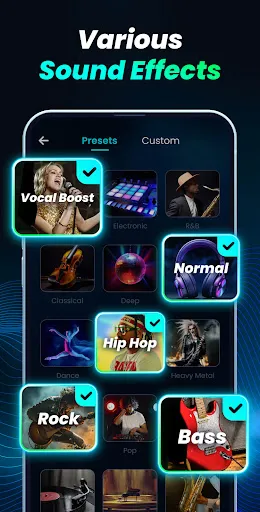
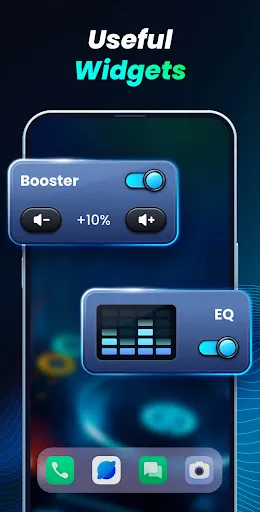
Another notable feature is the volume booster, which amplifies sound levels beyond the standard limits of your device. This is particularly useful for users who enjoy listening to music or watching videos in noisy environments. Additionally, the app includes preset sound profiles for various genres, making it easy to switch between settings for pop, rock, classical, and more. The user-friendly interface ensures that even those who are not tech-savvy can navigate the app with ease. Furthermore, the app supports background play, allowing you to enjoy enhanced audio while multitasking.
Using "Volume Bass Booster, Equalizer" is straightforward and user-friendly. After downloading and installing the app, open it to access the main interface. You will find a range of sliders for adjusting the equalizer settings. Start by selecting a preset that matches your music genre or manually adjust the sliders to create a custom sound profile that suits your preferences.
To boost the volume, simply slide the volume booster control to the right. Be cautious not to set it too high, as this may distort the audio quality. Once you have configured your settings, you can play your favorite music or videos through the app. The changes will take effect immediately, allowing you to enjoy an enhanced audio experience. Additionally, you can save your custom settings for future use, making it easy to switch between different sound profiles as needed.
Like any application, "Volume Bass Booster, Equalizer" comes with its own set of advantages and disadvantages. On the positive side, the app significantly enhances audio quality, allowing users to enjoy a richer sound experience. The customizable equalizer and volume booster features are particularly appealing, as they provide users with the flexibility to tailor their audio settings. The app is also easy to use, making it accessible for individuals of all technical backgrounds.
However, there are some drawbacks to consider. Some users may experience audio distortion when the volume is boosted too high, which can detract from the listening experience. Additionally, the app may consume more battery power than standard music players, especially when using the volume booster feature. Lastly, while the app is free, certain advanced features may require in-app purchases, which could be a downside for users looking for a completely free solution. Overall, weighing these pros and cons can help users determine if the app meets their audio enhancement needs.

 Enhances low-frequency sounds for a richer audio experience Improves overall sound clarity and detail in music Customizable settings allow personalized listening preferences Boosts bass response for an immersive sound experience Easy integration with various audio sources and devices
 Increased distortion can occur at high volume levels, impacting sound clarity. Overemphasis on bass may overshadow mid and high frequencies, leading to an unbalanced mix. Continuous use can strain speakers, potentially causing long-term damage or reduced performance.
  Google Play
  App Store
 Yes, users can submit suggestions or feedback through the app’s support section or contact the developers via their official website or email.
The app may collect certain data for functionality and improvement purposes, but it generally prioritizes user privacy and adheres to data protection regulations.
Yes, Volume Bass Booster, Equalizer can be used offline, allowing users to enjoy enhanced audio without needing an internet connection.
To cancel your subscription, you typically need to go through your app store settings or the subscription management section in the app itself, following the provided instructions.
Subscription costs can vary, so it's best to check the app for the most current pricing details and any available plans.
Yes, you can change your log in information in your account settings. If you encounter issues, please contact customer service.
Yes, you can update your customer number by logging in to your account settings. If you encounter issues, please reach out to customer service.
You can access customer service through the help section in the app or by calling our support line with your customer number ready.
You can reach our customer service team via the support section in the app or by emailing us with your customer number.
To activate your account, check your email for the activation link sent after sign-up. If you didn't receive it, please contact customer service.



























