



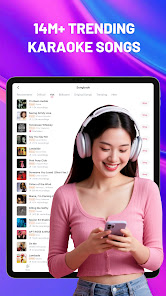
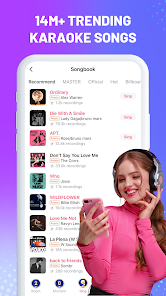
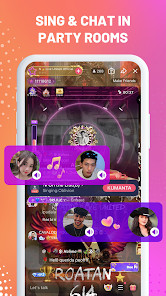
"StarMaker: Sing Karaoke Songs" is a popular karaoke application that offers a wide array of features designed to enhance the singing experience. One of its standout features is a vast library of songs, spanning various genres and languages, allowing users to find their favorite tracks easily. The app also includes a user-friendly interface that makes navigation simple, even for beginners.
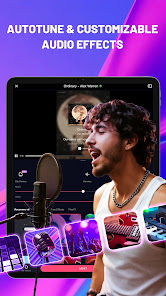
Another notable feature is the ability to record performances and share them with a global community of singers. Users can receive feedback and interact with others, fostering a sense of community. Additionally, the app offers various vocal effects and filters, enabling singers to enhance their recordings and create a more polished sound. StarMaker also hosts regular singing competitions, providing users with opportunities to showcase their talent and win prizes. Overall, the combination of a rich song library, social interaction, and creative tools makes "StarMaker" a comprehensive karaoke platform.
Using "StarMaker: Sing Karaoke Songs" is a straightforward process that allows users to dive into the world of karaoke quickly. First, download the app from your device's app store and create an account. Once logged in, you can browse through the extensive song library, which is categorized by genre, popularity, and new releases. To start singing, simply select a song and tap on the "Sing" button.
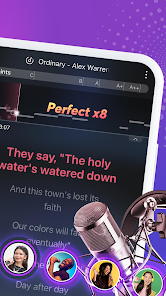
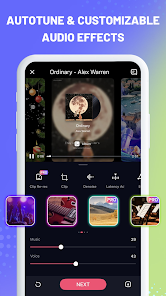
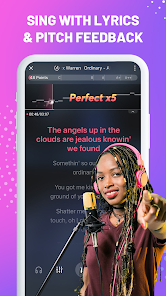
The app will provide you with lyrics displayed on the screen, along with the music track. You can adjust the volume levels and apply various vocal effects to enhance your performance. After recording your song, you have the option to edit it, add filters, and even collaborate with other users. Once satisfied with your recording, you can share it on the platform or through social media. Engaging with the community by liking and commenting on others' performances is also encouraged, making the experience interactive and enjoyable.
"StarMaker: Sing Karaoke Songs" comes with several advantages that make it appealing to users. One of the primary pros is its extensive song library, which includes a wide range of genres and languages, catering to diverse musical tastes. The app's social features allow users to connect with fellow singers, fostering a sense of community. Additionally, the ability to record and edit performances with various effects enhances the overall experience, making it more enjoyable for users.
However, there are some drawbacks to consider. The app may contain ads that can interrupt the singing experience, which some users might find distracting. Additionally, while many features are free, certain premium options require in-app purchases, which could limit access for some users. Lastly, the quality of recordings can vary based on the device's microphone, which may affect the overall sound. Balancing these pros and cons is essential for users to determine if "StarMaker" meets their karaoke needs.

 Enjoy a vast library of songs across various genres for endless fun. Connect with friends and other users for a social singing experience. Record your performances and share them easily on social media. Access real-time pitch correction to improve your singing skills. Participate in exciting challenges and contests to showcase your talent.
 Limited song selection may not satisfy all musical tastes In-app purchases can lead to unexpected costs Audio quality may vary, impacting the overall singing experience
 Yes, users can submit suggestions or feedback directly through the app or via their official support channels.
Yes, StarMaker may collect personal data to enhance user experience and for account management purposes, as outlined in their privacy policy.
StarMaker requires an internet connection to access its full features and song library, so offline use is limited.
Users can cancel their subscriptions through the app's settings or their respective app store account settings, depending on the platform used.
Subscription prices for StarMaker vary based on the plan selected, with options for monthly, quarterly, or yearly subscriptions available.
Unfortunately, customer numbers cannot be changed. If you have concerns, please contact customer service for further assistance.
You can reach customer service through the app's help section or by emailing support
For activation help, please check the FAQ section in the app or contact customer service for assistance.
To activate your account, open the app and follow the prompts to verify your email or phone number.
You can contact customer service through the app's support section or by emailing support












 Google Play
  App Store