



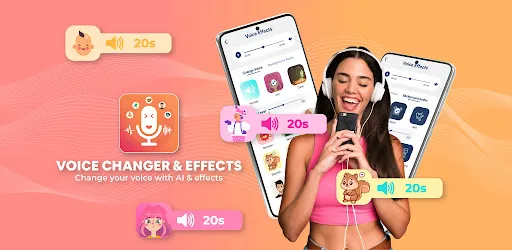

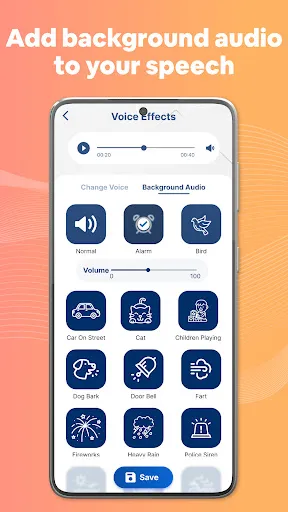
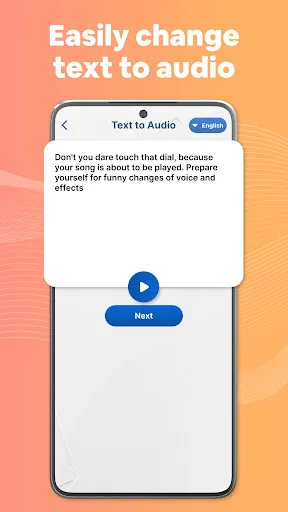

"Voice Changer by Sound Effects" is a versatile application designed to modify and enhance audio recordings. One of its standout features is the extensive library of sound effects, allowing users to choose from a variety of voice modulation options, including high-pitched, low-pitched, robotic, and echo effects. This variety enables users to create unique audio experiences tailored to their preferences.
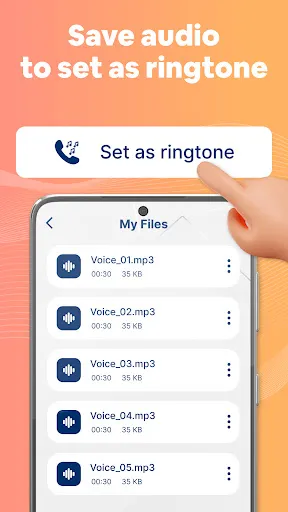
Another notable feature is the user-friendly interface, which makes it easy for both beginners and experienced users to navigate the app. The real-time voice changing capability allows users to hear their modifications instantly, making it ideal for live performances or recordings. Additionally, the app supports multiple audio formats, ensuring compatibility with various devices and platforms. Users can also save their modified audio files directly to their device or share them on social media, enhancing the app's functionality. Overall, "Voice Changer by Sound Effects" combines creativity and ease of use, making it a popular choice for those looking to experiment with their voice.
Using "Voice Changer by Sound Effects" is a straightforward process that allows users to quickly modify their audio. First, download and install the app from your device's app store. Once installed, open the application and familiarize yourself with the interface. You will find options to record your voice or upload an existing audio file.
To record your voice, simply press the record button and speak into your device's microphone. After recording, you can select from a variety of voice effects available in the app. Experiment with different settings to find the sound that best suits your needs. Once you are satisfied with the modifications, you can save the audio file or share it directly on social media platforms. The app also allows for easy editing, so you can revisit and adjust your recordings as needed. Overall, the intuitive design ensures that users can enjoy a seamless experience while exploring their creativity.
Like any application, "Voice Changer by Sound Effects" has its advantages and disadvantages. One of the primary pros is its extensive library of voice effects, which provides users with a wide range of options for customization. The real-time voice changing feature is another significant advantage, allowing users to hear their modifications instantly, which is particularly useful for live performances or recordings. Additionally, the user-friendly interface makes it accessible for users of all skill levels, enhancing its appeal.
However, there are some cons to consider. Some users have reported occasional glitches or crashes, which can disrupt the creative process. Additionally, while the app is free, certain advanced features may require in-app purchases, which could deter some users. Lastly, the quality of the voice effects may vary, and not all users may find the modifications to their liking. Overall, while "Voice Changer by Sound Effects" offers a fun and creative platform for audio manipulation, potential users should weigh these pros and cons before diving in.

 Transform your voice with a variety of unique effects for creativity. Easy-to-use interface allows quick adjustments for instant results. Perfect for prank calls, gaming, or adding fun to recordings. Compatible with multiple devices, enhancing versatility for users. Ideal for content creators seeking to engage their audience uniquely.
 Limited voice modulation options may restrict creativity. Some effects can sound unnatural or robotic. Compatibility issues with certain devices can hinder usage.
  Google Play
  App Store
 Yes, users can submit suggestions or feedback through the app’s support or contact feature to help improve future updates.
The app has a privacy policy in place and does not collect personal data without user consent.
Yes, Voice Changer by Sound Effects can be used offline, allowing users to enjoy its features without needing an internet connection.
Users can cancel their subscription through their app store settings or account management section, depending on the platform they are using.
Subscription prices may vary depending on the plan selected, so users should check the app for the most current pricing options.
Unfortunately, customer numbers cannot be changed. If you have issues, please contact customer service for further assistance.
You can update your customer information by logging into your account and navigating to the profile settings.
To activate your account, click the link sent to your email after registration. If you didn't receive it, check your spam folder.
You can reach our customer service via the support section in the app or by emailing support
To log in, open the app, enter your email and password, and click the "Log In" button.



























