


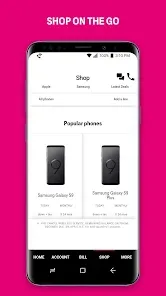
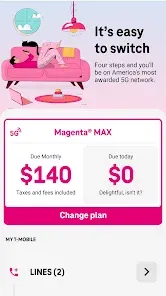
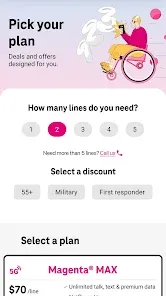
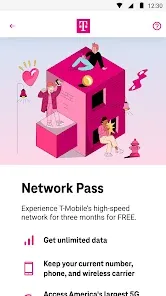
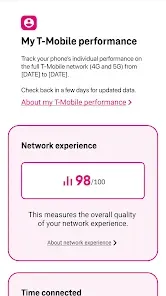
T-Mobile is a leading telecommunications provider known for its extensive range of features that cater to diverse customer needs. One of its standout offerings is the unlimited data plans, which allow users to enjoy high-speed internet without worrying about data caps. This is particularly beneficial for heavy data users who stream videos, play online games, or frequently download large files.
Another notable feature is T-Mobile's nationwide 5G network, which provides faster speeds and improved connectivity. This network is designed to enhance the user experience, especially in urban areas where demand for data is high. Additionally, T-Mobile offers international roaming options, allowing customers to use their phones abroad without incurring exorbitant fees.
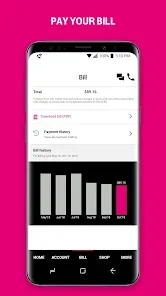
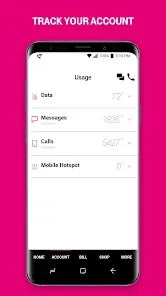
The carrier also provides a range of family plans, making it easier for families to manage their mobile expenses. Furthermore, T-Mobile's customer service is often praised for its accessibility and responsiveness, ensuring that users receive support when needed. Lastly, T-Mobile's app allows users to manage their accounts, track data usage, and pay bills conveniently from their smartphones.
Using T-Mobile services is straightforward and user-friendly. First, prospective customers can visit the T-Mobile website or a local store to explore various plans and choose one that best fits their needs. Once a plan is selected, users can sign up online or in-store, where they may also purchase a new device or bring their own.
After activation, users can download the T-Mobile app, which is available for both iOS and Android devices. This app is a valuable tool for managing account settings, checking data usage, and making payments. Users can also set up autopay for added convenience. For those traveling internationally, it’s essential to review the roaming options available through the app or customer service to avoid unexpected charges.
Additionally, T-Mobile provides various resources, including online tutorials and customer support, to help users navigate their services effectively. By taking advantage of these tools, customers can maximize their T-Mobile experience and ensure they are getting the most out of their mobile plans.
The T-Mobile app offers several advantages that enhance the user experience. One of the primary benefits is its intuitive interface, which makes it easy for users to navigate through various features. Customers can quickly check their data usage, view billing statements, and manage their accounts without needing to call customer service. The app also provides real-time updates on network status and outages, ensuring users stay informed.
However, there are some drawbacks to consider. Some users have reported occasional glitches or slow loading times, which can be frustrating when trying to access important information. Additionally, while the app is generally user-friendly, new users may find the plethora of features overwhelming at first. Lastly, certain functionalities, such as troubleshooting network issues, may require additional steps that could be simplified for a better user experience.
In summary, while the T-Mobile app has its pros and cons, it remains a valuable tool for managing mobile services effectively. By weighing these factors, users can determine how well the app meets their needs and enhances their overall T-Mobile experience.

 Nationwide 5G coverage for faster connectivity Affordable unlimited plans for budget-conscious users No annual contracts for flexible service options Responsive customer support for quick issue resolution Free international roaming for global travelers
 Limited coverage in rural areas can be problematic Higher prices compared to some competitors may deter users Customer service experiences can be inconsistent at times Data deprioritization may affect speeds during congestion
  Google Play
  App Store
 Yes, T-Mobile collects personal data to provide services, improve user experience, and for marketing purposes. Their privacy policy outlines what data is collected and how it is used.
T-Mobile does not typically offer a free trial or free version of its services, but it may provide promotional offers for new customers.
While some features of the T-Mobile app can be accessed without an internet connection, a stable internet connection is generally required for full functionality, including account management and updates.
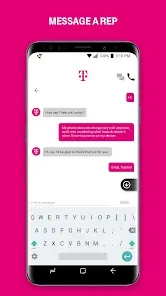
You can contact T-Mobile support via the app, on their website, or by calling their customer service number. Feedback can also be submitted through these channels.
You can manage or cancel your T-Mobile subscription through the T-Mobile app, online through the T-Mobile website, or by contacting customer service directly.
Yes, you can request a customer number change by contacting T-Mobile customer service for assistance.
You can contact T-Mobile customer service by calling 611 from your T-Mobile phone or visiting the T-Mobile website for chat support.
To reset your password, go to the T-Mobile login page, click on 'Forgot Password', and follow the instructions using your customer number.
To activate a new SIM card, log into your T-Mobile account, select 'Activate a SIM', and follow the prompts using your customer number.
To log in, visit the T-Mobile website, click on 'Log In', and enter your customer number and password.