



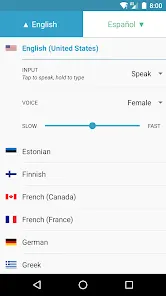

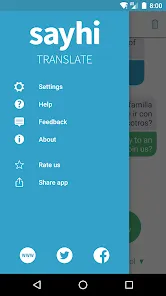
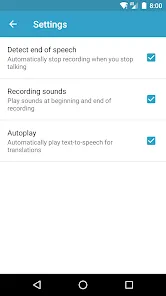

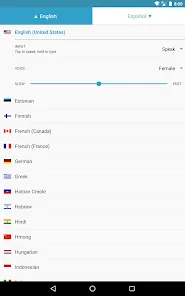
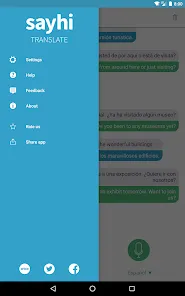


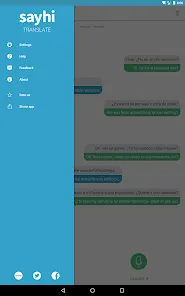
"SayHi Translate" is a versatile translation app designed to facilitate seamless communication across different languages. One of its standout features is real-time voice translation, allowing users to speak naturally while the app translates their words instantly. This feature is particularly useful for travelers and business professionals who need to communicate effectively in foreign environments.
Another notable feature is the text translation capability, which supports a wide range of languages. Users can type or paste text into the app, and it will provide an accurate translation. The app also includes a user-friendly interface that makes navigation simple, even for those who may not be tech-savvy. Additionally, "SayHi Translate" offers the option to save frequently used phrases, making it easier to access important translations quickly.
Moreover, the app supports both voice and text input, catering to various user preferences. It also allows users to adjust the speed of the spoken translation, ensuring clarity in communication. Overall, "SayHi Translate" combines functionality with ease of use, making it an essential tool for anyone needing translation services on the go.
Using "SayHi Translate" is straightforward and user-friendly, making it accessible for individuals of all ages. To get started, download the app from your device's app store and install it. Once opened, you will be greeted with a simple interface that prompts you to select the languages you wish to translate between. This initial setup is quick and allows you to customize your experience based on your needs.
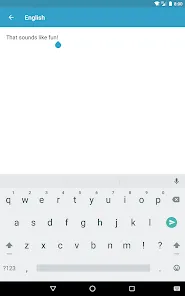
To utilize the voice translation feature, tap the microphone icon and speak clearly into your device. The app will process your speech and provide an instant translation. If you prefer typing, simply enter your text in the designated area, and the app will display the translated version. You can also listen to the translation by tapping the speaker icon, which is particularly helpful for learning pronunciation.
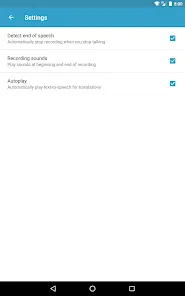
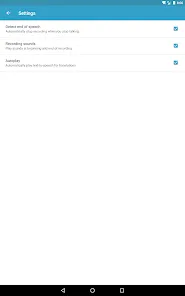
For frequent phrases, take advantage of the favorites feature by saving commonly used translations. This allows for quick access in future conversations. Additionally, explore the settings to adjust voice speed and other preferences to enhance your experience. With these simple steps, "SayHi Translate" can become an invaluable tool for effective communication across language barriers.
Like any application, "SayHi Translate" comes with its own set of advantages and disadvantages. One of the primary pros is its real-time voice translation feature, which allows for fluid conversations without the need for extensive pauses. This is particularly beneficial for travelers and professionals who need to communicate quickly and effectively. The app supports a wide range of languages, making it versatile for users from different backgrounds.
Another advantage is the user-friendly interface, which makes it easy for anyone to navigate the app, regardless of their tech skills. The ability to save favorite phrases is also a significant plus, as it streamlines communication for frequently used expressions. However, there are some cons to consider. The accuracy of translations can vary, especially with complex sentences or idiomatic expressions, which may lead to misunderstandings.
Additionally, the app requires an internet connection for optimal performance, which can be a limitation in areas with poor connectivity. Some users may also find the voice recognition feature struggles with accents or background noise. Overall, while "SayHi Translate" offers valuable features for language translation, users should be aware of its limitations to set realistic expectations.

 SayHi Translate supports multiple languages for global communication. Its intuitive interface makes translation easy for everyone. Voice input allows for hands-free, quick translations on the go. Offline functionality ensures access without internet connectivity. Real-time conversation mode enhances interactive dialogue with others.
 Limited language support may restrict communication options for users. Accuracy can vary, leading to misunderstandings in translations. The app requires a stable internet connection, limiting usability in offline situations.
  Google Play
  App Store
 Yes, users can submit suggestions or feedback through the app's feedback feature or by contacting customer support via the official website or app store page.
SayHi Translate may collect certain personal data as outlined in its privacy policy, which typically includes usage data and location information. However, it is designed to prioritize user privacy and data security.
Yes, SayHi Translate offers offline functionality, allowing users to download specific language packs for use without an internet connection.
Users can cancel their SayHi Translate subscription through their app store account settings, following the cancellation instructions provided by the platform they used to subscribe.
The subscription costs for SayHi Translate can vary, typically offering monthly and yearly plans. Users can check the app for the most up-to-date pricing information.
Unfortunately, customer numbers are unique and cannot be changed. Please contact customer service for further assistance.
Yes, you can update your email address in your account settings after activation.
You can reach our customer service team through the app or by visiting our website for support options.
To activate your account, click the link sent to your email during registration and follow the instructions.
If you lost the activation email, please request a new activation link through the app’s support section.