

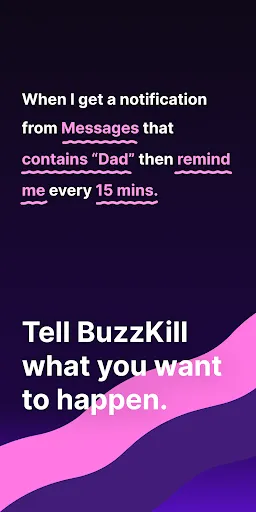
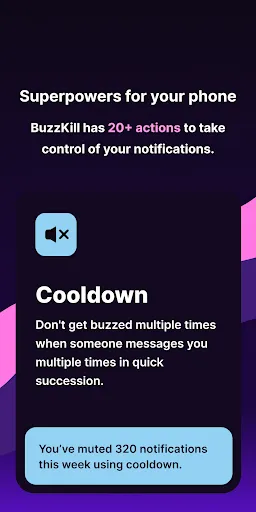
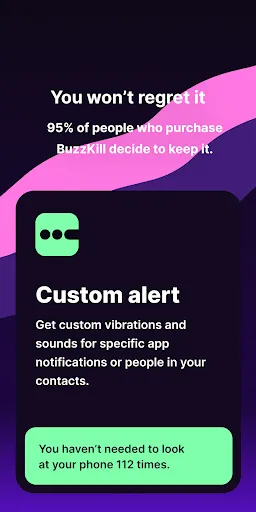
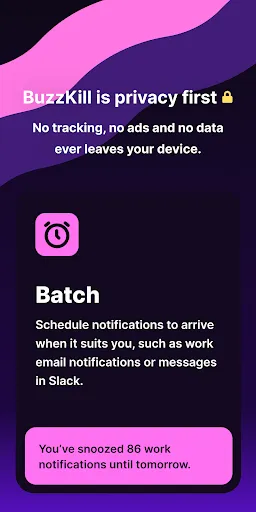
BuzzKill Notification Manager is designed to help users take control of their notifications, providing a streamlined experience that minimizes distractions. One of its standout features is the ability to customize notification settings for individual apps, allowing users to silence or prioritize alerts based on their preferences. This means you can choose to receive notifications from essential apps while muting those that are less important.
Another notable feature is the scheduling option, which enables users to set specific times for when they want to receive notifications. This is particularly useful for maintaining focus during work hours or while engaging in personal activities. Additionally, BuzzKill offers a user-friendly interface that makes it easy to navigate through settings and manage notifications efficiently.
Furthermore, the app includes a summary feature that compiles missed notifications, allowing users to catch up on alerts at their convenience without being overwhelmed. Overall, BuzzKill Notification Manager empowers users to tailor their notification experience, enhancing productivity and reducing interruptions.
Using BuzzKill Notification Manager is straightforward and user-friendly. After downloading and installing the app, users are greeted with a simple setup process that guides them through the initial configuration. The first step is to grant the app the necessary permissions to access notifications from other applications on your device.
Once permissions are granted, users can begin customizing their notification preferences. The app allows you to select which apps you want to receive notifications from and which ones to silence. You can also set specific time frames during which notifications will be muted, ensuring that you remain focused during critical tasks.
Additionally, BuzzKill provides a summary feature that aggregates missed notifications, making it easy to review them later. Users can access this summary at any time, allowing for a more organized approach to managing alerts. Overall, the intuitive design and clear instructions make it easy for anyone to effectively use BuzzKill Notification Manager to enhance their notification experience.
BuzzKill Notification Manager comes with several advantages that make it a valuable tool for managing notifications. One of the primary pros is its customization capabilities, allowing users to tailor their notification settings according to their specific needs. This feature helps reduce distractions and enhances productivity, particularly for those who find constant notifications overwhelming.
Another significant advantage is the scheduling option, which enables users to mute notifications during designated times, promoting better focus during work or personal activities. The user-friendly interface also makes it accessible for individuals of all tech-savviness levels, ensuring that anyone can benefit from its features.
However, there are some drawbacks to consider. Some users may find that the app requires frequent updates to maintain compatibility with new operating system versions or app updates. Additionally, while the summary feature is helpful, it may not be sufficient for users who prefer real-time notifications. Overall, while BuzzKill Notification Manager offers excellent features for managing notifications, potential users should weigh these pros and cons based on their individual needs.

 Streamlines notifications to reduce distractions and enhance focus. Customizable settings allow users to prioritize important alerts. Improves productivity by consolidating notifications into one manageable interface. User-friendly design makes it easy to navigate and adjust preferences. Supports multiple platforms, ensuring seamless integration across devices.
 Limited customization options can hinder personalized user experiences. Notifications may still be overwhelming despite management features. Compatibility issues with some devices restrict its usability.
  Google Play
  App Store
 BuzzKill Notification Manager is designed with user privacy in mind and does not collect personal data unless explicitly permitted by the user for specific features.
Yes, BuzzKill Notification Manager offers a free version with limited features, as well as a free trial for its premium features to allow users to explore its full capabilities before committing.
No, BuzzKill Notification Manager does not require an internet connection to function, as it primarily manages notifications that are generated by apps on your device.
You can contact support or send feedback for BuzzKill Notification Manager via the app's help section, which includes options for email support and a feedback form for user suggestions.
You can manage or cancel your BuzzKill Notification Manager subscription through the app's settings menu or directly in your device's app store subscription management section.
Yes, you can change your email address in the account settings once logged in. If you encounter issues, please contact customer service for help.
Currently, BuzzKill Notification Manager requires logging in with an email and password. If you have issues, please reach out to customer service.
You can reach customer service through the support section on our website or by emailing support
To activate your account, click the activation link sent to your email after registration. If you didn't receive it, check your spam folder or contact customer service.
If you've lost the activation email, you can request a new one by contacting customer service directly. They'll assist you in reactivating your account.