

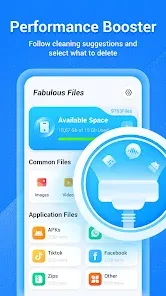








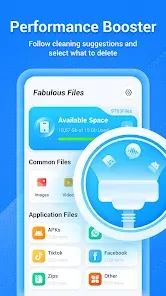




"Fabulous Files - Clean&Booster" is a multifunctional application designed to enhance the performance of your device. One of its standout features is the junk file cleaner, which efficiently scans and removes unnecessary files that can slow down your device. This helps in freeing up valuable storage space, ensuring your device runs smoothly.
Another notable feature is the memory booster, which optimizes RAM usage by closing background applications that consume resources. This results in improved speed and responsiveness, especially when multitasking. The app also includes a file manager that allows users to organize and manage their files effortlessly, making it easier to locate important documents and media.
Additionally, "Fabulous Files" offers a battery saver function that identifies apps draining battery life and provides suggestions to extend battery performance. The user-friendly interface makes navigation simple, and the app provides real-time statistics on device performance, giving users insights into their device's health. Overall, these features combine to create a comprehensive tool for maintaining and optimizing your device.
Using "Fabulous Files - Clean&Booster" is straightforward and user-friendly. After downloading and installing the app, launch it to access the main dashboard, which provides an overview of your device's performance. To begin cleaning, tap on the "Clean" option, and the app will automatically scan for junk files and cache data that can be safely removed.
Once the scan is complete, you will be presented with a list of files that can be deleted. Review the items and select those you wish to remove, then confirm the action to free up space. For memory boosting, navigate to the "Booster" section, where you can see running applications. Simply tap on the apps you want to close to optimize your device's RAM.
To manage files, use the built-in file manager to browse through your documents, images, and videos. You can create folders, move files, or delete unwanted items directly from this section. Lastly, utilize the battery saver feature by checking the recommendations provided by the app to enhance your device's battery life. Regularly using these features will help maintain your device's performance over time.
"Fabulous Files - Clean&Booster" comes with several advantages that make it a popular choice among users. One of the primary pros is its ability to effectively clean junk files, which can significantly improve device performance and free up storage space. The memory booster feature is also highly beneficial, as it enhances multitasking capabilities by optimizing RAM usage.
Another advantage is the intuitive user interface, which makes navigation easy for users of all skill levels. The app's real-time performance statistics provide valuable insights, allowing users to monitor their device's health effectively. Additionally, the battery saver function helps prolong battery life, making it a practical tool for those who rely heavily on their devices.
However, there are some cons to consider. Some users may find that the app occasionally prompts for unnecessary permissions, which can be a concern for privacy-conscious individuals. Additionally, while the cleaning features are effective, they may not always catch every junk file, requiring users to perform manual checks. Lastly, the app may display ads, which can be distracting for some users. Balancing these pros and cons is essential for making an informed decision about using the app.

 Streamlines file organization for effortless access and retrieval. Boosts system performance with optimized storage management. Enhances productivity by reducing clutter and distractions. Offers intuitive interface for easy navigation and use. Ensures data security with robust backup options.
 Limited functionalities may not meet all user needs. Frequent ads can disrupt user experience. Performance gains may be minimal for some devices.
  Google Play
  App Store
 Fabulous Files - Clean&Booster prioritizes user privacy and typically does not collect personal data without consent. Always check the privacy policy for specific details.
Yes, Fabulous Files - Clean&Booster offers a free version with limited features, along with a trial period for its premium features to allow users to experience the full functionality before committing.
While some features may utilize an internet connection for updates or additional functionalities, the core cleaning and boosting features can typically be used offline.
For support or feedback, users can typically reach out via the app's support section or visit the official website for contact information and assistance.
You can manage or cancel your subscription through your device's app store settings, where you'll find options to modify your subscriptions under your account settings.
Yes, you can log in to your Fabulous Files account from multiple devices. Just use your credentials on each device you want to access.
You can reach customer service by emailing support
Click on the "Forgot Password?" link on the login page, enter your email, and follow the instructions sent to you for resetting your password.
To activate your account, check your email for an activation link. Click it to complete the process and log in to your account.
To update your contact details, log in to your account, navigate to the settings section, and edit your information. Save changes to update it.